Kitchen Command
The Operating System for Growing Restaurants
Real-time POS, inventory, kitchens, payments, purchasing, events and customer management in one connected platform. Built to help restaurant owners operate smarter, reduce waste and increase profitability.

Why Kitchen Command ?
Kitchen Command isn't just another POS. Why use five systems when one can do it all?From orders and inventory to purchasing, customer relationships, cash management, and reporting, Kitchen Command brings your restaurant's operations together in one connected platform. Work smarter, maintain control, and build a more profitable restaurant without juggling disconnected applications.
Everything You Need to Run a Restaurant
Explore the tools that keep every part of your restaurant connected—from the first order to inventory, payments, and business insights.

Process dine-in, takeaway, and delivery orders with flexible billing, discounts, split bills, and seamless payment workflows.

Manage your floor plan, monitor table status, coordinate seating, and keep service moving smoothly.
Send orders directly to kitchen stations, track preparation progress, and keep front-of-house and kitchen teams in sync.
Track ingredients, automate recipe-based stock deductions, conduct stock counts, investigate variances, and manage transfers across locations.
Manage suppliers, streamline purchase orders, and coordinate replenishment to help prevent stock shortages.
Control cash shifts, handovers, live drops, and safe transfers while identifying discrepancies during reconciliation.

Let guests browse QR-code menus, view their bills, pay from their phones, download receipts, and share feedback.
Build customer relationships with profiles, loyalty points, reward tiers, redemptions, and customer insights.

Coordinate event bookings, quotations, menus, staffing, procurement, invoicing, and event profitability in one workflow.
Manage customer credit, corporate accounts, invoices, partial payments, credit limits, and outstanding balances.
Monitor sales, inventory, finances, kitchen performance, and customer trends, with automated end-of-day reports delivered to your inbox.

Oversee branches, coordinate stock movements, manage location-level requisitions, and compare performance from one central platform.
Trace important operational actions across orders, inventory, cash, and other modules to strengthen accountability and investigate discrepancies.

Store, organize, access, and share important restaurant documents from one centralized workspace.
Stop Managing Systems. Start Running Your Restaurant.
Running a restaurant means managing dozens of moving parts. Orders, kitchen operations, inventory, suppliers, payments, staff, and customers all affect one another. When these operations live in disconnected systems, visibility gets lost, work gets repeated, and costs become harder to control.Kitchen Command brings your restaurant operations together in one connected platform.When an order is placed, it flows into kitchen operations. As menu items are sold, connected recipes help account for ingredient consumption. Purchasing helps you replenish stock, while cash management and payment reconciliation help you account for the money coming in. Customer loyalty helps turn completed transactions into opportunities for repeat business, and connected reporting brings operational performance into view.From daily service to financial oversight, each part of your restaurant has a place in the bigger picture.
One Platform. Connected Operations.
From Order to Kitchen: Connect order taking, table management, and kitchen workflows to keep service coordinated.
From Ingredients to Cost Control: Connect inventory, recipes, production, purchasing, and stock movements to manage ingredients and understand food costs.
From Payment to Accountability: Bring cash management, payment reconciliation, receivables, and audit trails into a more accountable workflow.
From Customer to Repeat Business: Connect customer records, purchase activity, loyalty points, and rewards to encourage customers to return.
From Daily Activity to Better Decisions: Use reports across sales, inventory, financial performance, staff, and kitchen operations to understand what's happening in your business.
From One Branch to the Entire Business: Maintain visibility across your restaurant locations and oversee operations under one organization.
Your restaurant doesn't operate in modules. Neither should your management system.Kitchen Command connects the moving parts, helping you maintain control, improve visibility, and make more informed decisions as your restaurant grows.
Testimonials
John
Casual dining
"Running a restaurant involves much more than serving great food. Kitchen Command helps bring our daily operations together, giving us better visibility into sales, stock, and how the business is performing."
Macharia
Café and coffee shop
"What I appreciate about Kitchen Command is having important parts of the business connected in one place. From processing orders to monitoring inventory, it makes managing the day-to-day work feel more organised."
Jackline
Bakery and production
"In a bakery, keeping track of ingredients, production, and sales is essential. Having tools that connect these activities gives us a clearer picture of what's happening across the business."
multi-location management
One Organization. Every Branch. Total Visibility.
Manage your entire restaurant organization through one connected platform. Kitchen Command gives owners visibility across their branches, bringing user management, orders, inventory, purchasing, cash management, customer relationships, reports, and other restaurant operations together.
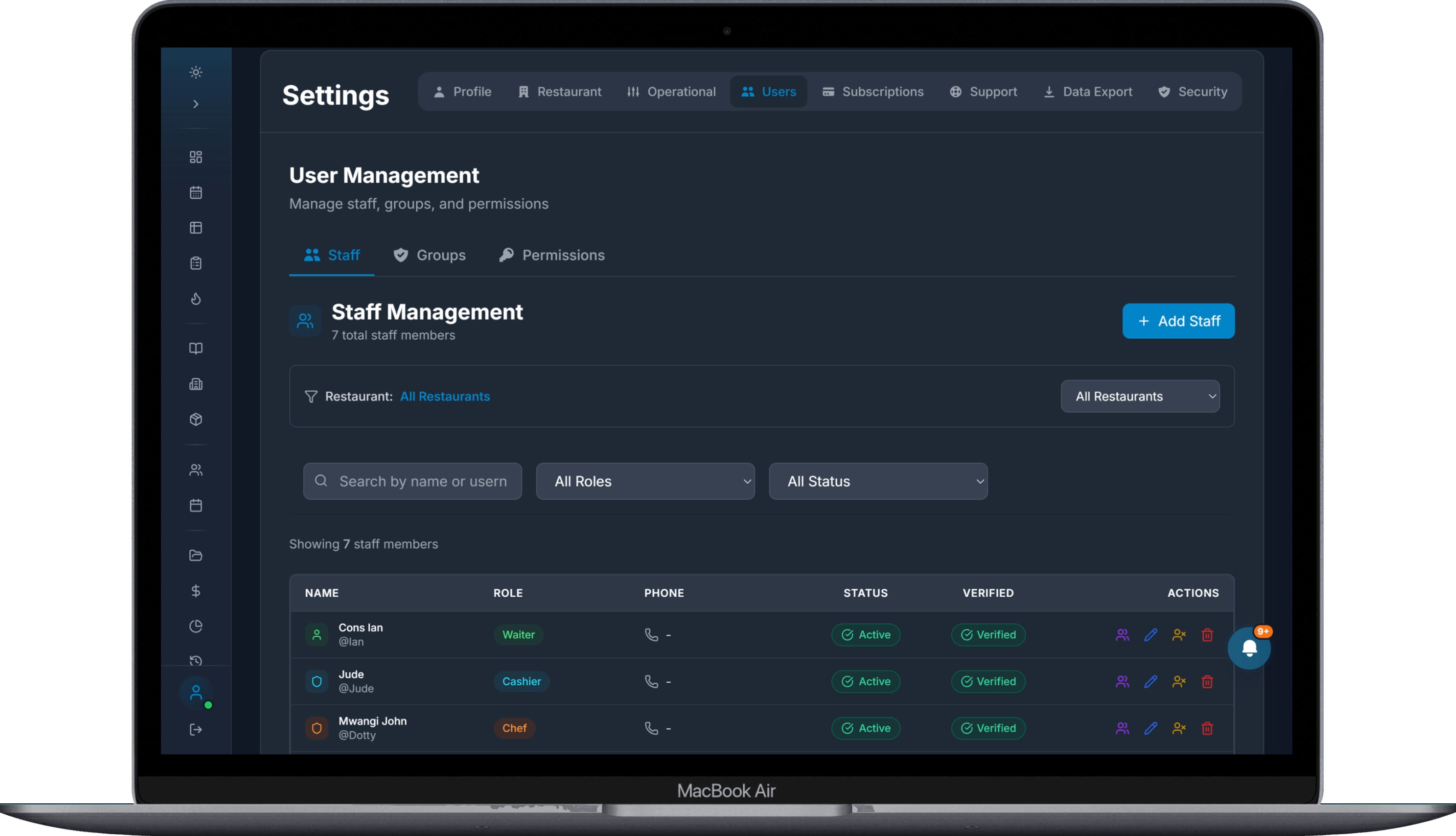
Everything Connected Across Your Branches
Oversee your teams, monitor branch performance, and access operational information across your restaurant locations. Whether you're reviewing sales, tracking inventory, managing users, or monitoring cash movements, Kitchen Command helps you stay informed about what's happening across your organization—all from one place.
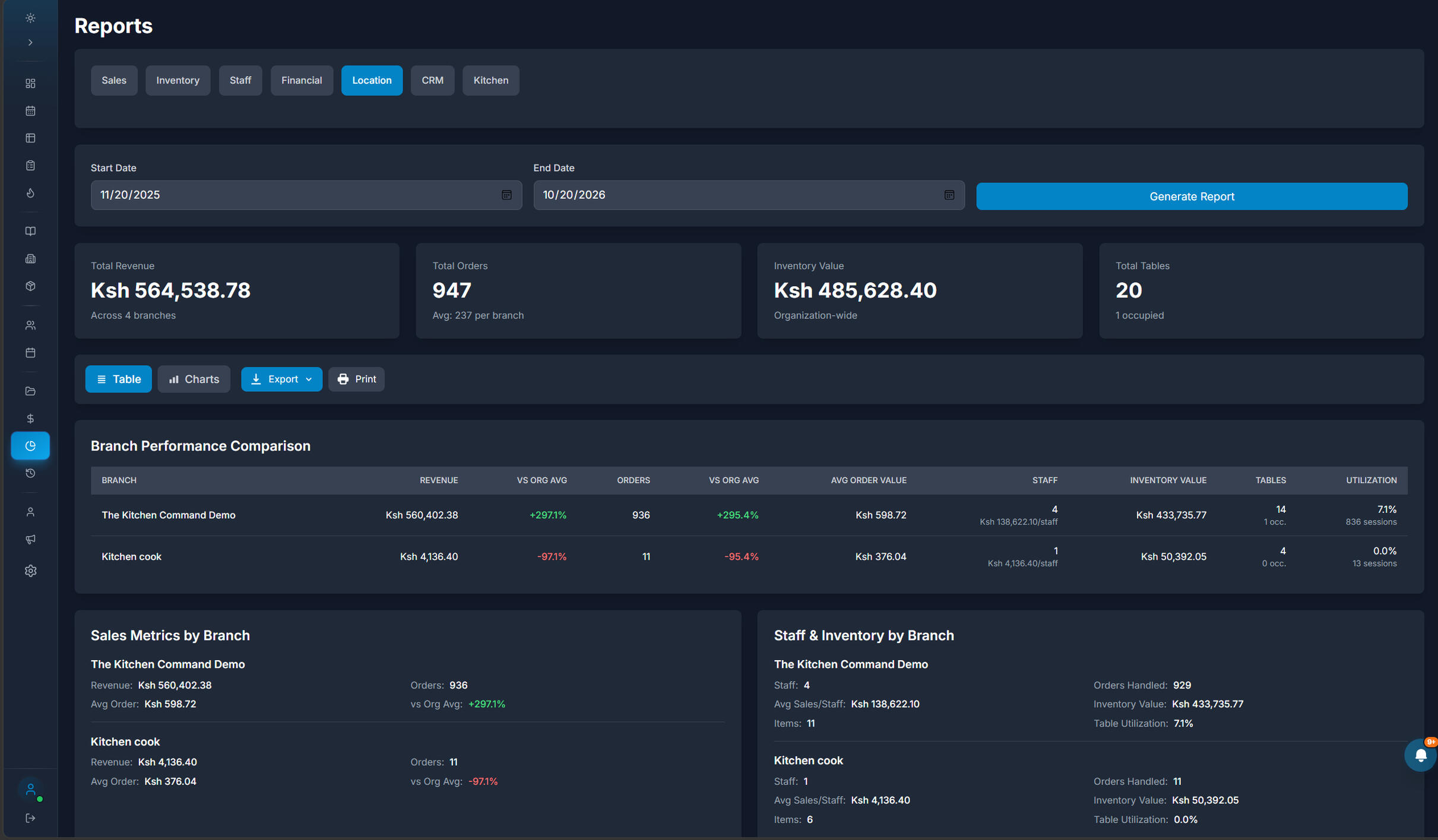
Every Branch Is Part of the Bigger Picture.
Stay connected to your locations, understand what's happening across your organization, and manage your restaurant business with greater confidence.
POS and Order Management
Every Order. Every Table. Under Control.
Take orders, manage bills, and process payments through one intuitive POS designed to keep restaurant service moving. From the first item ordered to the final payment, Kitchen Command brings your order workflow together.
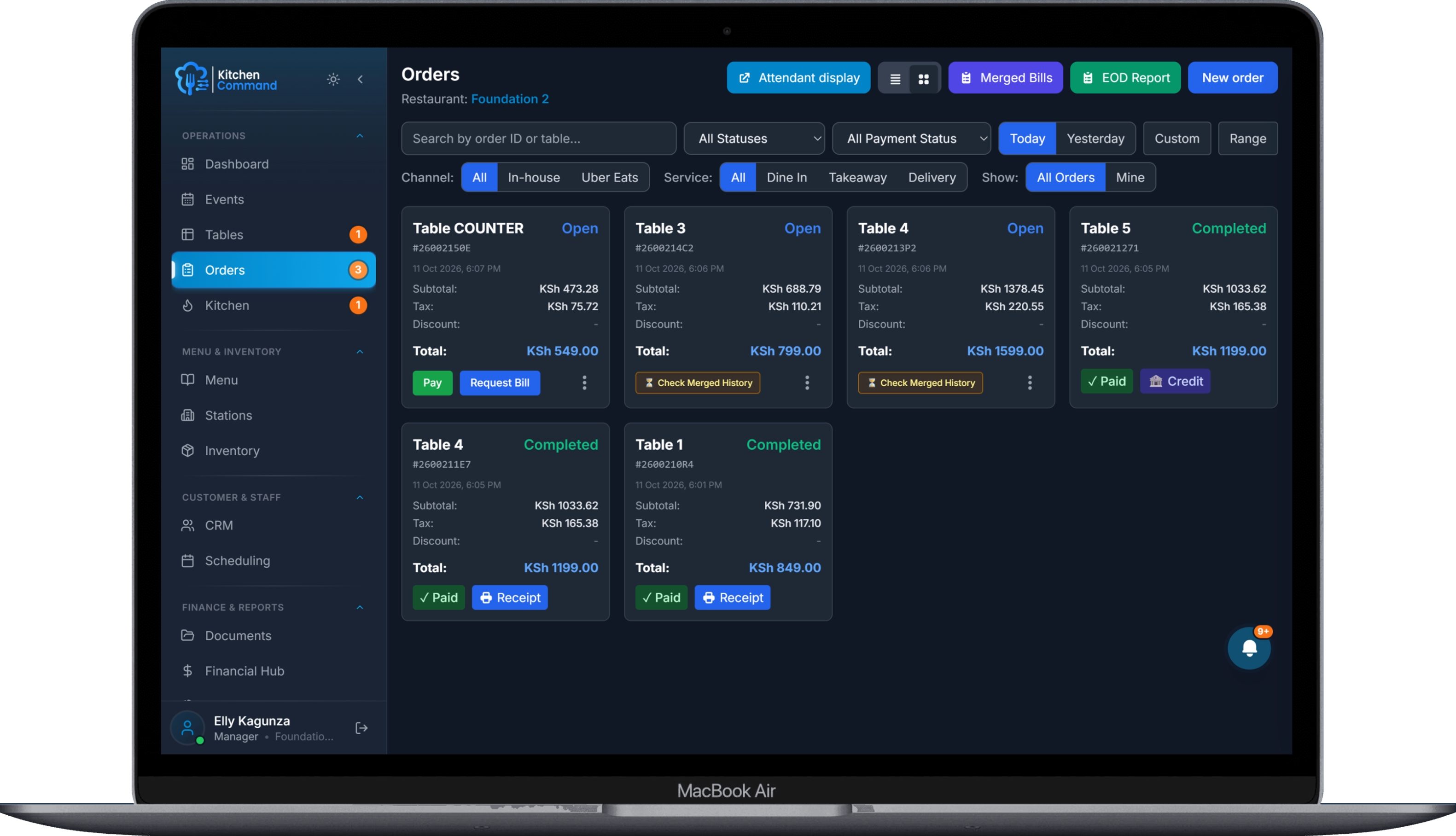
From Order to Kitchen, Without the Hassle.
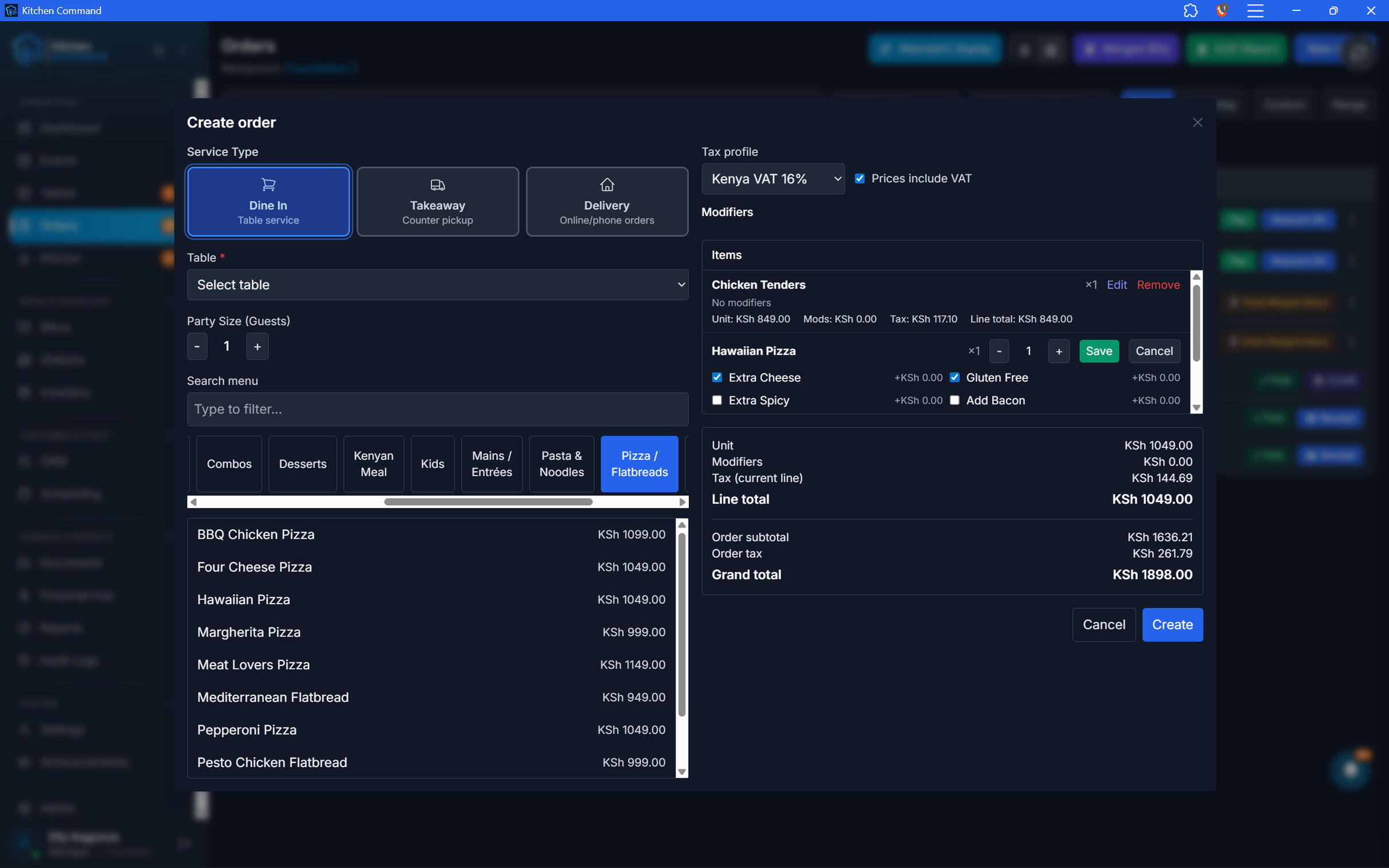
A smooth order-taking workflow helps your team serve customers efficiently. Select menu items, configure available modifiers, and create orders for dine-in, takeaway, or delivery—all from one interface.
Checkout That Keeps Service Moving.
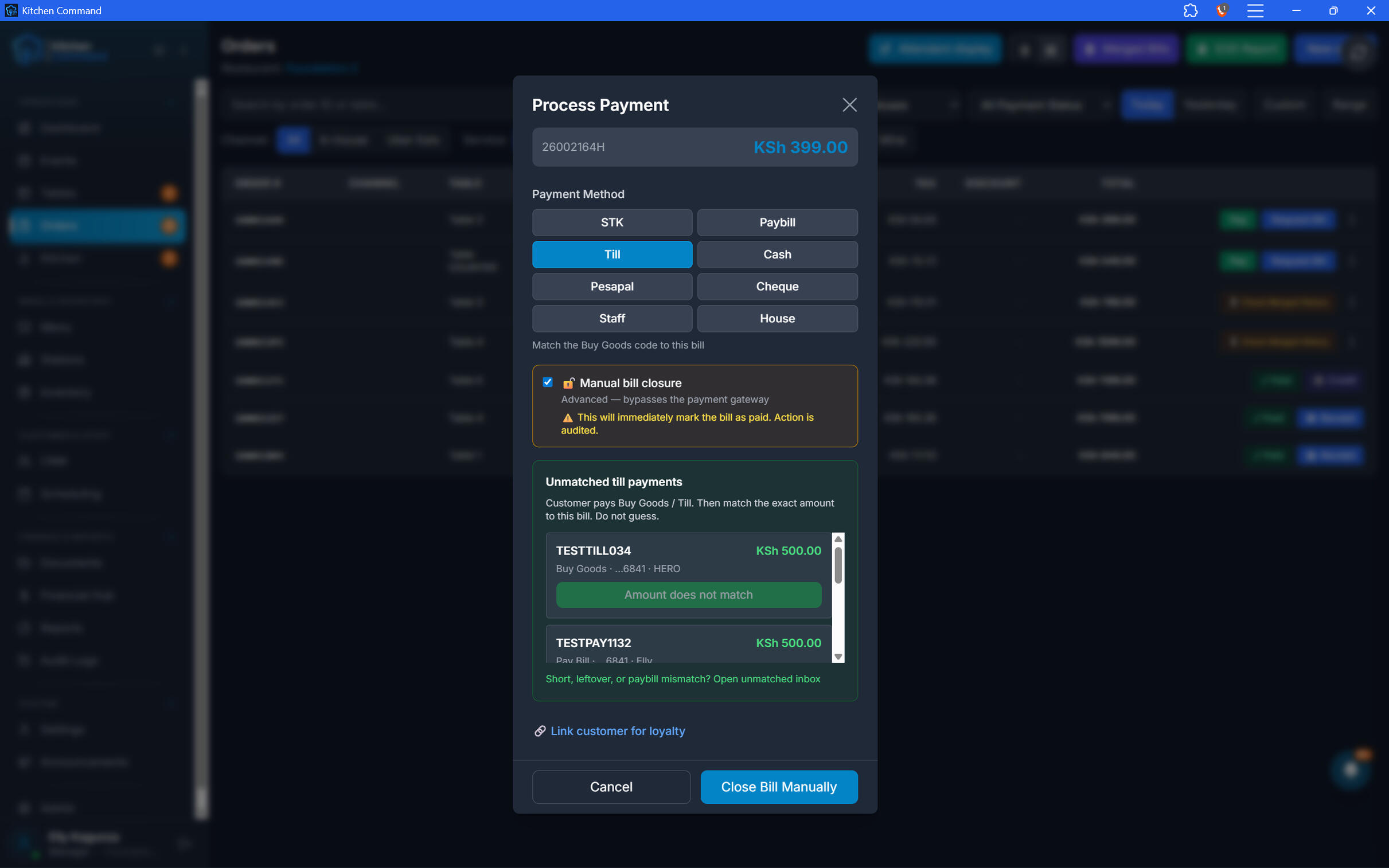
Make payment handling part of the order workflow. Give your team a clear checkout process for completing bills, recording payments, and confirming transactions through your configured payment methods.
Checkout That Keeps Service Moving.
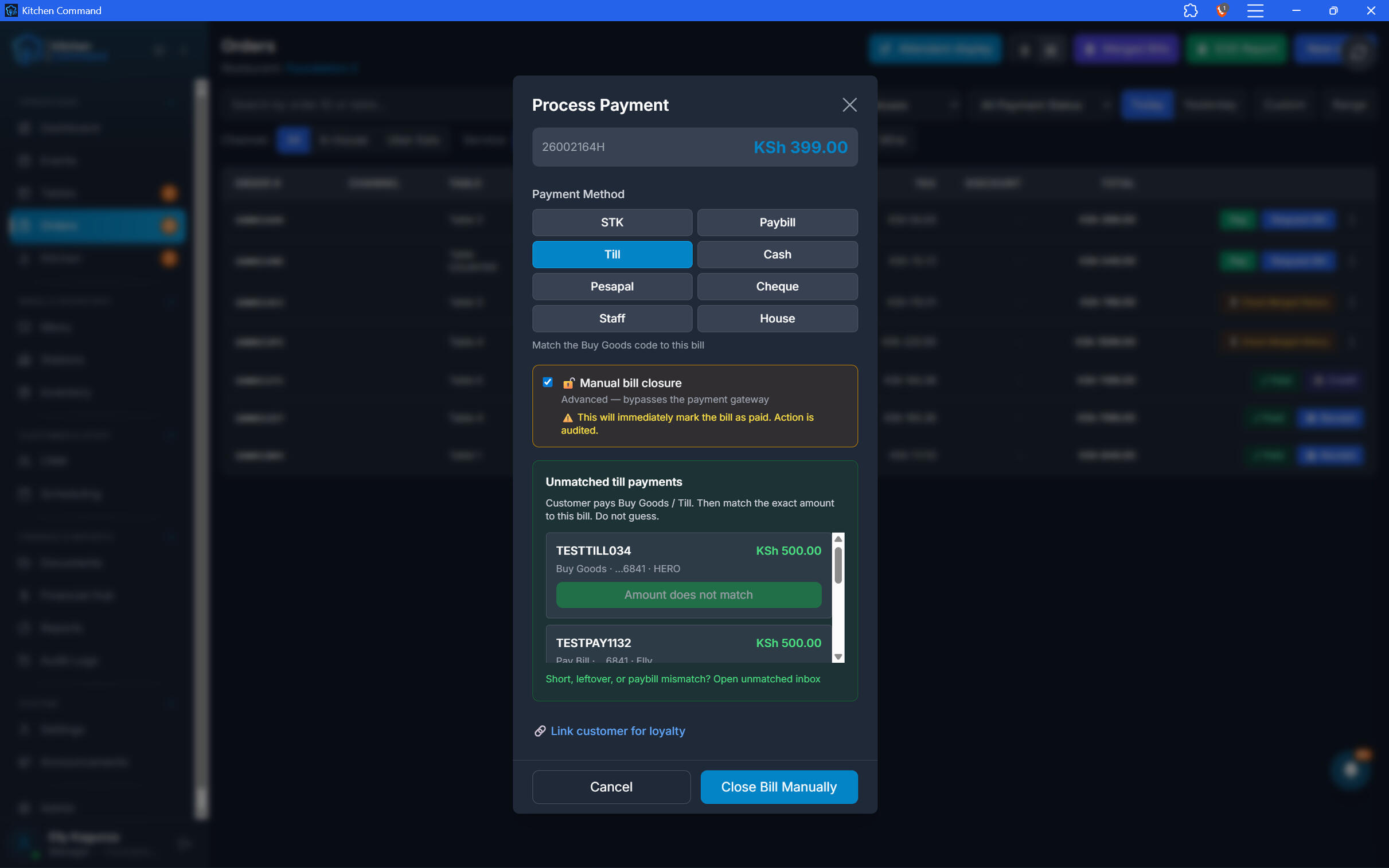
Make payment handling part of the order workflow. Give your team a clear checkout process for completing bills, recording payments, and confirming transactions through your configured payment methods.
Split bills for flexible dining
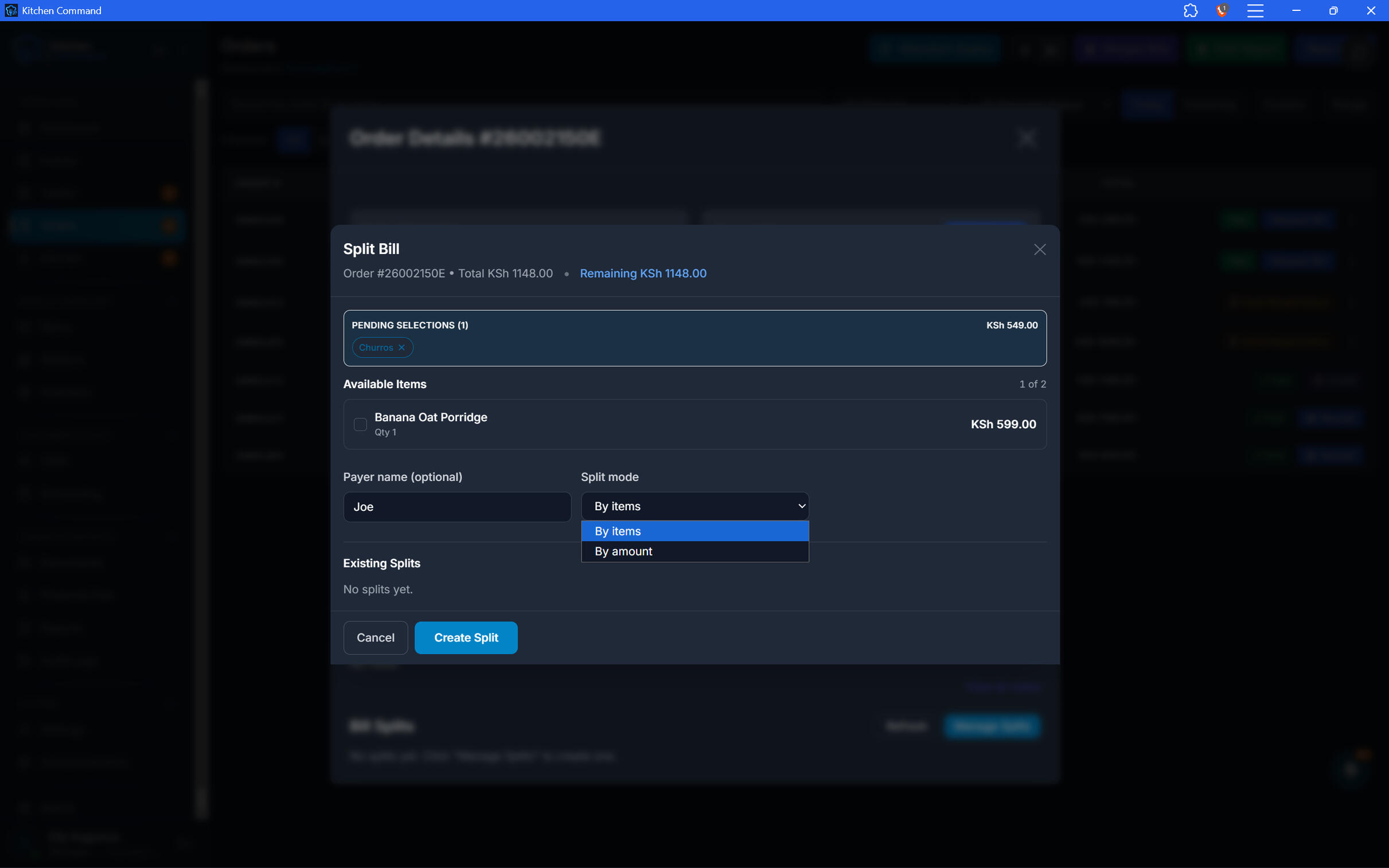
When diners want to pay separately, your team can use the split-bill workflow to handle the bill without turning checkout into a manual exercise. Make group dining easier for both customers and staff.
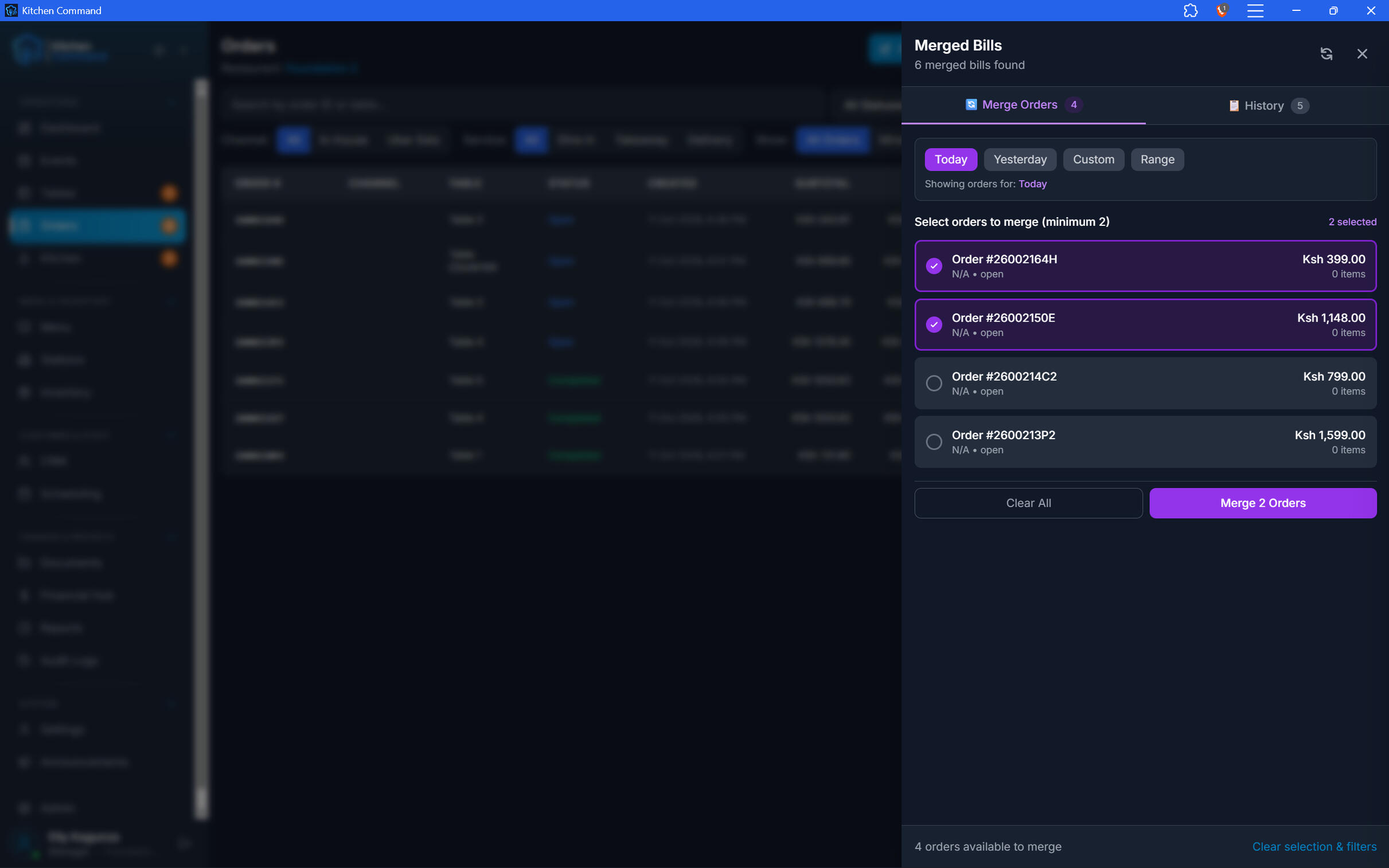
Merge orders and bills
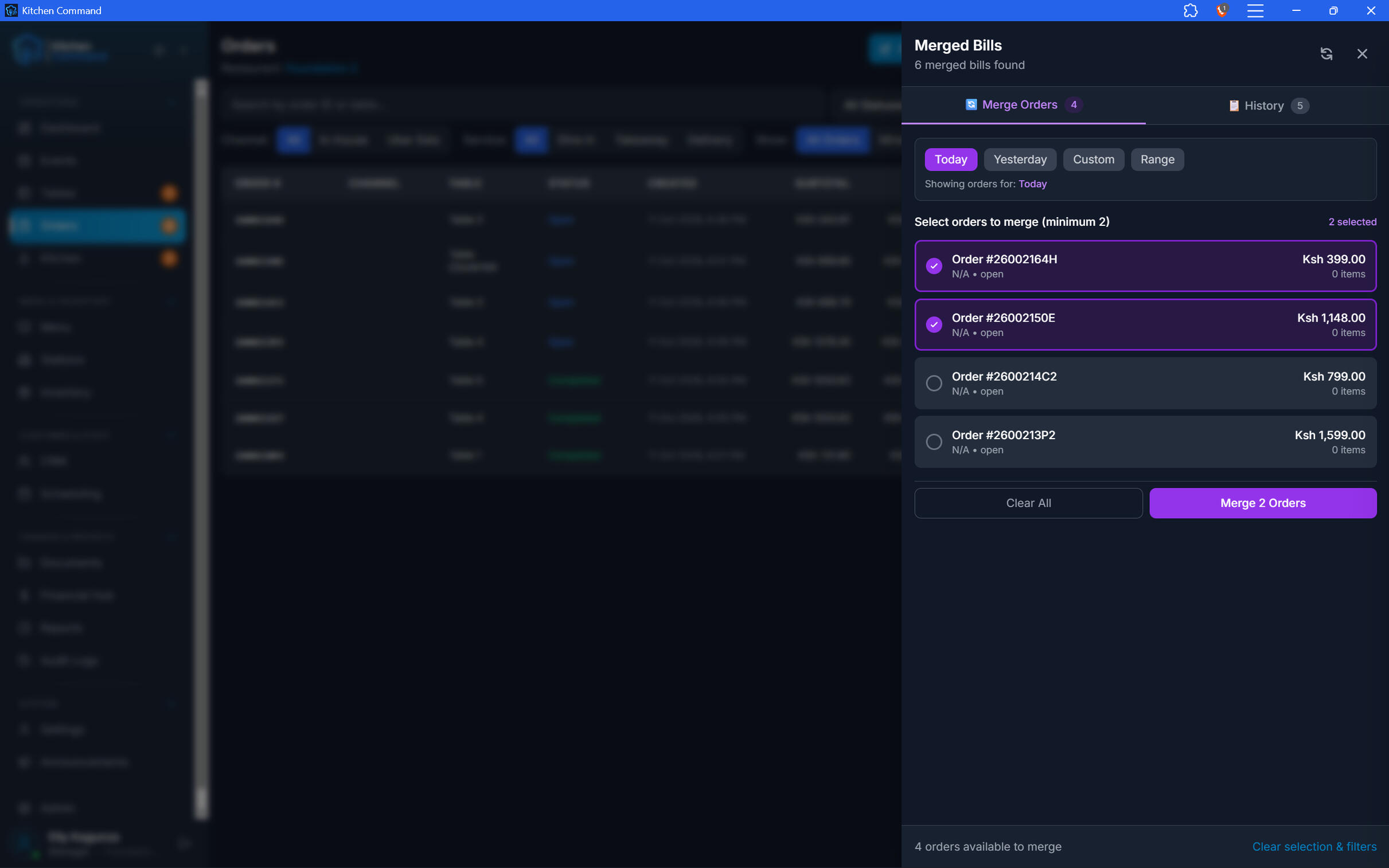
When guests need to combine orders, staff can merge eligible orders into one bill. Kitchen Command helps simplify shared dining arrangements while keeping bill management within the POS.
Merge orders and bills
When guests need to combine orders, staff can merge eligible orders into one bill. Kitchen Command helps simplify shared dining arrangements while keeping bill management within the POS.
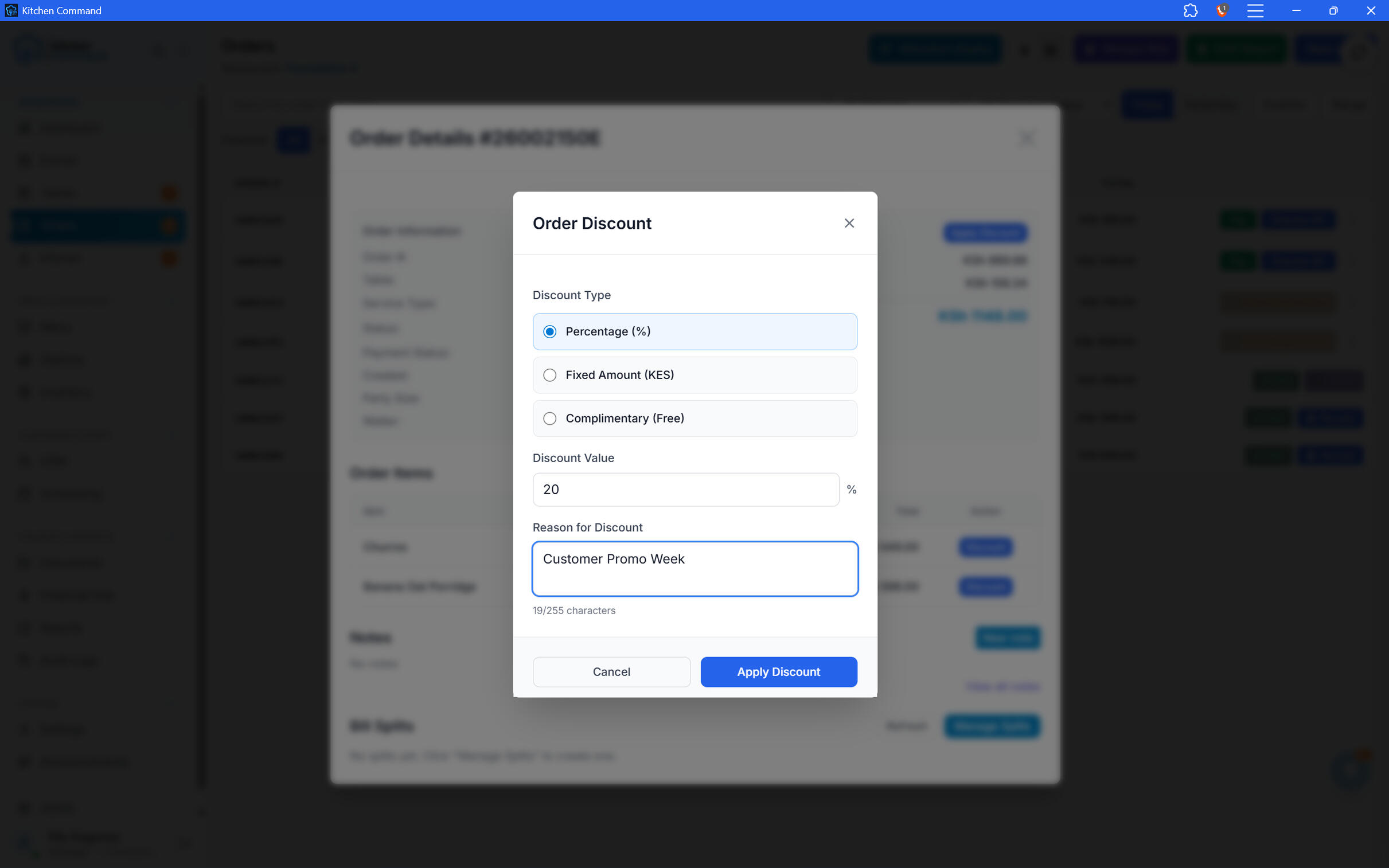
Offer Discounts. Maintain Control.
Handle eligible discounts within the order workflow while maintaining oversight of who can apply them. Permission controls help you keep pricing adjustments aligned with your restaurant's operating policies.
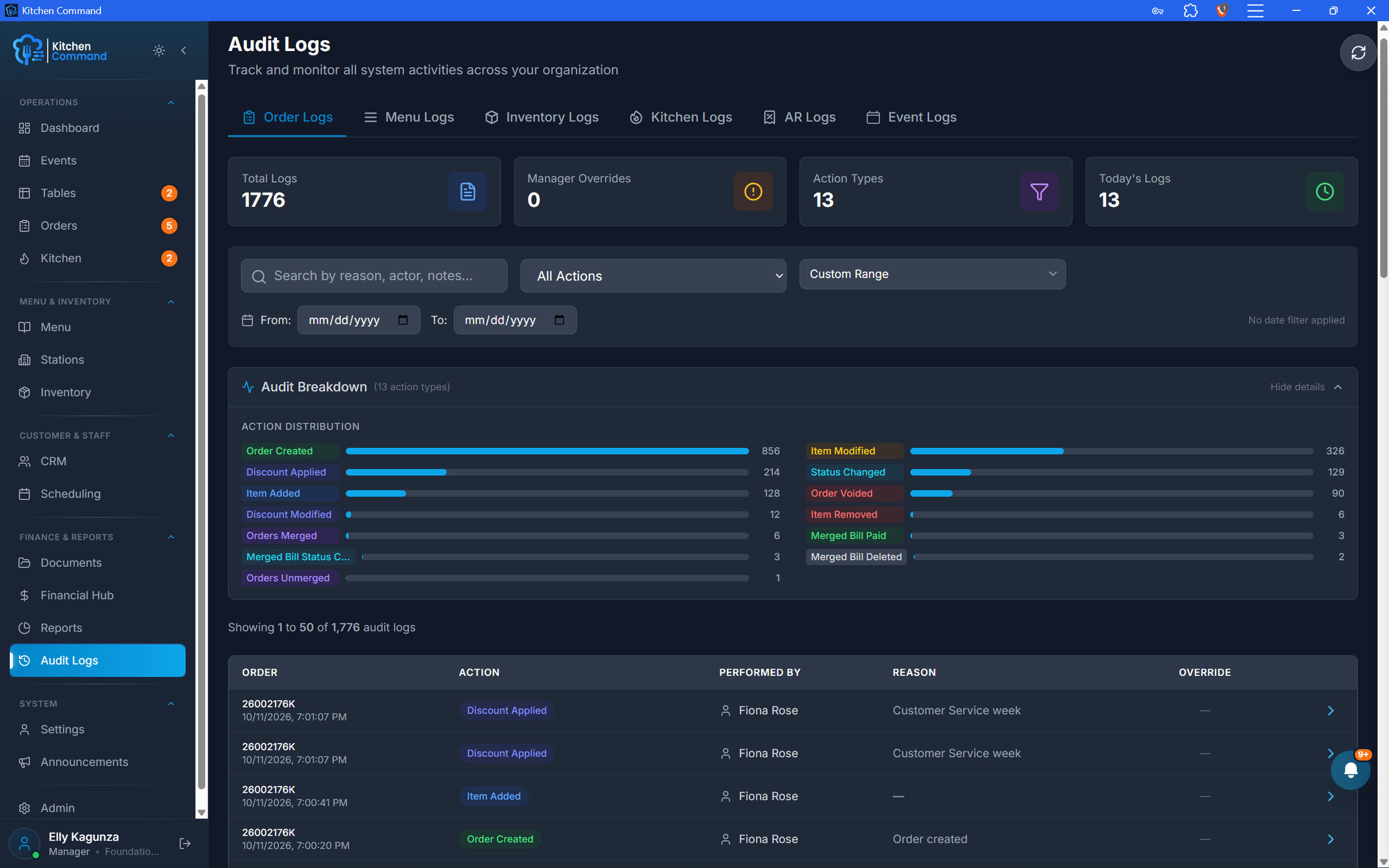
Every Order Accounted For.
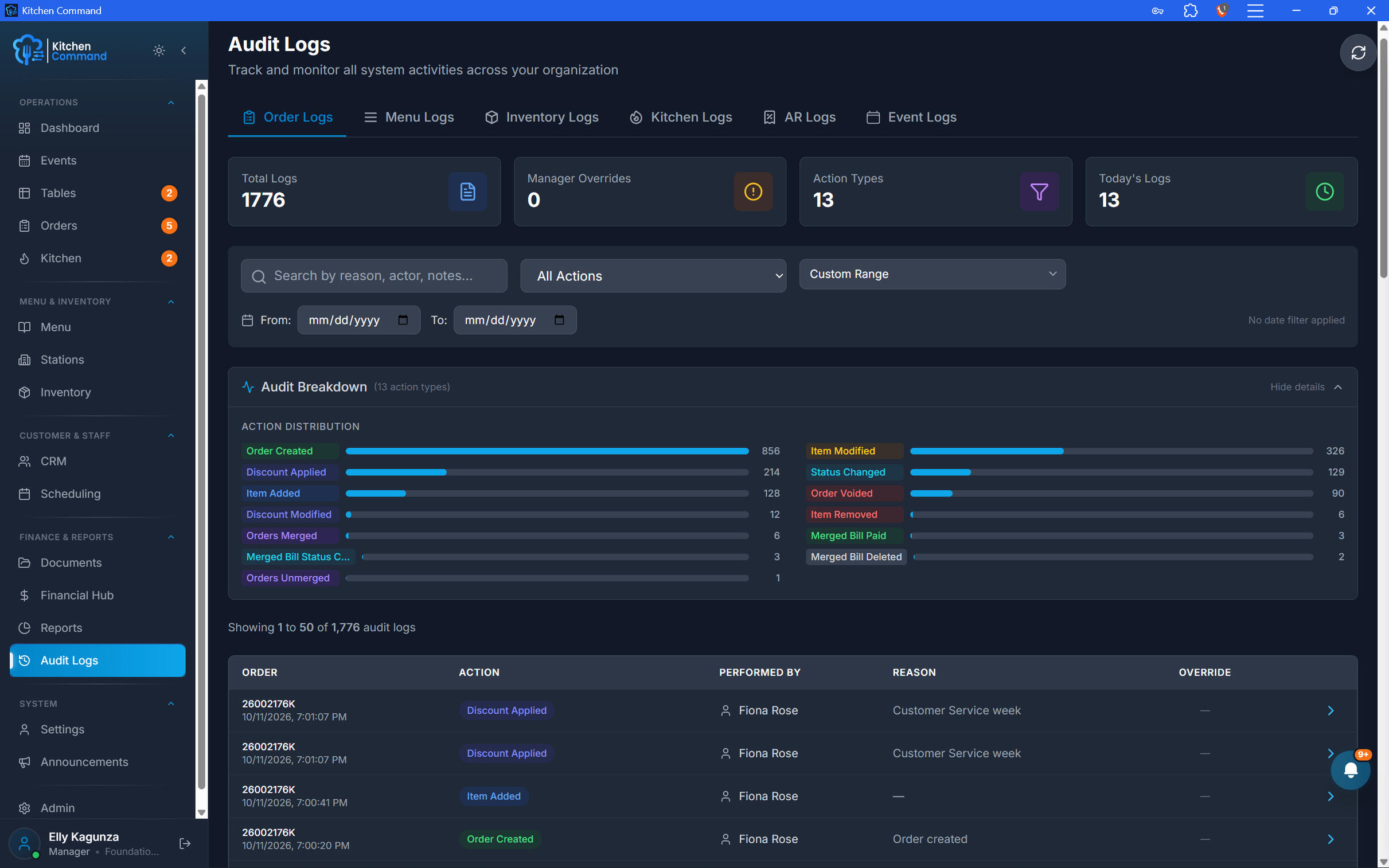
Restaurant operations need more than the ability to create orders. Authorized staff can perform the order-management actions their roles permit, while available audit logs help owners investigate changes and strengthen accountability.
Every Order Accounted For.
Restaurant operations need more than the ability to create orders. Authorized staff can perform the order-management actions their roles permit, while available audit logs help owners investigate changes and strengthen accountability.
Take Control of Every Order.
See how Kitchen Command connects order taking, billing, payments, and accountability in one restaurant management platform.
KITCHEN DISPLAY SYSTEM
From Order to Ready. Keep the Kitchen Moving.
Give your kitchen team a clear view of incoming orders, preparation progress, and order priorities. Kitchen Command's Kitchen Display System helps your team stay coordinated, manage tickets, and keep service moving during the rush.
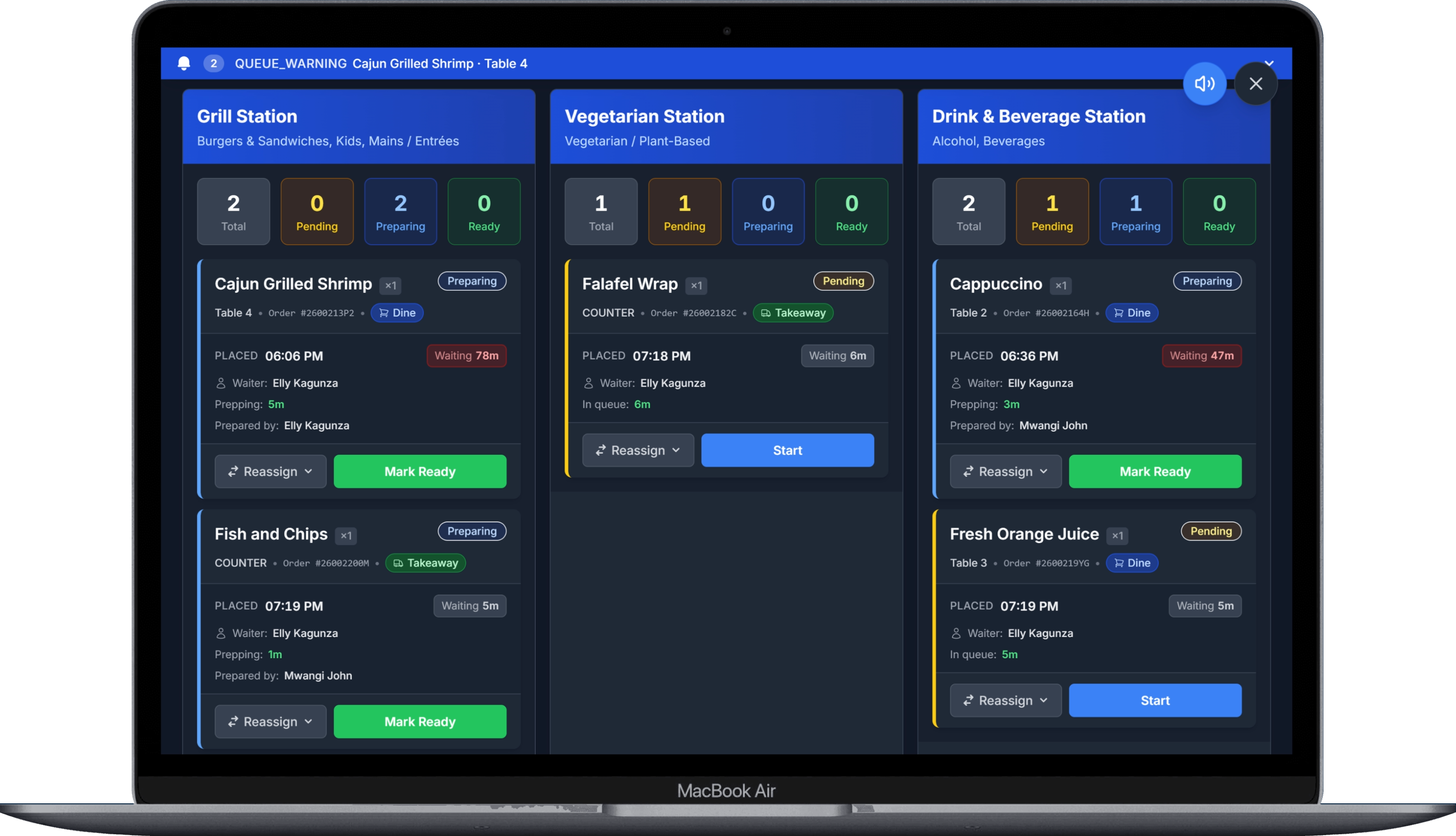
Every Ticket. Clearly in View.
Give kitchen staff a centralized view of orders sent to the kitchen, so they can see what needs attention without relying on paper tickets.
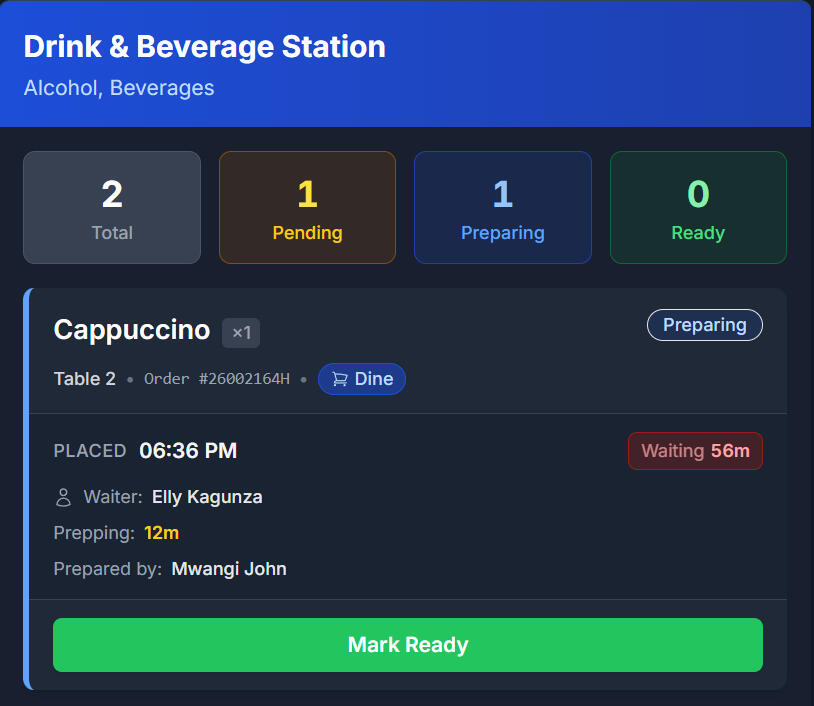
The Right Orders for the Right Station.
Organize kitchen operations around configured stations, helping teams focus on the orders and preparation tasks relevant to their work area.
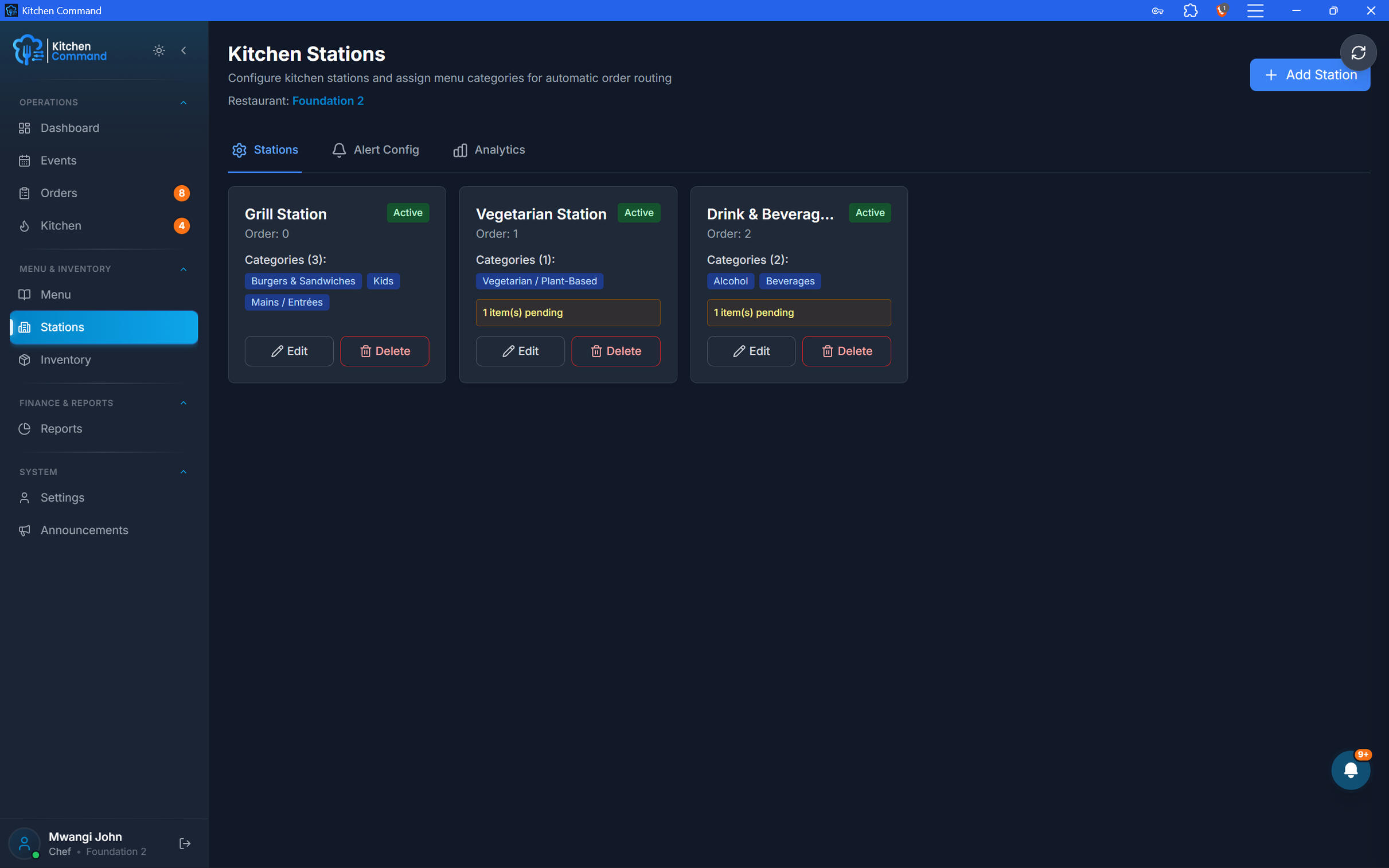
The Right Orders for the Right Station.
Organize kitchen operations around configured stations, helping teams focus on the orders and preparation tasks relevant to their work area.
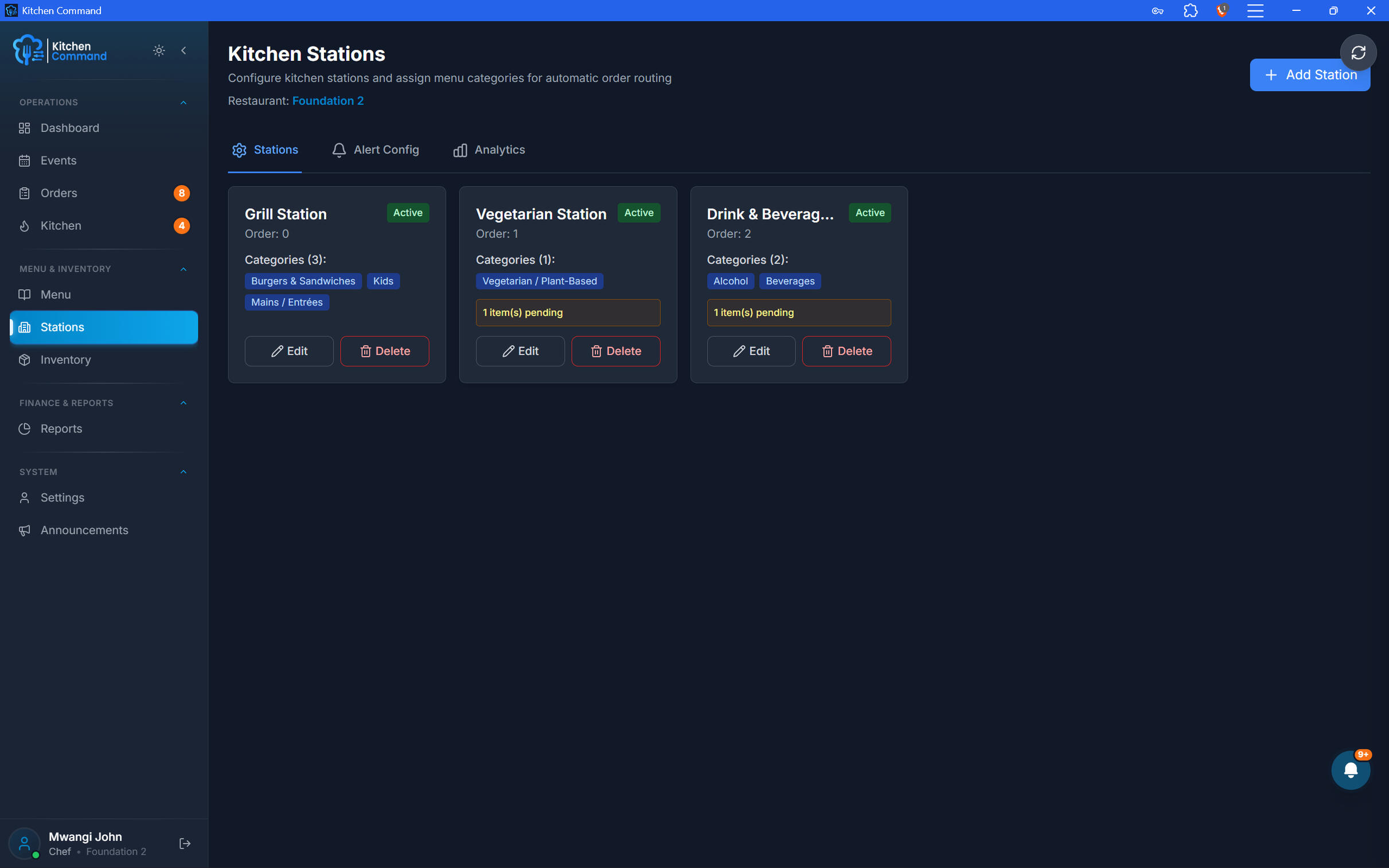
Spot Delays. Stay in Control.
Use kitchen alerts and available analytics to help your team identify orders that need attention and understand kitchen activity.
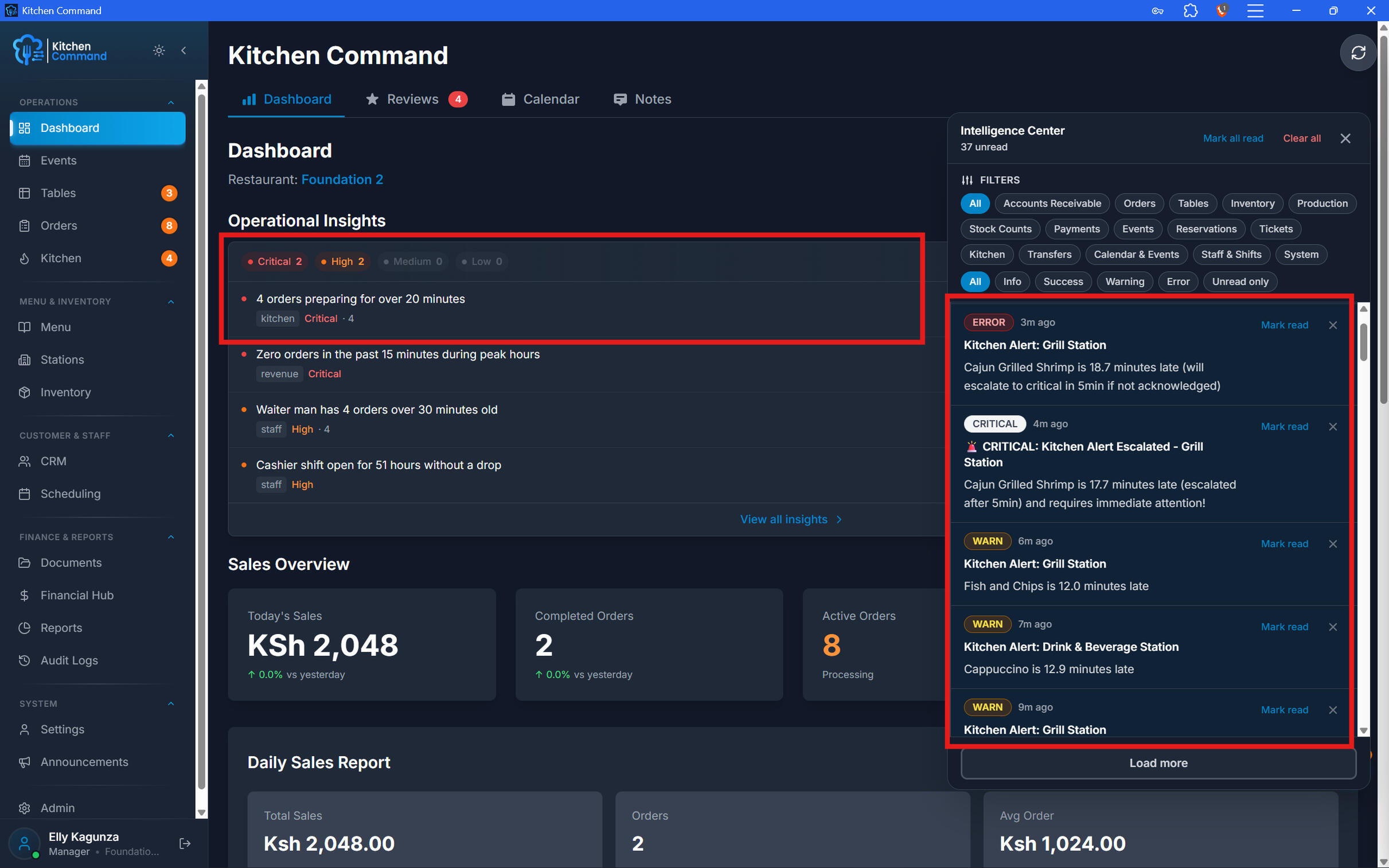
Keep the Kitchen in Sync.
Connect order taking and kitchen preparation in one workflow built to help your team stay organized, even during busy service.
purchasing and suppliers
Smarter Purchasing. Better Stock Control.
Manage suppliers, create purchase orders, and coordinate stock replenishment from one connected platform. Kitchen Command brings purchasing and inventory together to help your restaurant stay supplied, organized, and in control of procurement.
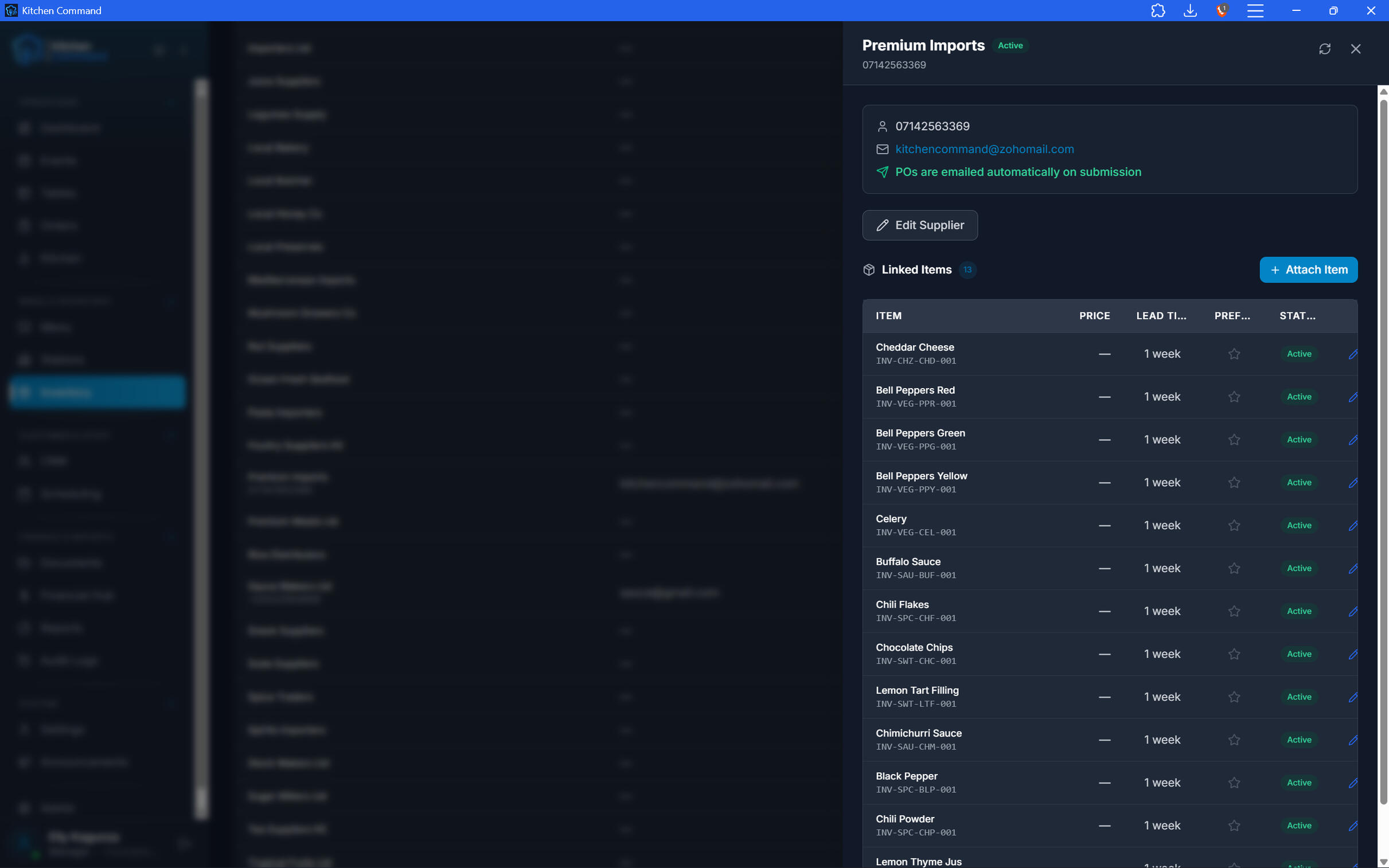
Your Suppliers. One Organized Place.
Keep supplier information organized and accessible when your team needs to source ingredients, beverages, and other restaurant essentials.
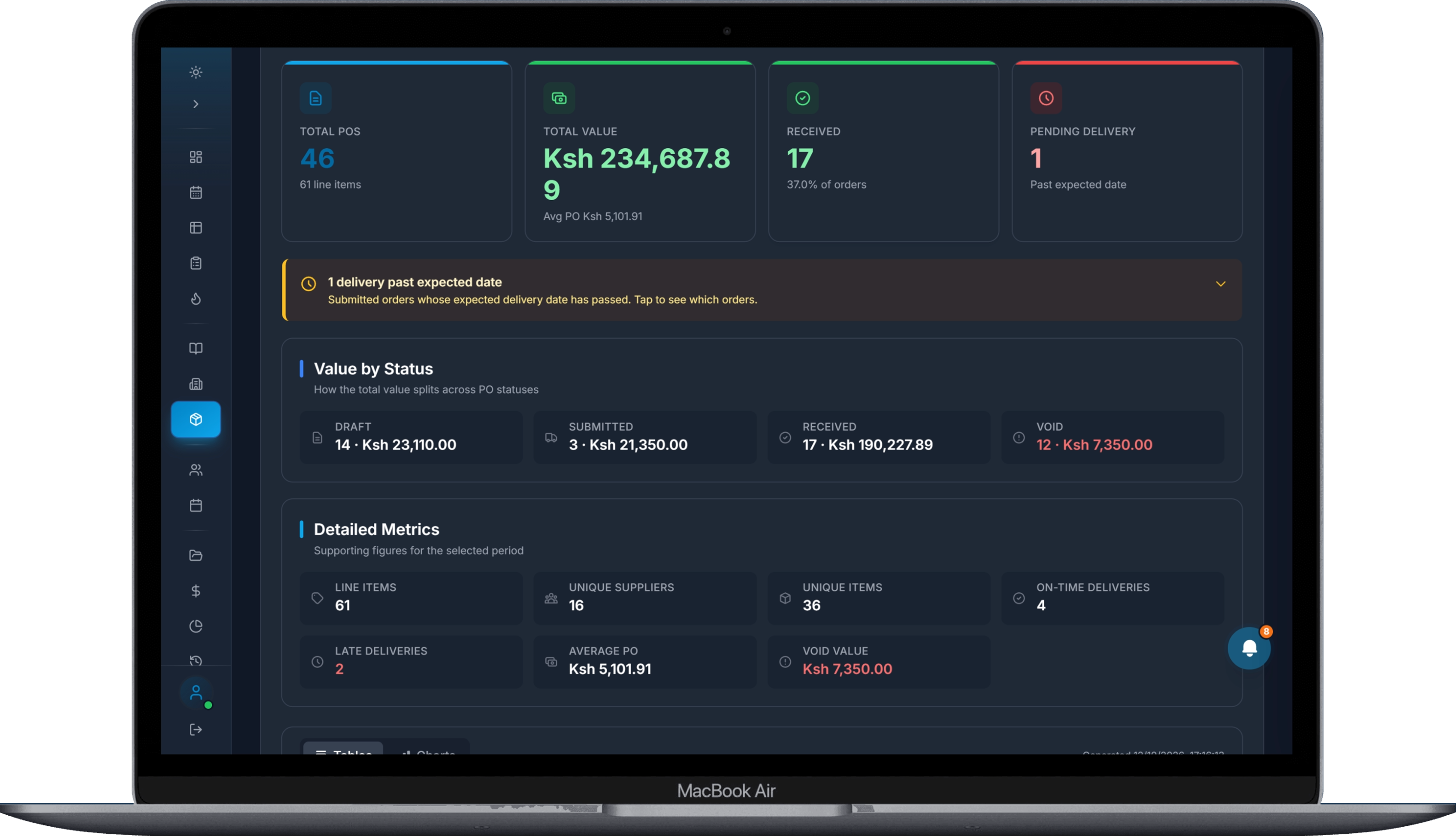
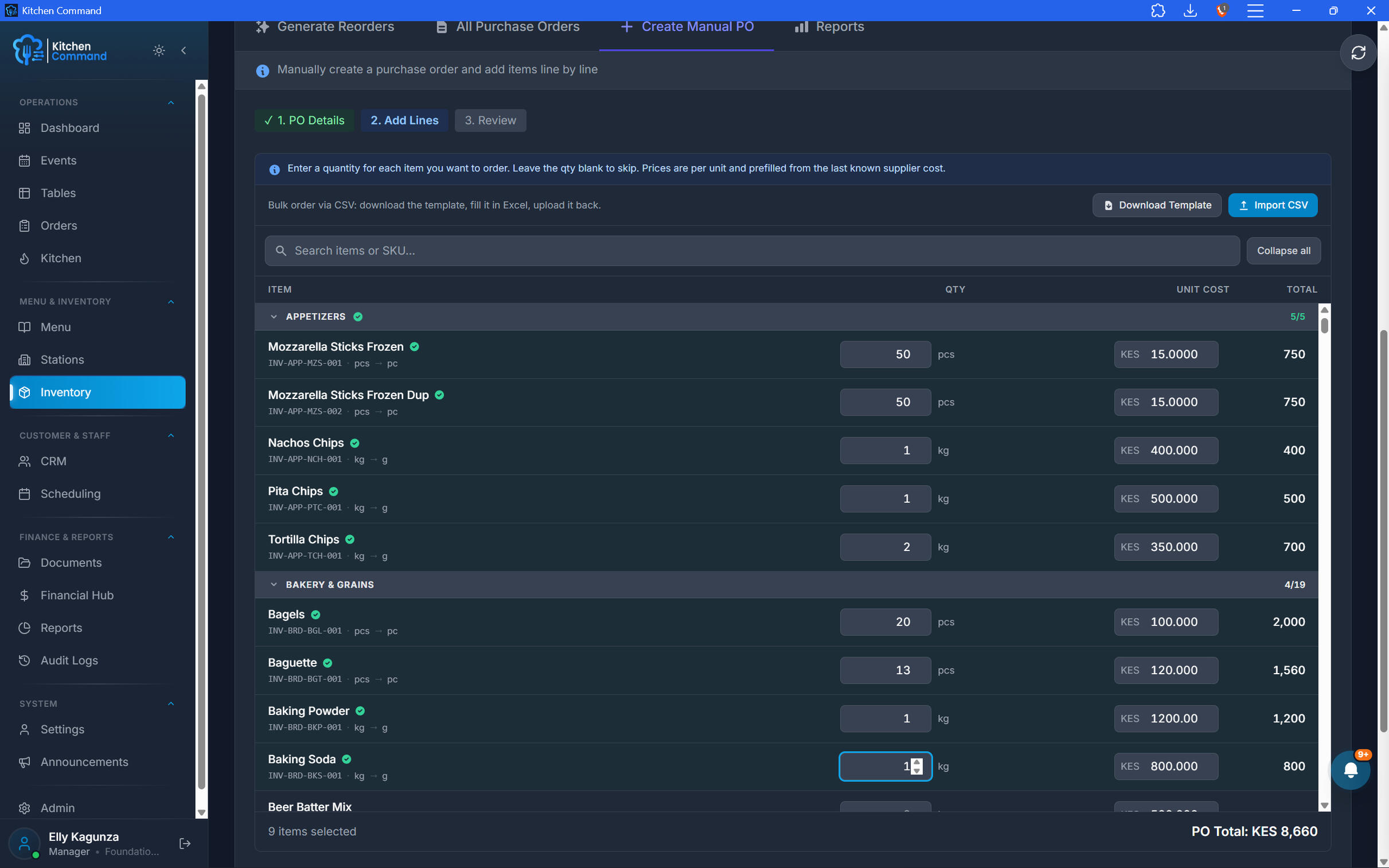
Every Purchase, Properly Planned.
Create and manage purchase orders with clear item details and quantities with a manual CSV/Excel import option. Give your team a more consistent process for requesting the stock your restaurant needs.
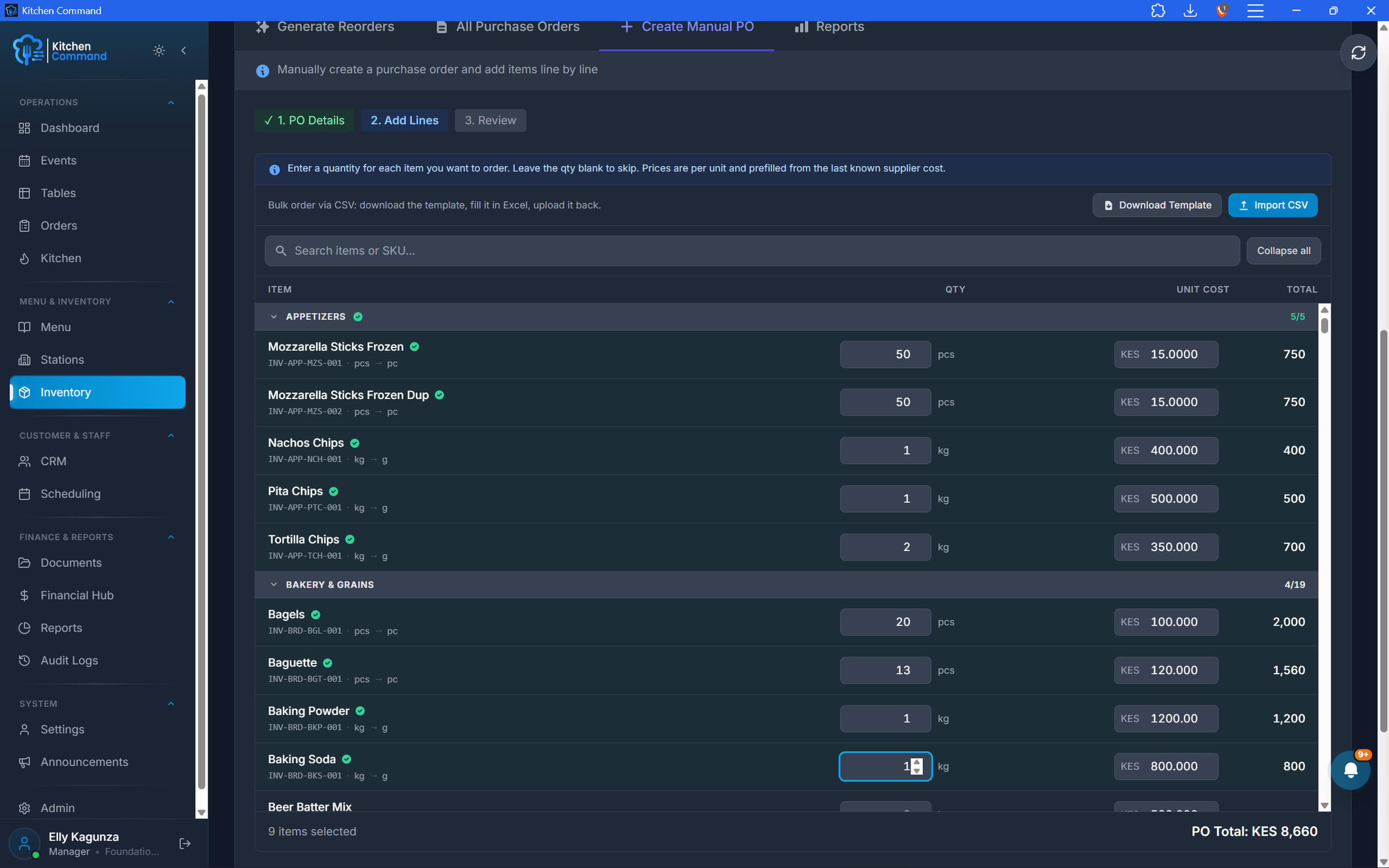
Every Purchase, Properly Planned.
Create and manage purchase orders with clear item details and quantities with a manual CSV/Excel import option. Give your team a more consistent process for requesting the stock your restaurant needs.
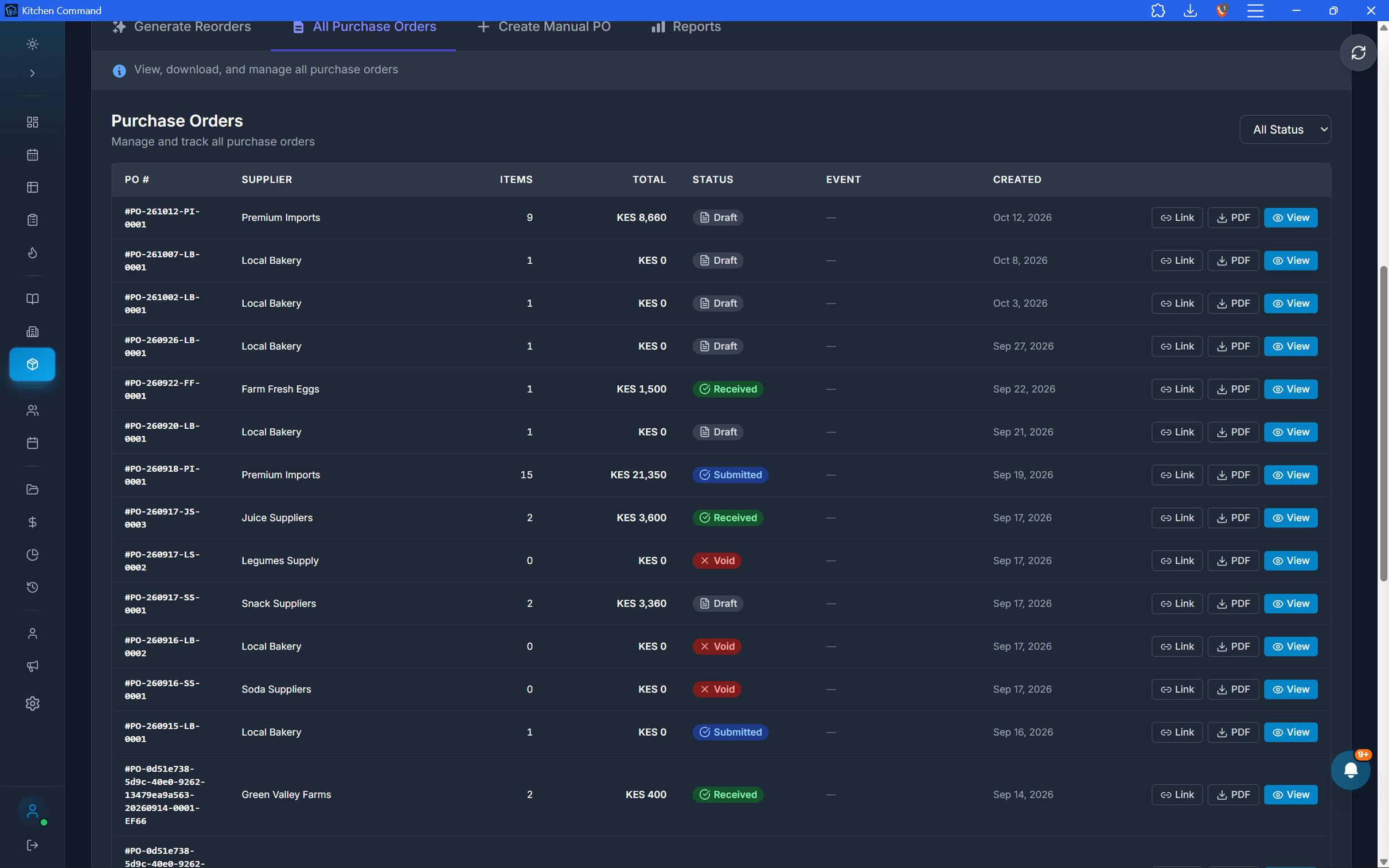
Connect Purchasing to Inventory.
Bring procurement closer to day-to-day stock management. Organize replenishment around the ingredients and supplies your restaurant needs to keep operating. Once a purchase order is marked received, it replenishes the inventory items purchased.
Clear Processes. Greater Accountability.
Give authorized team members a structured purchasing workflow, with records that help owners maintain visibility over procurement activity.
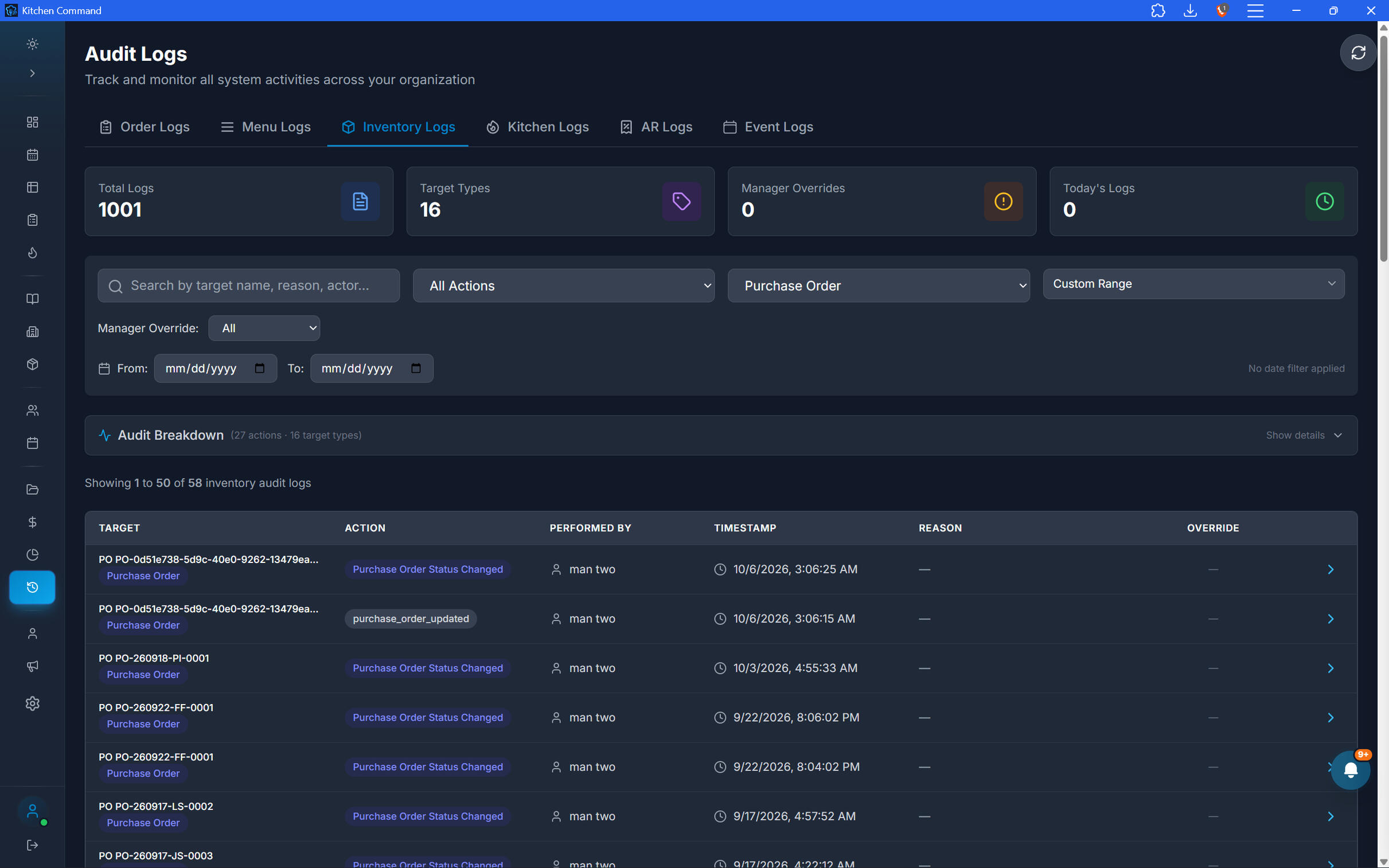
Clear Processes. Greater Accountability.
Give authorized team members a structured purchasing workflow, with records that help owners maintain visibility over procurement activity.
Take Control of Restaurant Purchasing.
Bring suppliers, purchase orders, and inventory workflows together to make procurement easier to manage.
cash management and reconciliation
Every Shilling Accounted For.
Take control of restaurant cash and digital payments with structured cash shifts, tracked cash movements, and automatic daily payment reconciliation. Kitchen Command helps you identify variances, strengthen accountability, and see where your money stands.
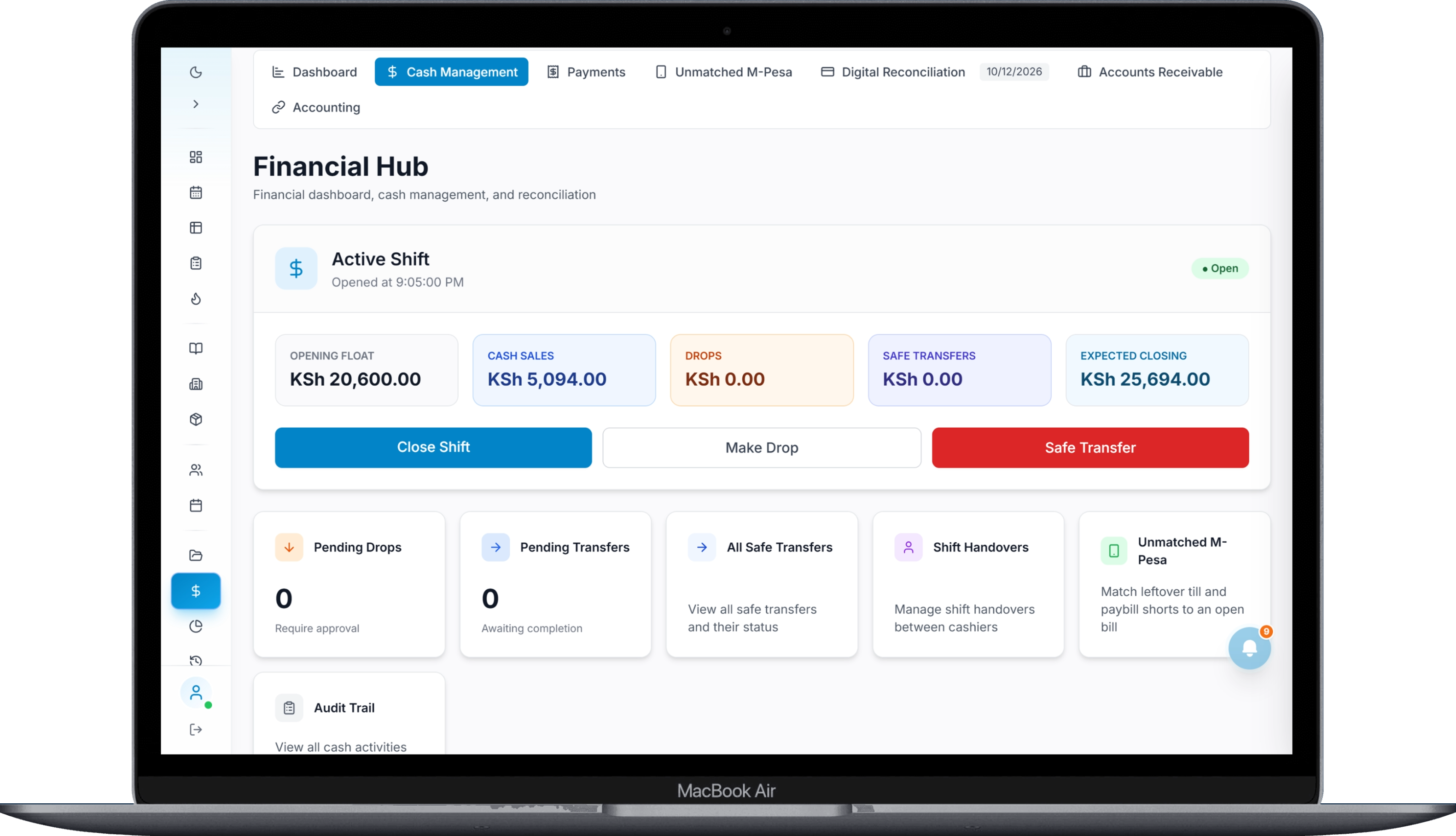
Every Shift Starts with Accountability.
Manage the cash drawer from opening to closing. Record the opening float, account for cash collected from closed bills, and compare expected cash against the amount actually counted.
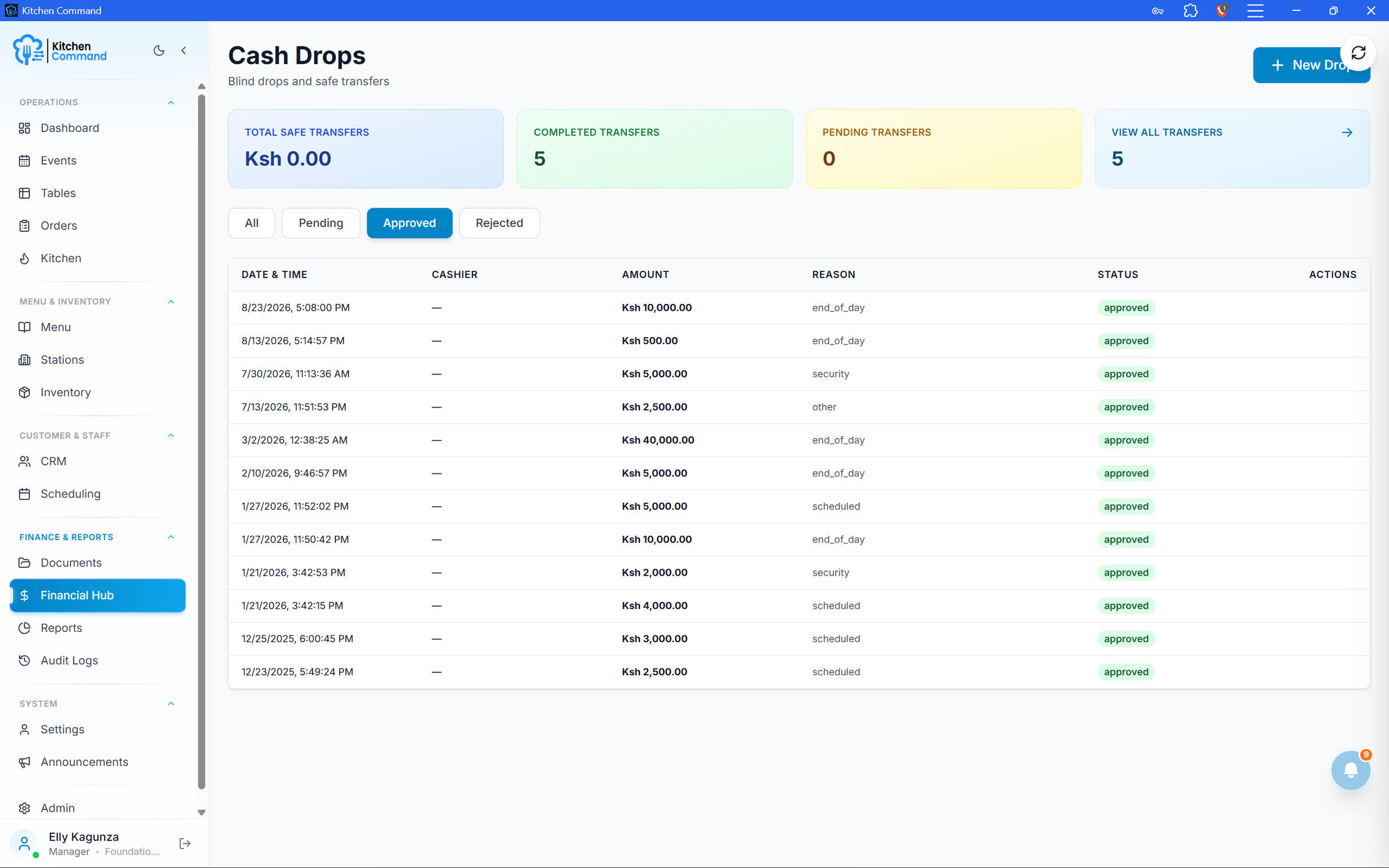
Every Movement Has a Record.
Track cash as it moves through your restaurant. Manage blind drops, safe transfers, and shift handovers with a clearer record of who handled the cash and what was recorded.
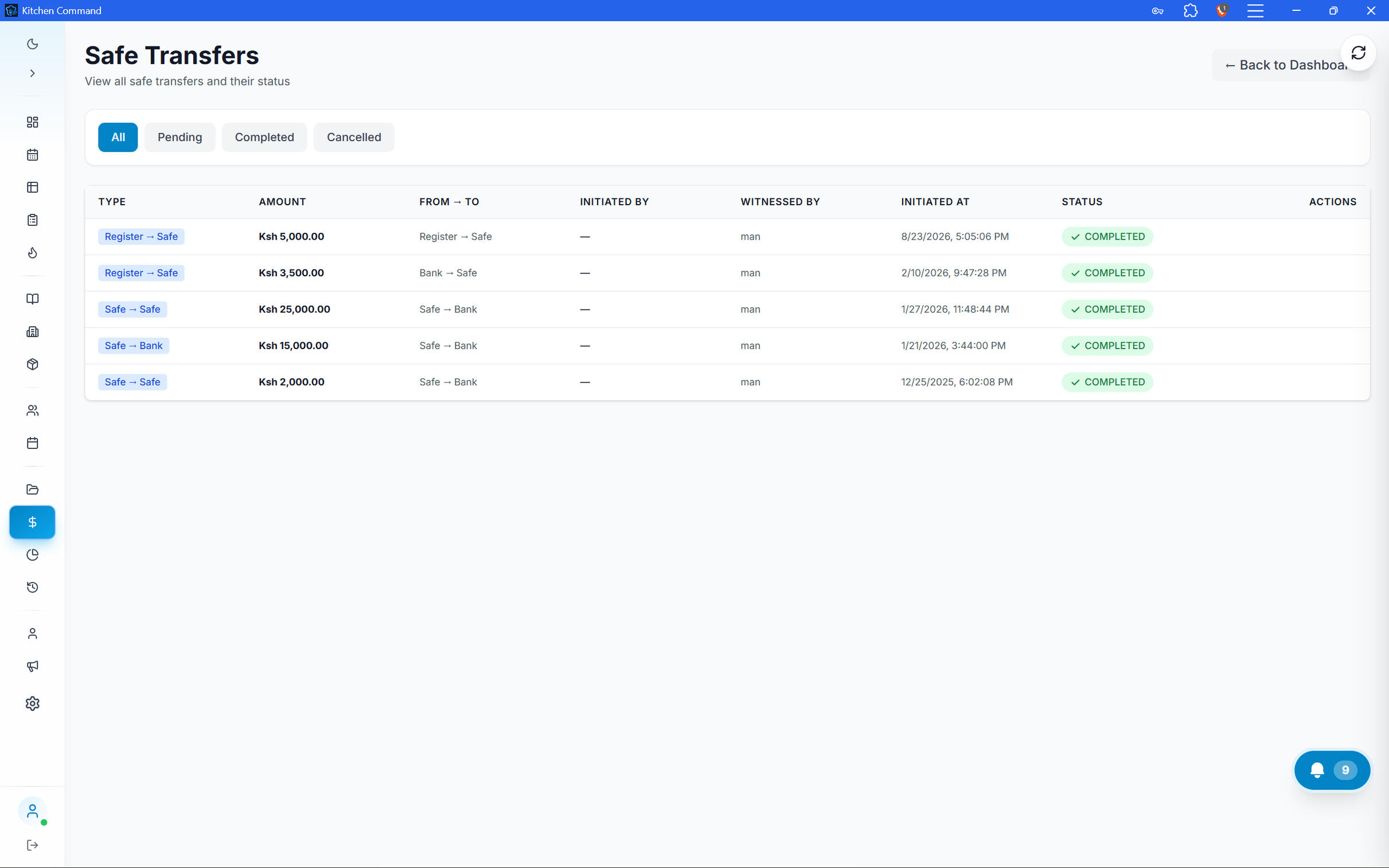
Every Movement Has a Record.
Track cash as it moves through your restaurant. Manage blind drops, safe transfers, and shift handovers with a clearer record of who handled the cash and what was recorded.
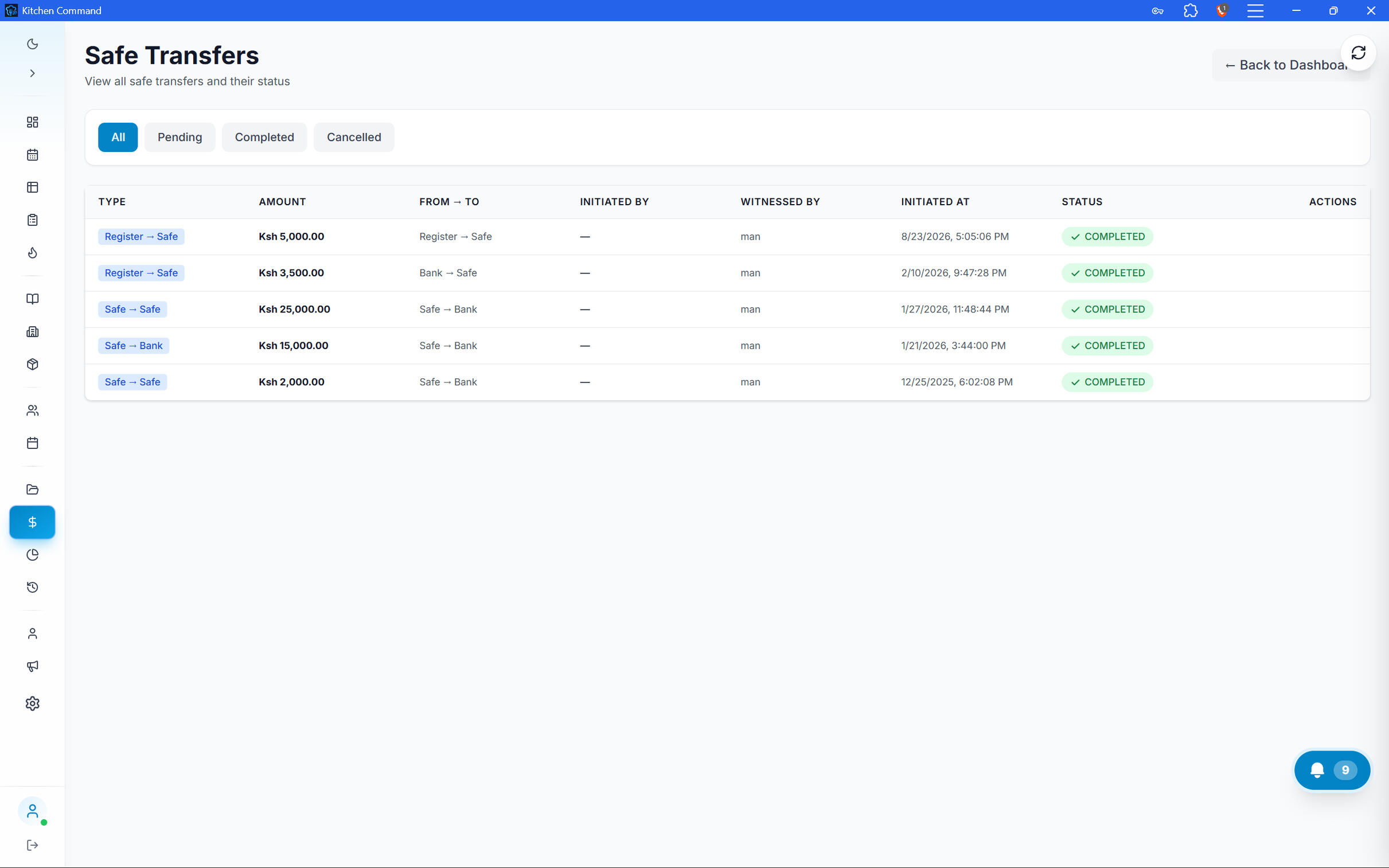
Digital Payments. Reconciled Daily.
Kitchen Command automatically runs daily reconciliation for supported digital payment methods, helping you compare recorded restaurant transactions against digital payment records and identify discrepancies.
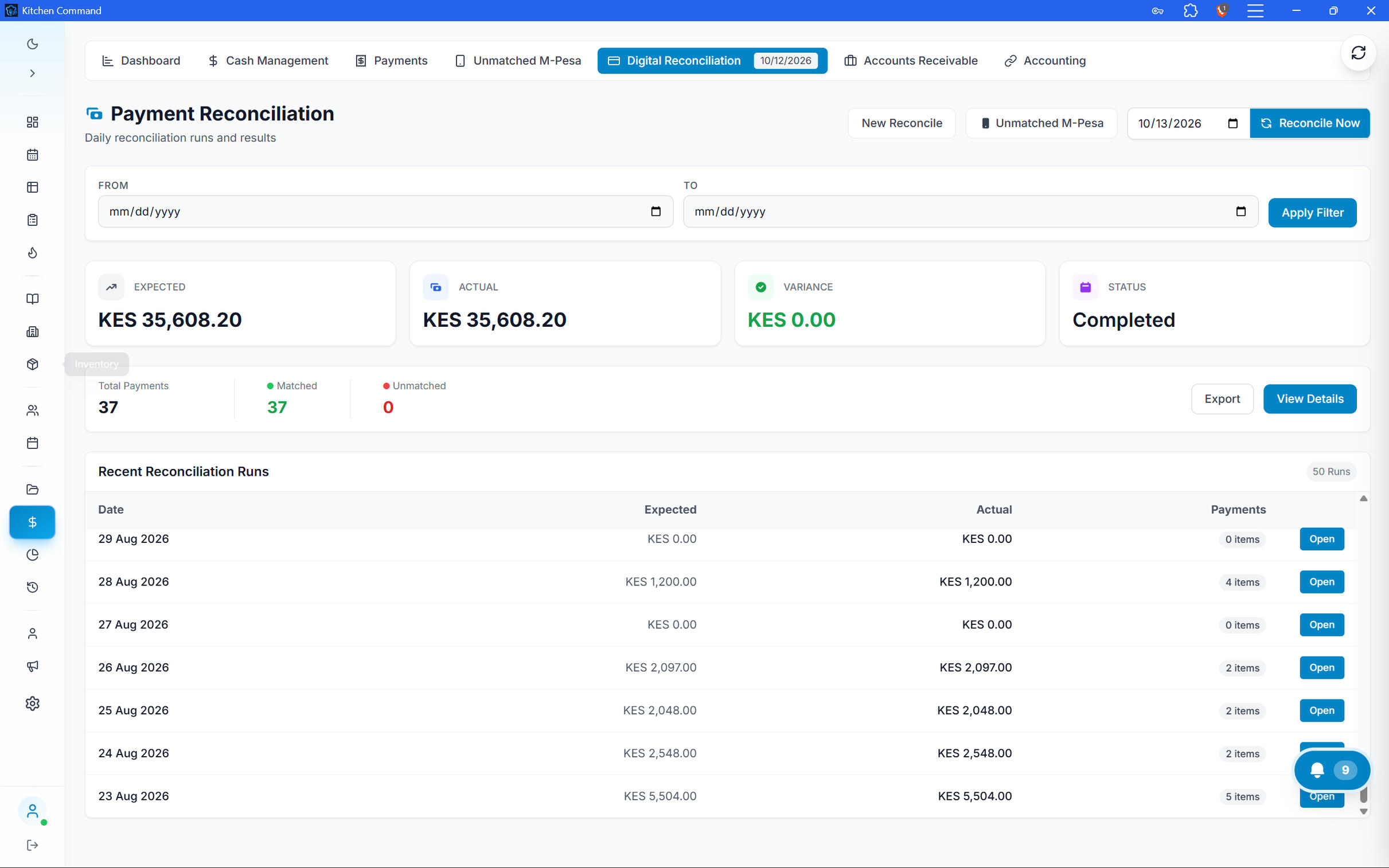
Two Audit Trails. Stronger Accountability.
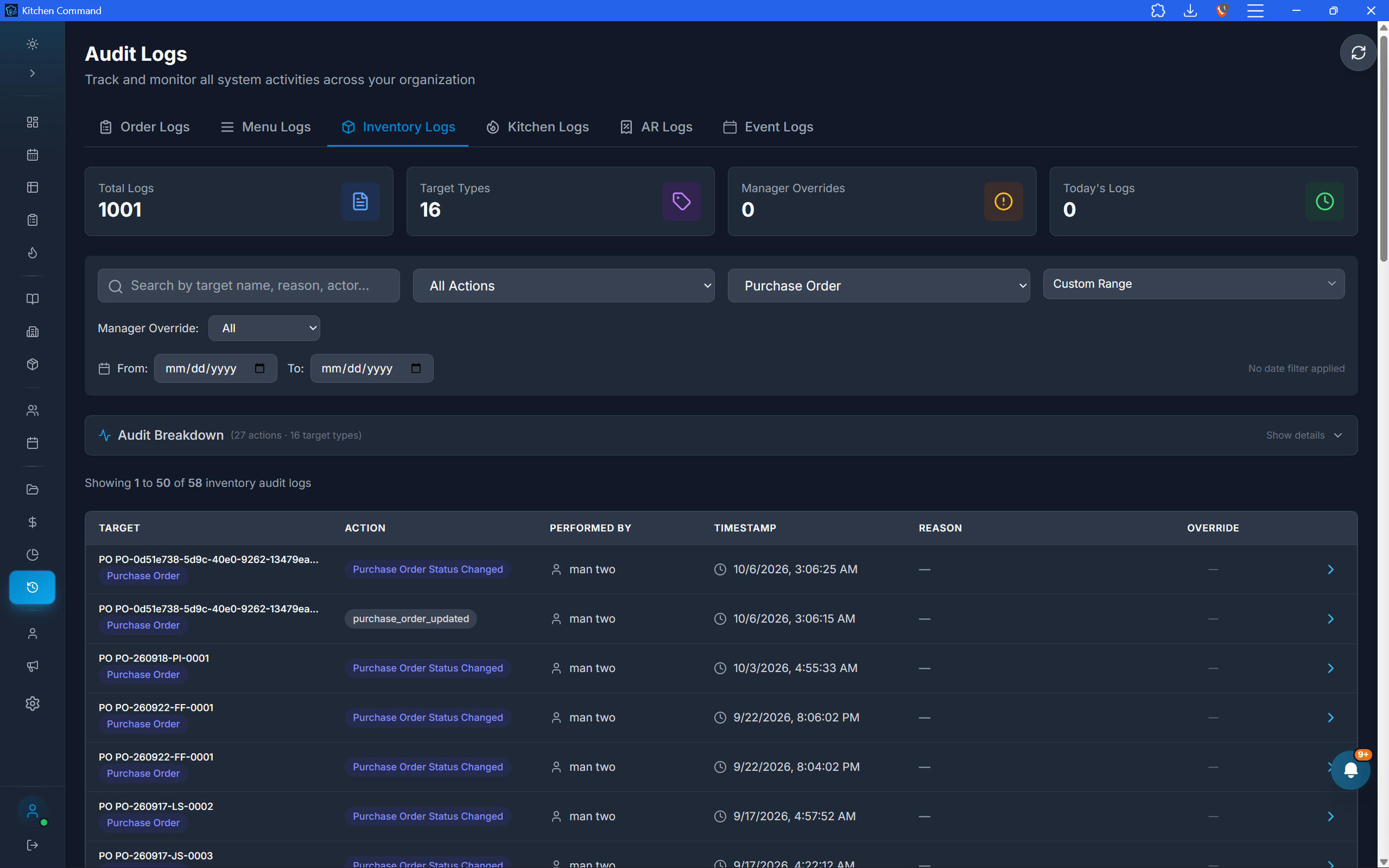
Maintain dedicated audit trails for cash management and digital payment reconciliation. Give authorized users a way to investigate movements, review reconciliation activity, and understand where discrepancies occurred.
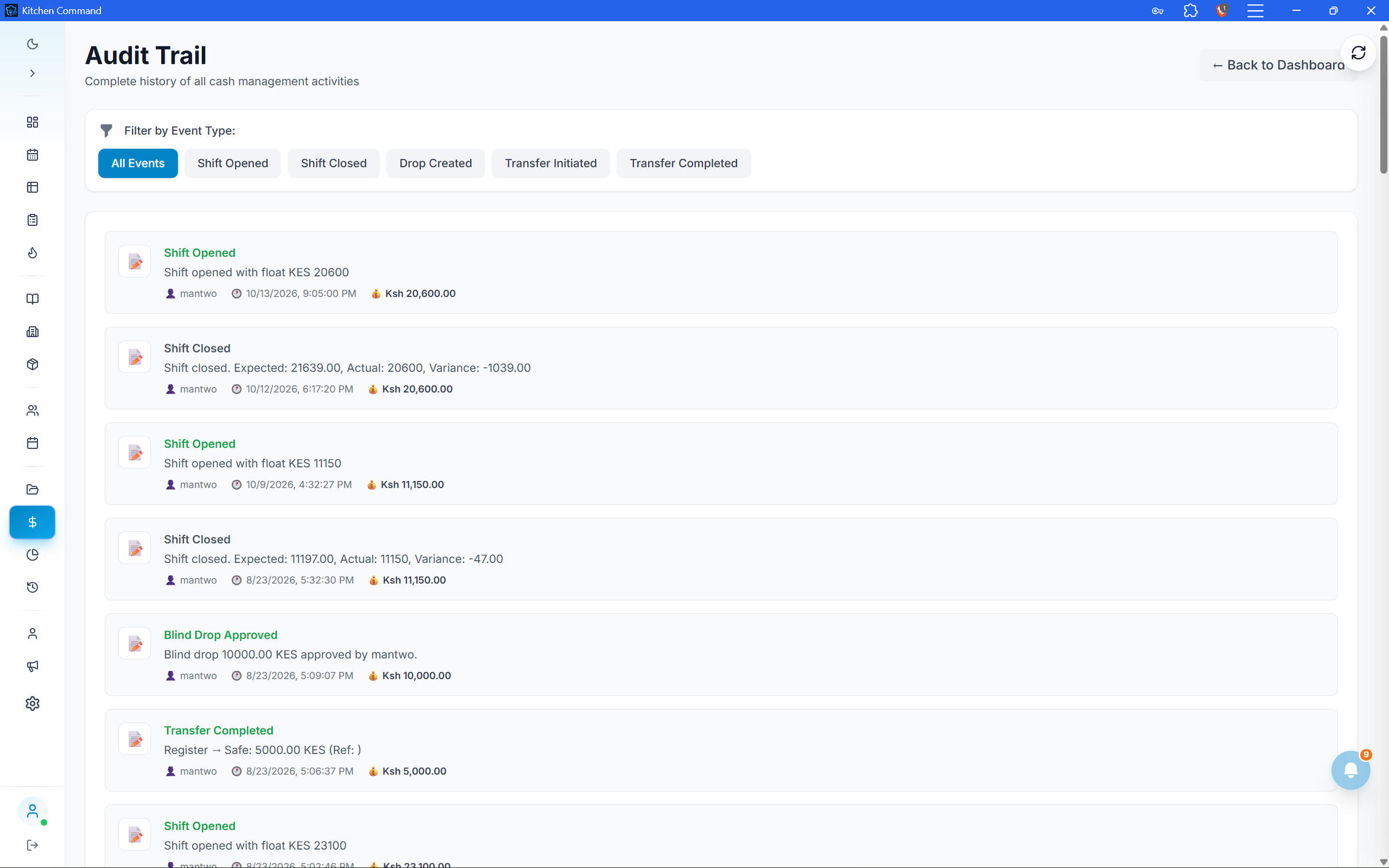
Two Audit Trails. Stronger Accountability.
Maintain dedicated audit trails for cash management and digital payment reconciliation. Give authorized users a way to investigate movements, review reconciliation activity, and understand where discrepancies occurred.
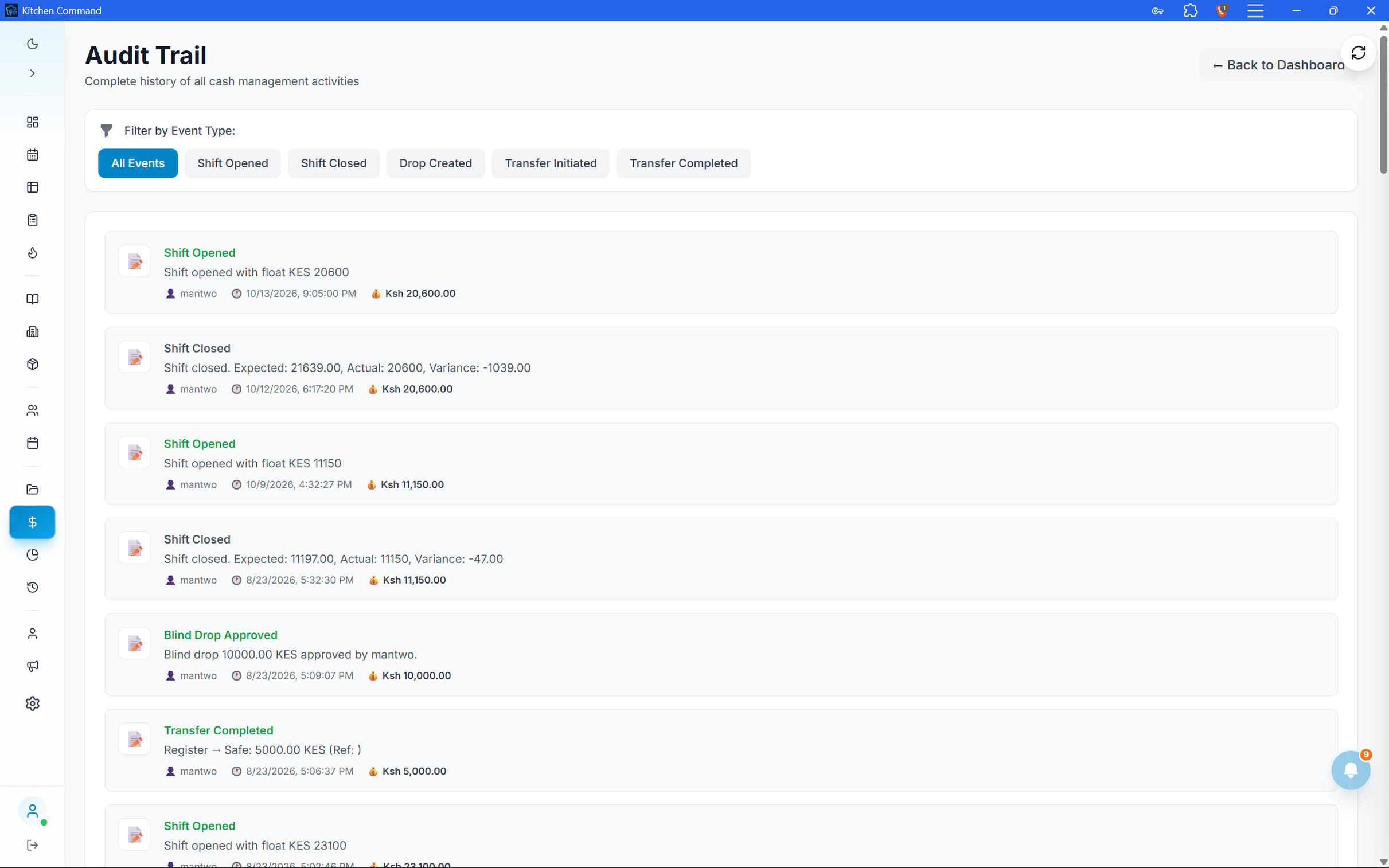
Know Where Your Money Goes.
Bring cash control, digital reconciliation, and auditability into one connected restaurant management system.
table management
Every Table Has a Story. Track Its Performance.
Create and manage your restaurant's tables, monitor seating status, and understand the revenue each table generates. Kitchen Command connects table management with your order workflow, giving you a clearer view of your dining floor and its performance.
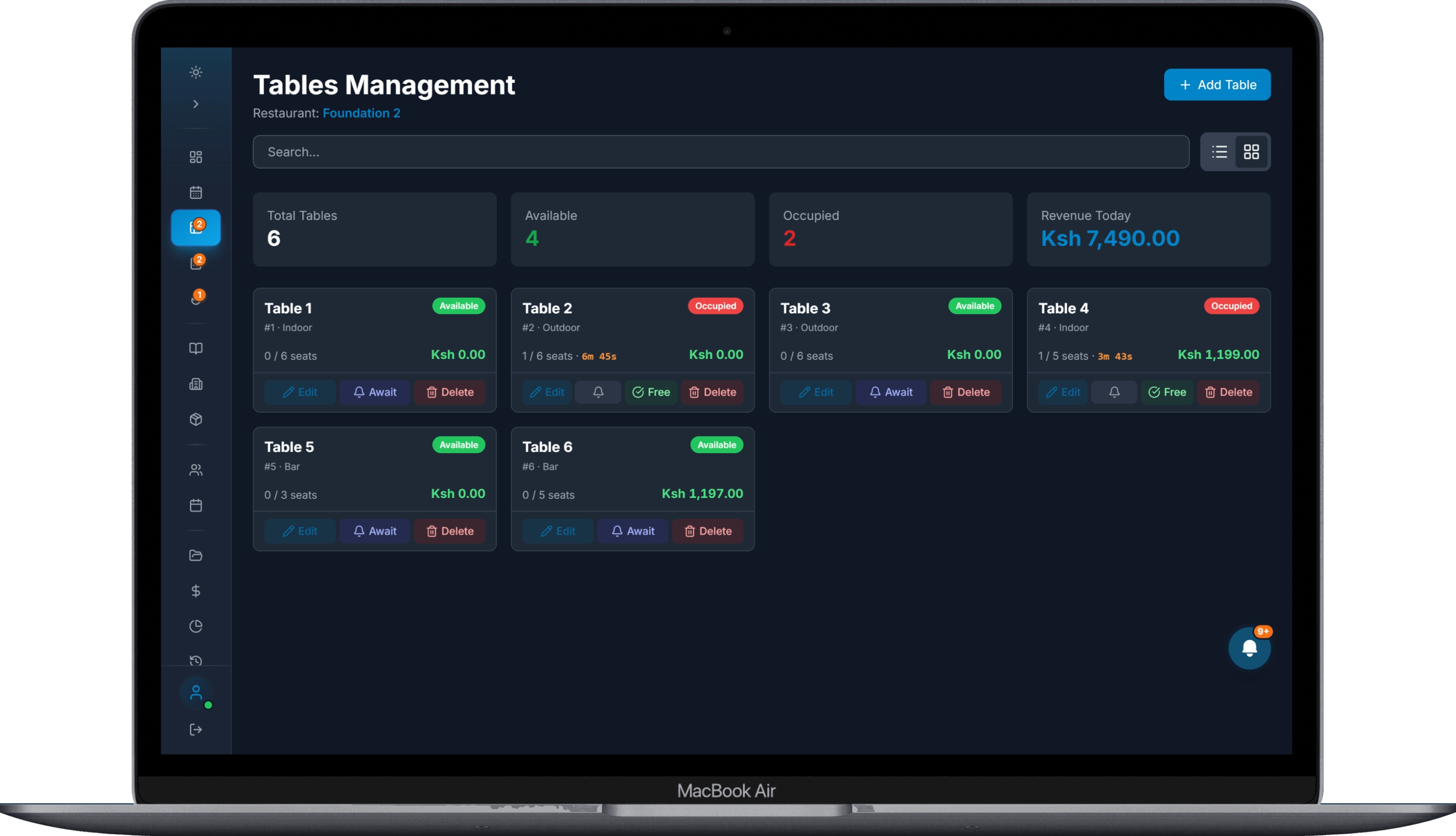
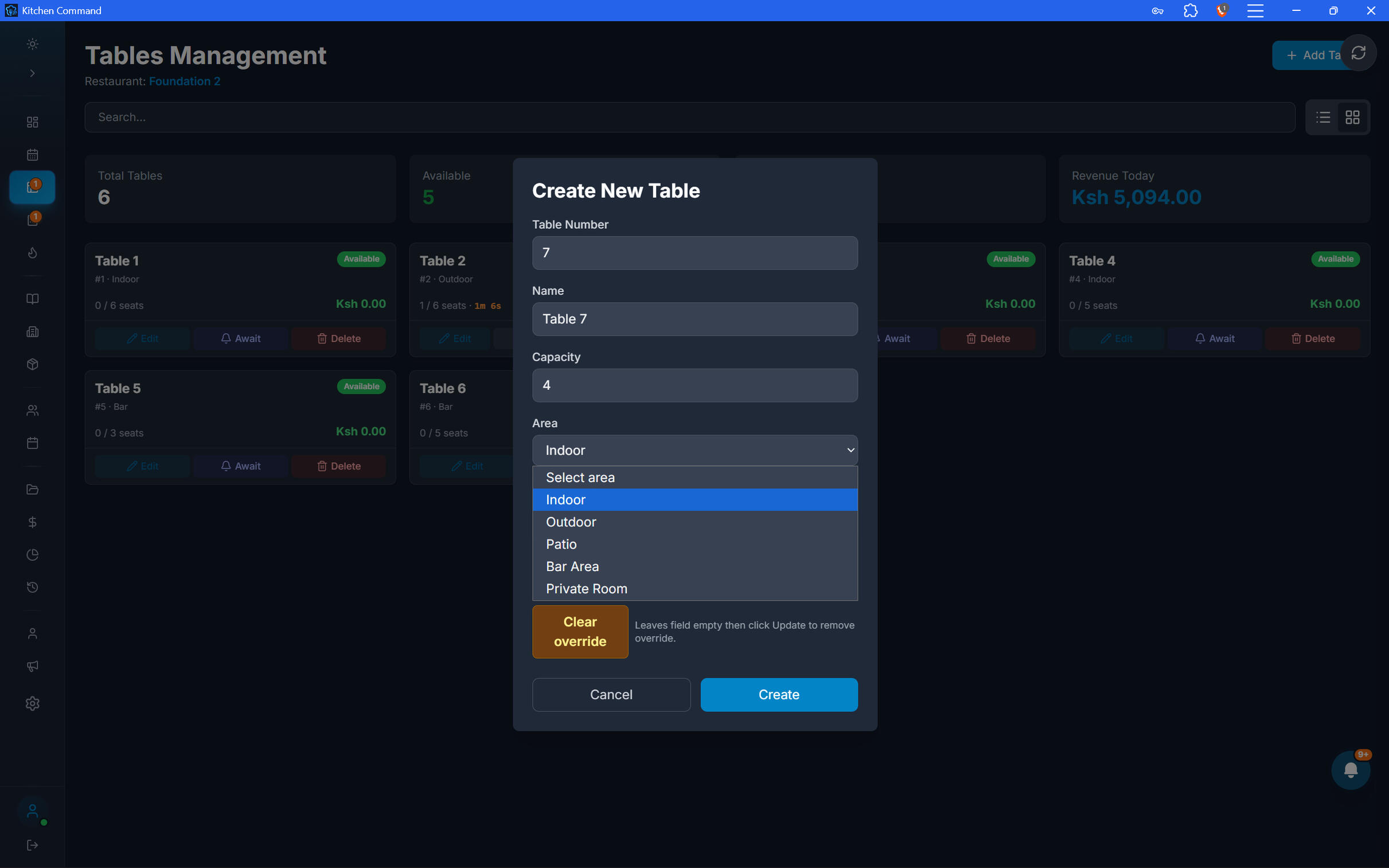
Create. Configure. Manage.
Set up your restaurant's tables and maintain their details as your floor layout or seating needs change.
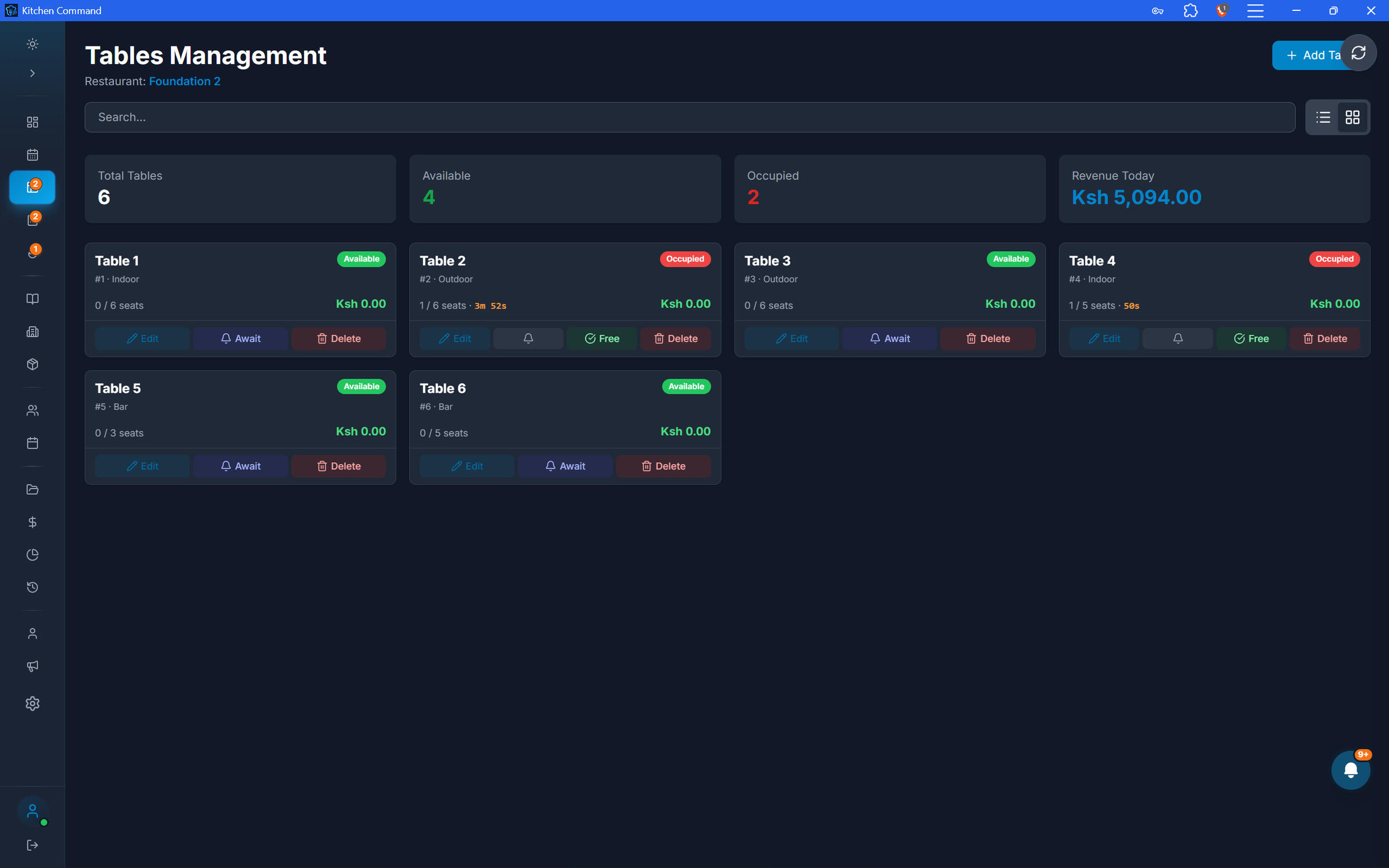
Know Which Tables Are Available.
Monitor table status to help staff understand the current state of the dining floor and coordinate service.
Know Which Tables Are Available.
Monitor table status to help staff understand the current state of the dining floor and coordinate service.
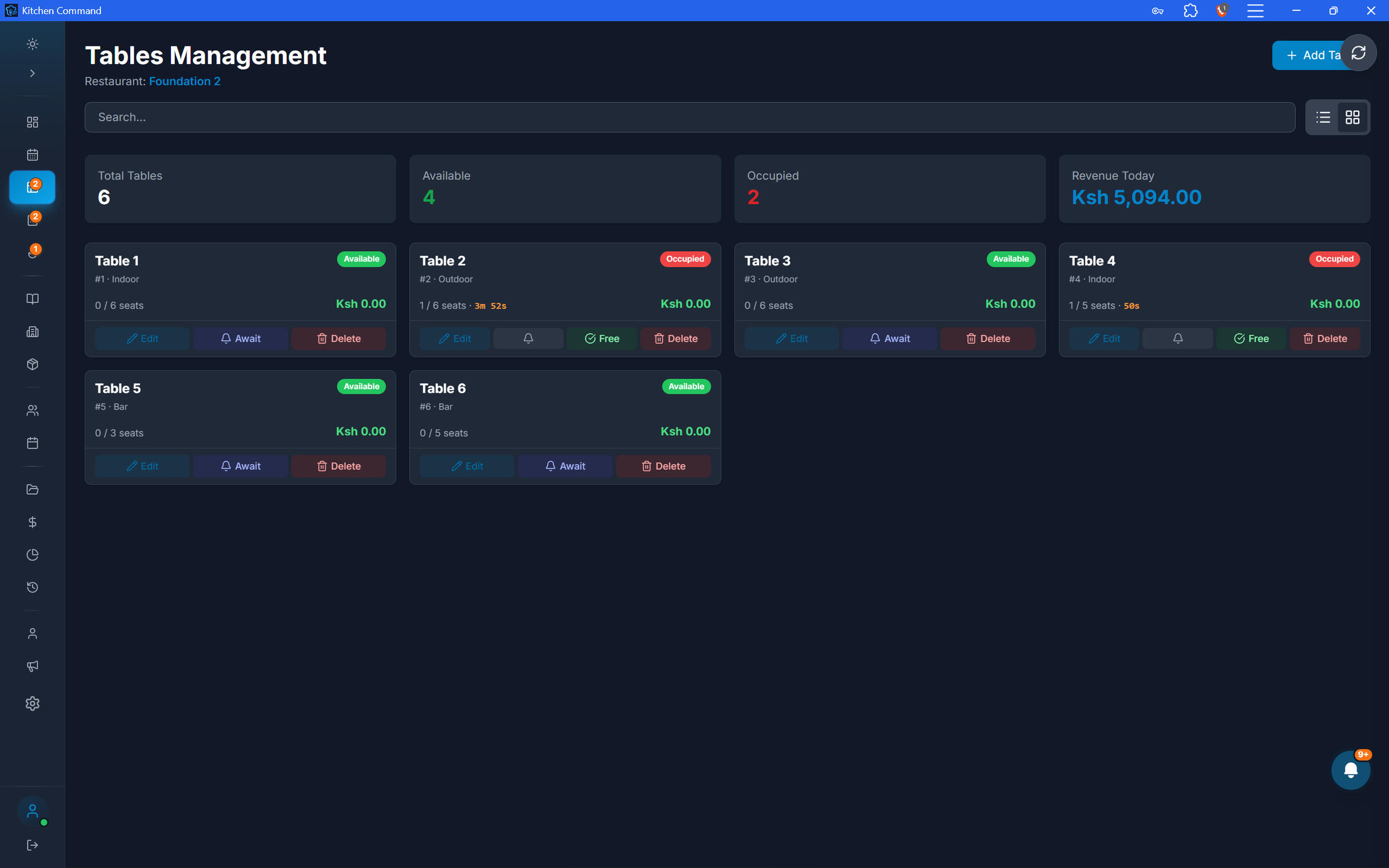
See the Revenue Behind Every Table.
Understand how each table contributes to restaurant sales and how long it remains occupied. Turn table activity into useful operational insight.
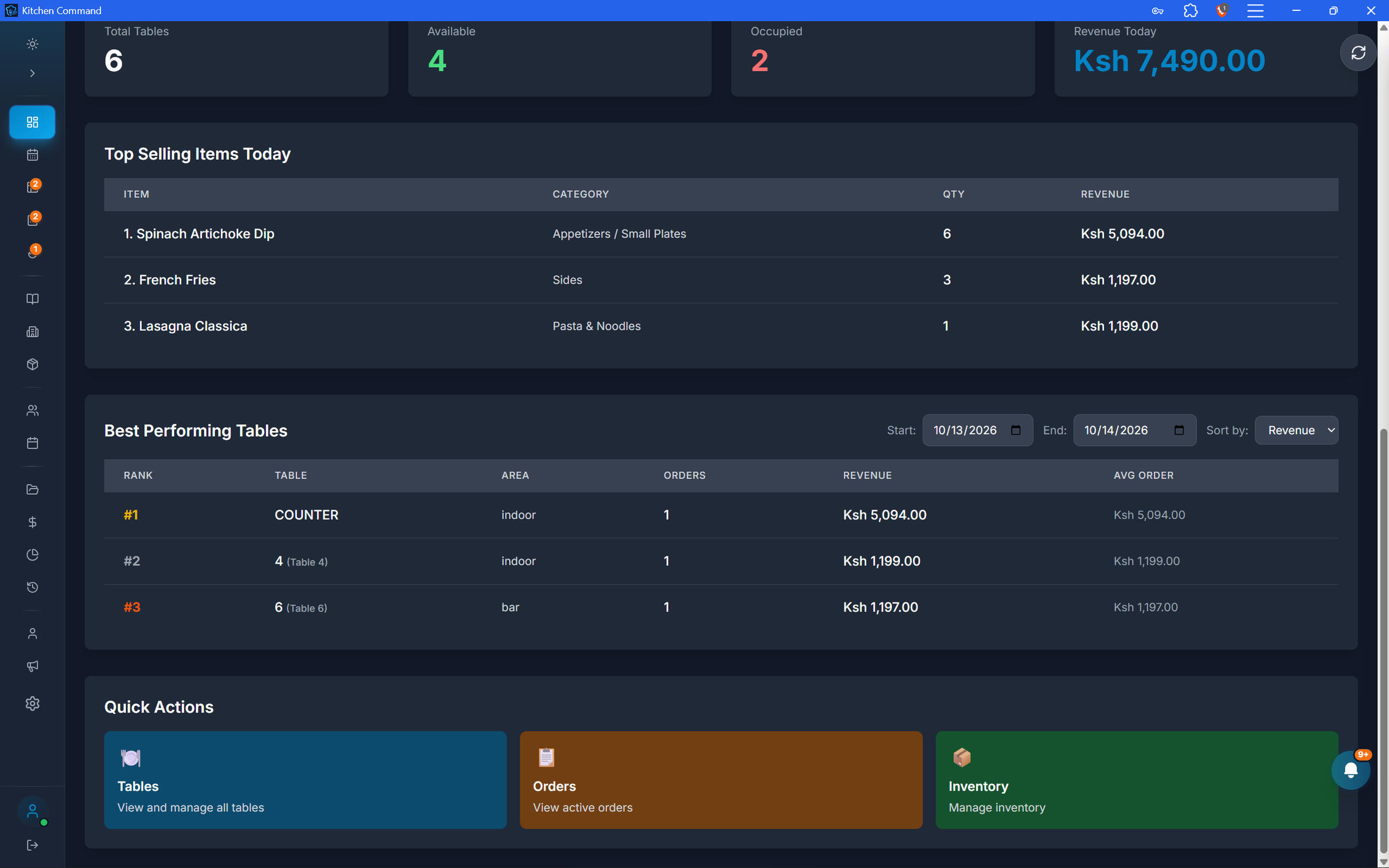
Make Every Table Count.
Manage your dining floor, stay on top of table status, and understand the revenue your tables generate—all within Kitchen Command.
advanced inventory
Know Your Stock. Control Your Costs. Protect Your Profits.
Manage every ingredient, every location, and every stock movement from one connected inventory system. From supplier reordering and batch traceability to recipe costing, production, and stocktake reconciliation, Kitchen Command helps you maintain accurate stock records and understand the true cost of running your kitchen.
See the Revenue Behind Every Table.
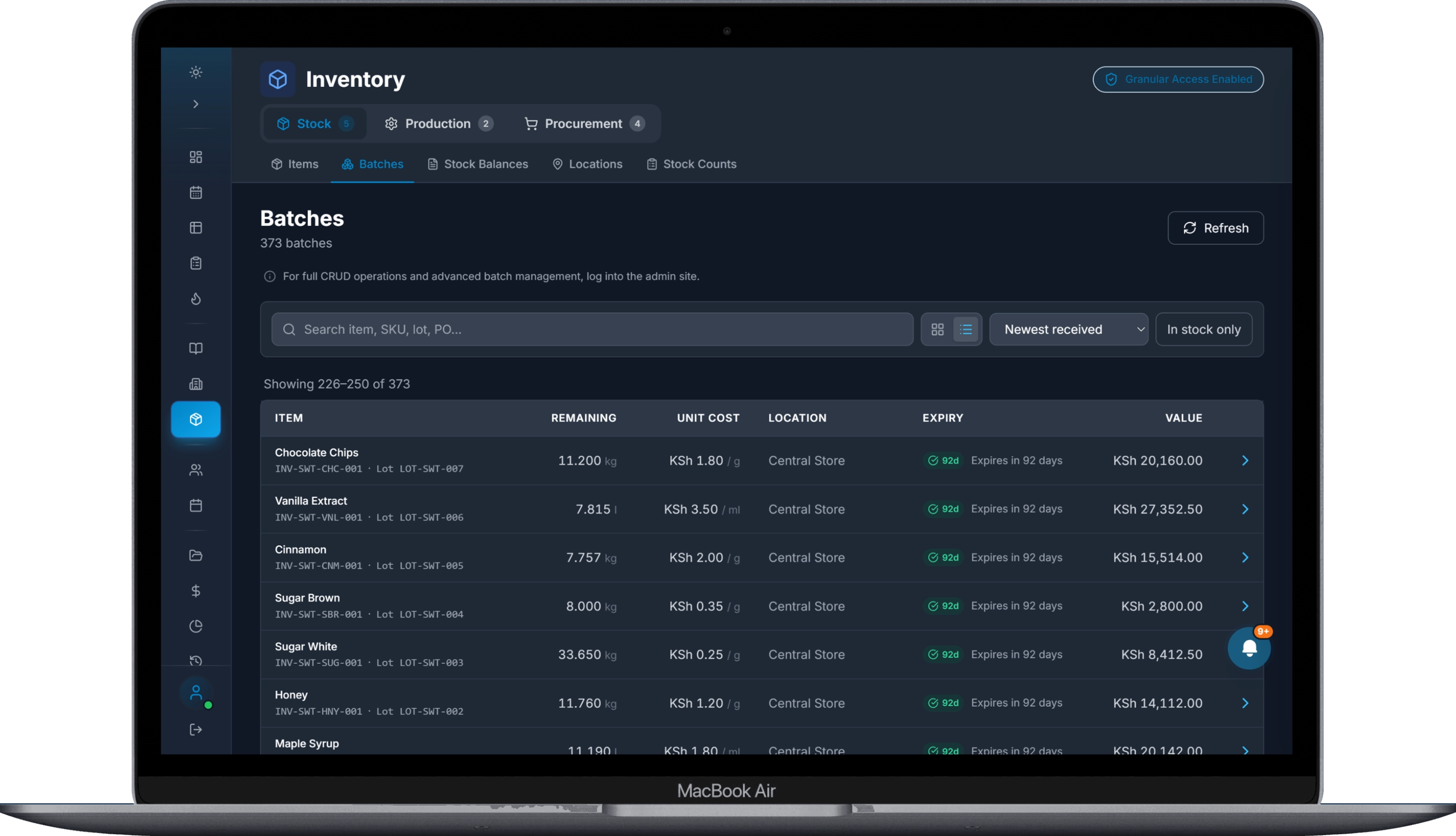
Build a structured inventory database around the ingredients and supplies your restaurant actually uses. Configure custom units of measurement and manage stock using units that make sense for your operation.
Custom units of measurement: Define the units used to purchase, store, count, and consume inventory.
Inventory item management: Create and maintain items, categories, and their inventory details.
Consistent stock records: Keep quantities organized across purchasing, recipes, production, and stock movements.
Low-stock visibility: Identify items that need replenishment based on configured reorder levels.
One Main Store. Multiple Stock Locations.
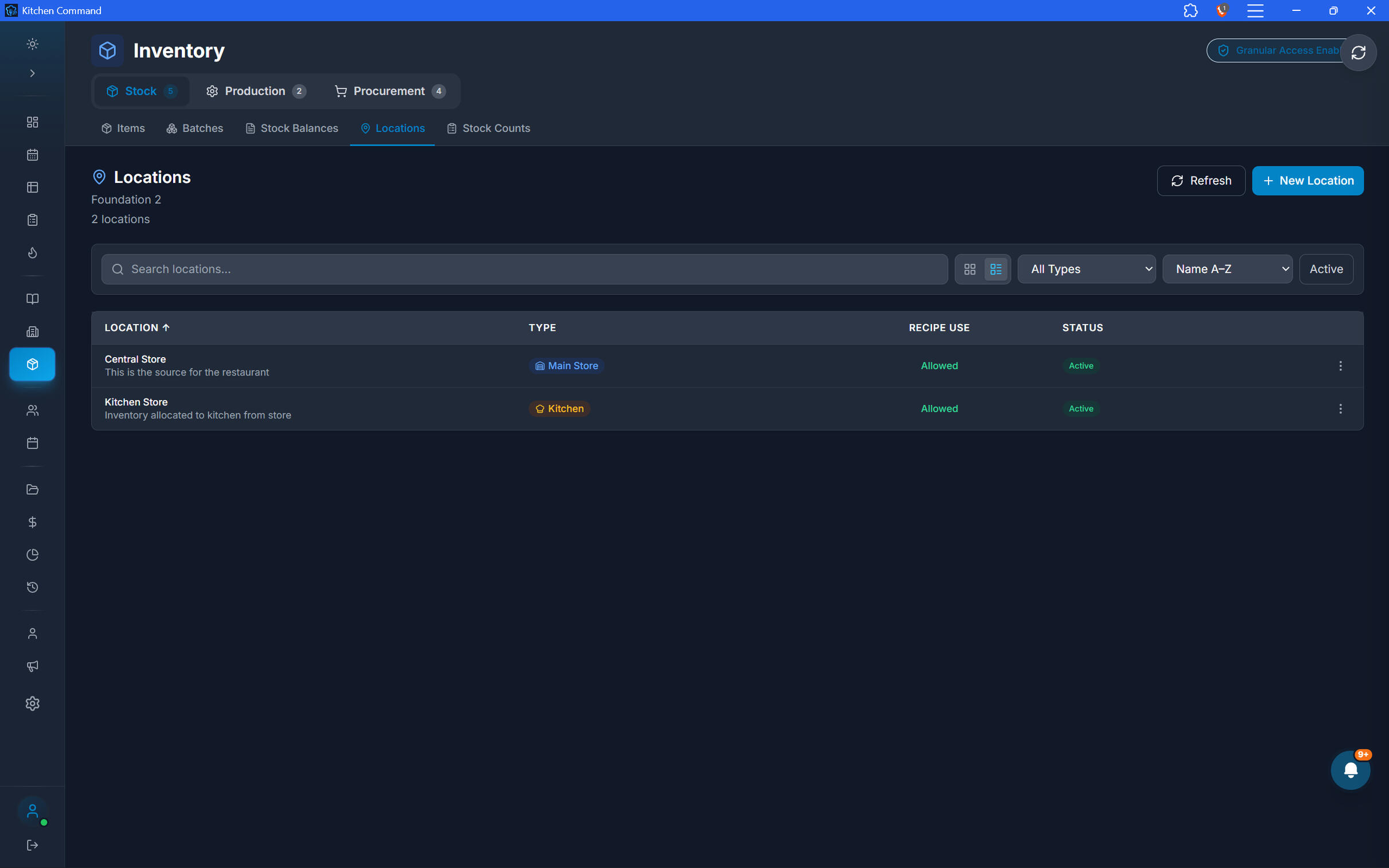
Manage inventory across your restaurant's storage areas and branches. Keep the main store connected to the kitchens, bars, and other locations that depend on it for supplies.
Location management: Configure locations that hold or consume inventory.
Requisitions: Let location staff request stock from the main store—for example, a head chef requesting ingredients from the storekeeper.
Inter-branch transfers: Transfer stock between branches with corresponding inventory deductions and replenishment records.
Shared inventory pools: Allocate a shared ingredient supply to participating branches, with defined quantities for each branch to consume.
One Main Store. Multiple Stock Locations.
Manage inventory across your restaurant's storage areas and branches. Keep the main store connected to the kitchens, bars, and other locations that depend on it for supplies.
Location management: Configure locations that hold or consume inventory.
Requisitions: Let location staff request stock from the main store—for example, a head chef requesting ingredients from the storekeeper.
Inter-branch transfers: Transfer stock between branches with corresponding inventory deductions and replenishment records.
Shared inventory pools: Allocate a shared ingredient supply to participating branches, with defined quantities for each branch to consume.
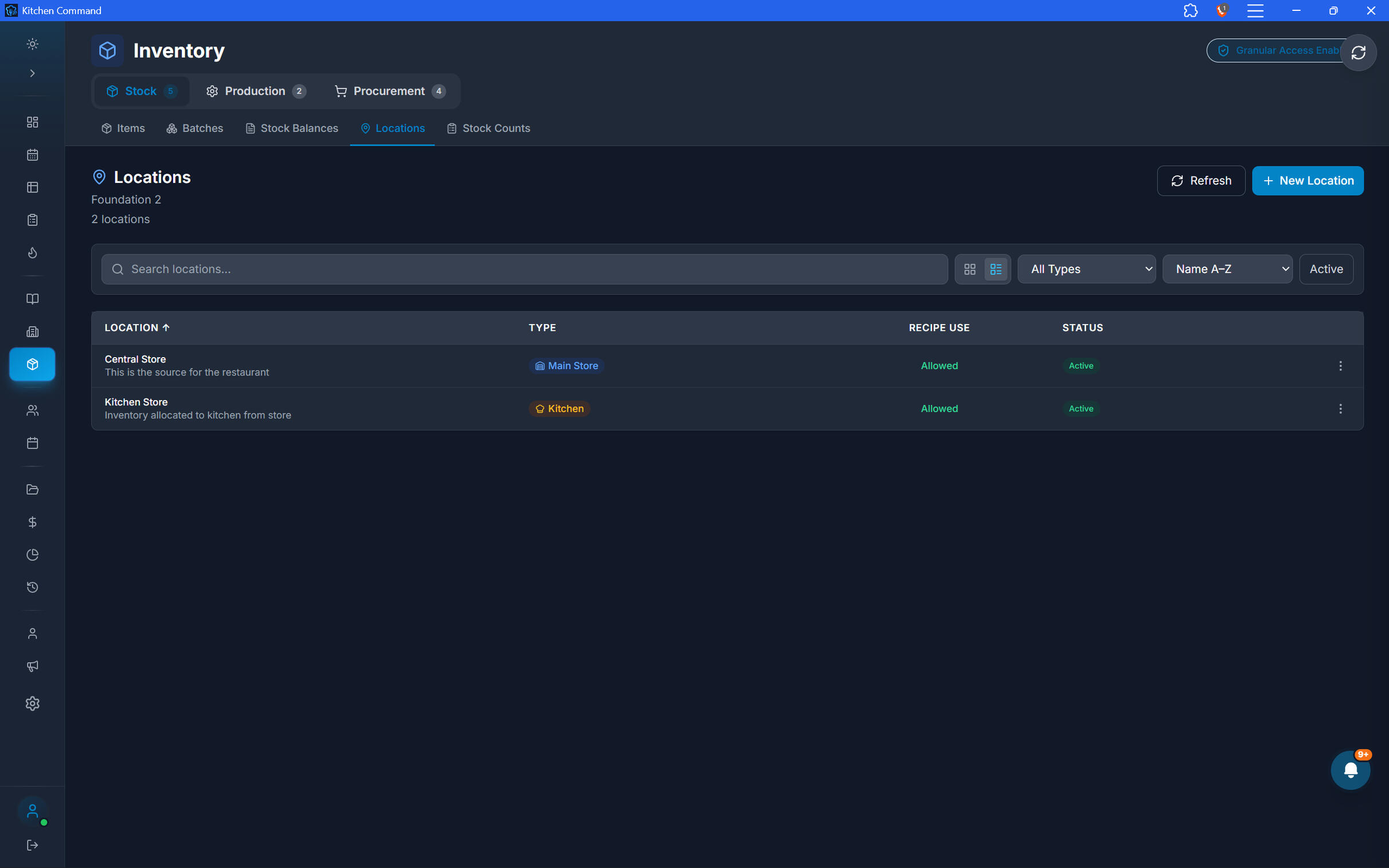
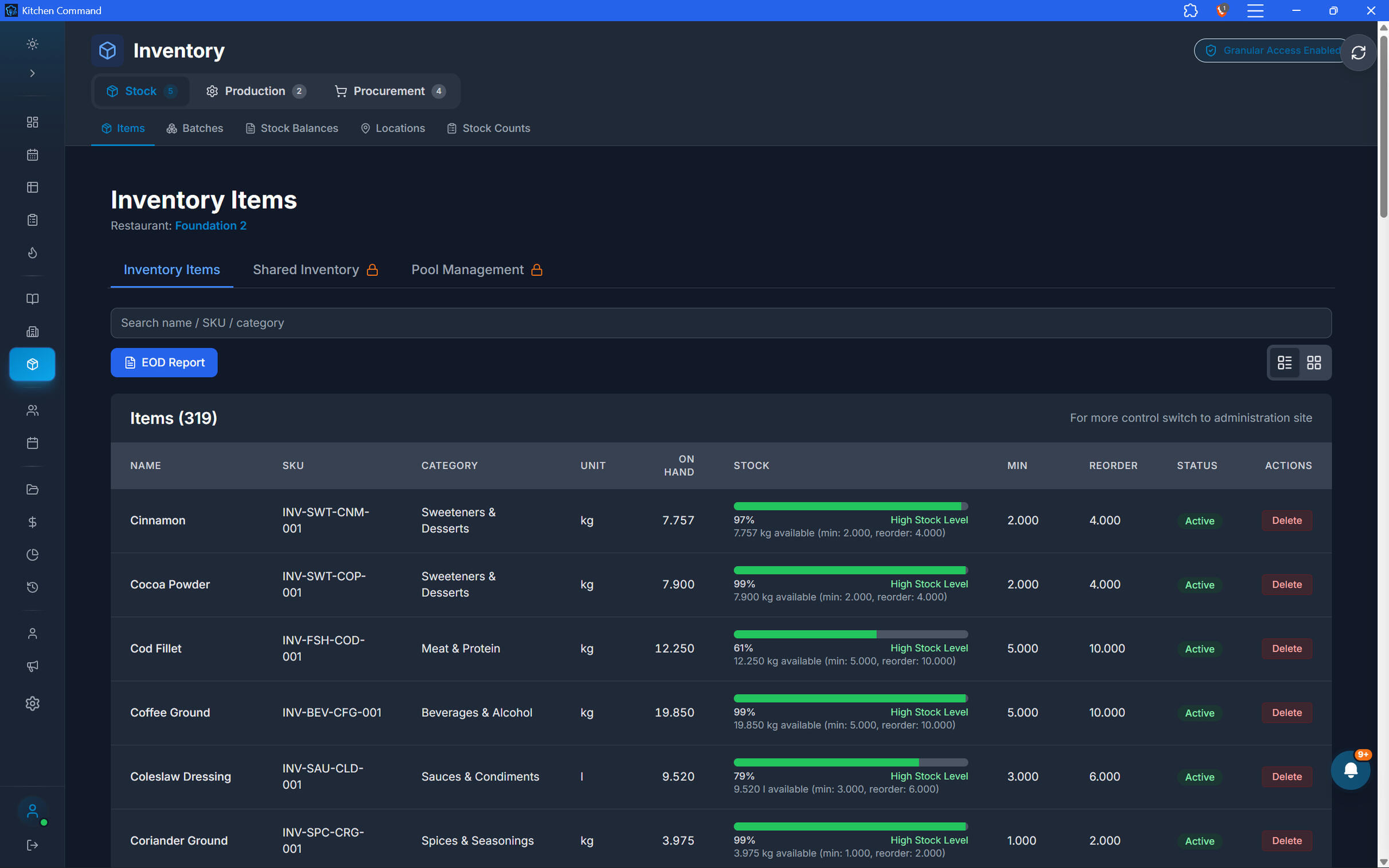
Know Which Batch Your Stock Came From.
Track inventory at batch level so your team can follow stock through receiving, transfers, stocktakes, and production. Maintain visibility into batch identity, quantities, and expiry dates.
Lot codes: Record the identifiers associated with individual batches.
Expiry tracking: Monitor batch expiry dates to support stock rotation and reduce avoidable waste.
Batch history: Trace stock received from suppliers, imported, transferred, counted, or used in production.
Inventory traceability: Maintain batch-linked records as quantities move through the restaurant.
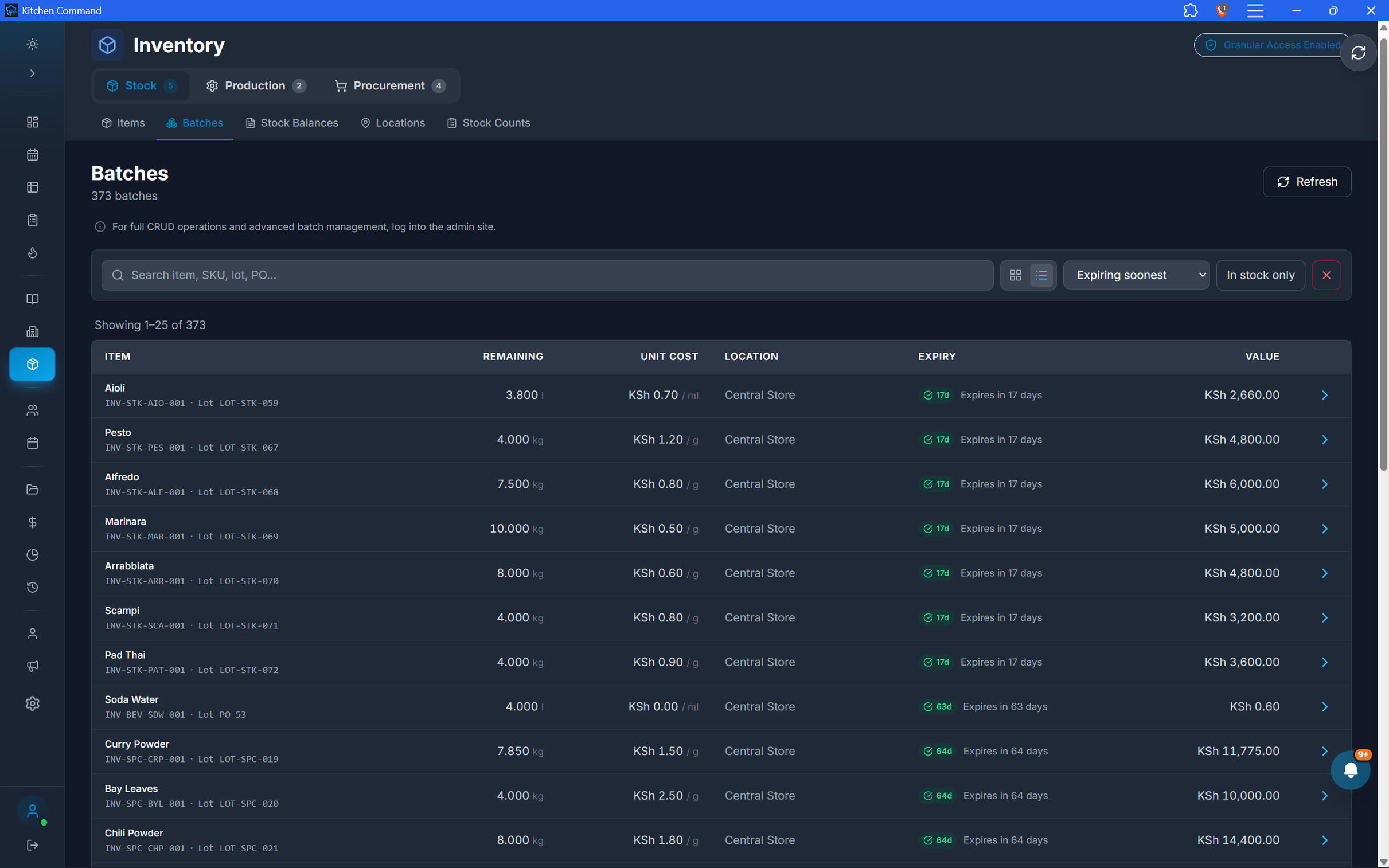
From Raw Ingredients to Real Food Costs.
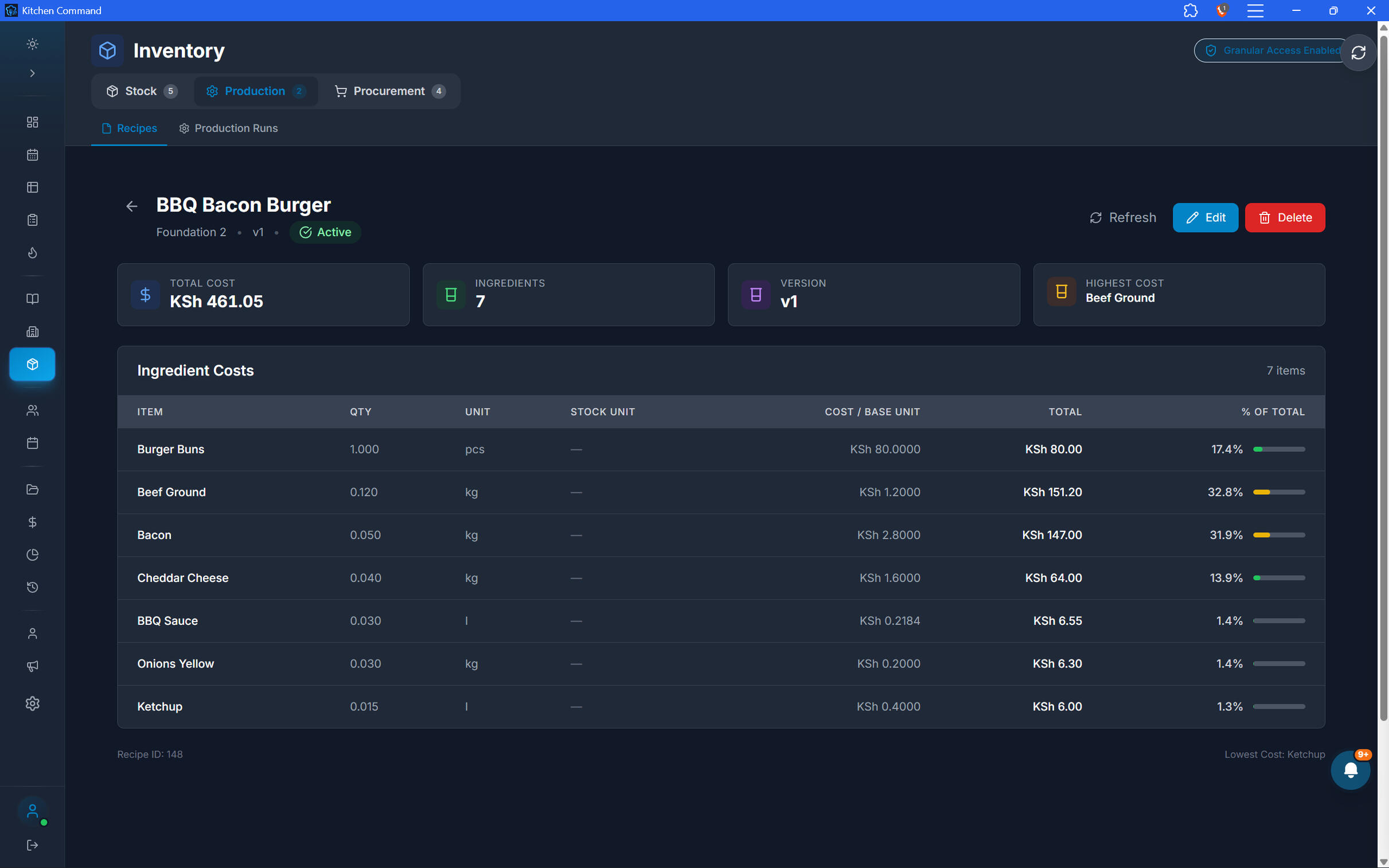
Connect your inventory to the recipes your restaurant serves. Configure ingredient quantities for menu items and production runs so inventory consumption and food costing reflect how your kitchen operates.
Recipe management: Define the ingredients and quantities required for each menu item.
Automatic recipe deduction: Deduct the required ingredient quantities from inventory batches when sales occur, keeping stock records current.
Production runs: Convert raw ingredients into prepared or intermediate ingredients used in other dishes.
Food cost reporting: Calculate recipe costs and compare them with selling prices to help identify profitable and loss-making menu items.
From Raw Ingredients to Real Food Costs.
Connect your inventory to the recipes your restaurant serves. Configure ingredient quantities for menu items and production runs so inventory consumption and food costing reflect how your kitchen operates.
Recipe management: Define the ingredients and quantities required for each menu item.
Automatic recipe deduction: Deduct the required ingredient quantities from inventory batches when sales occur, keeping stock records current.
Production runs: Convert raw ingredients into prepared or intermediate ingredients used in other dishes.
Food cost reporting: Calculate recipe costs and compare them with selling prices to help identify profitable and loss-making menu items.
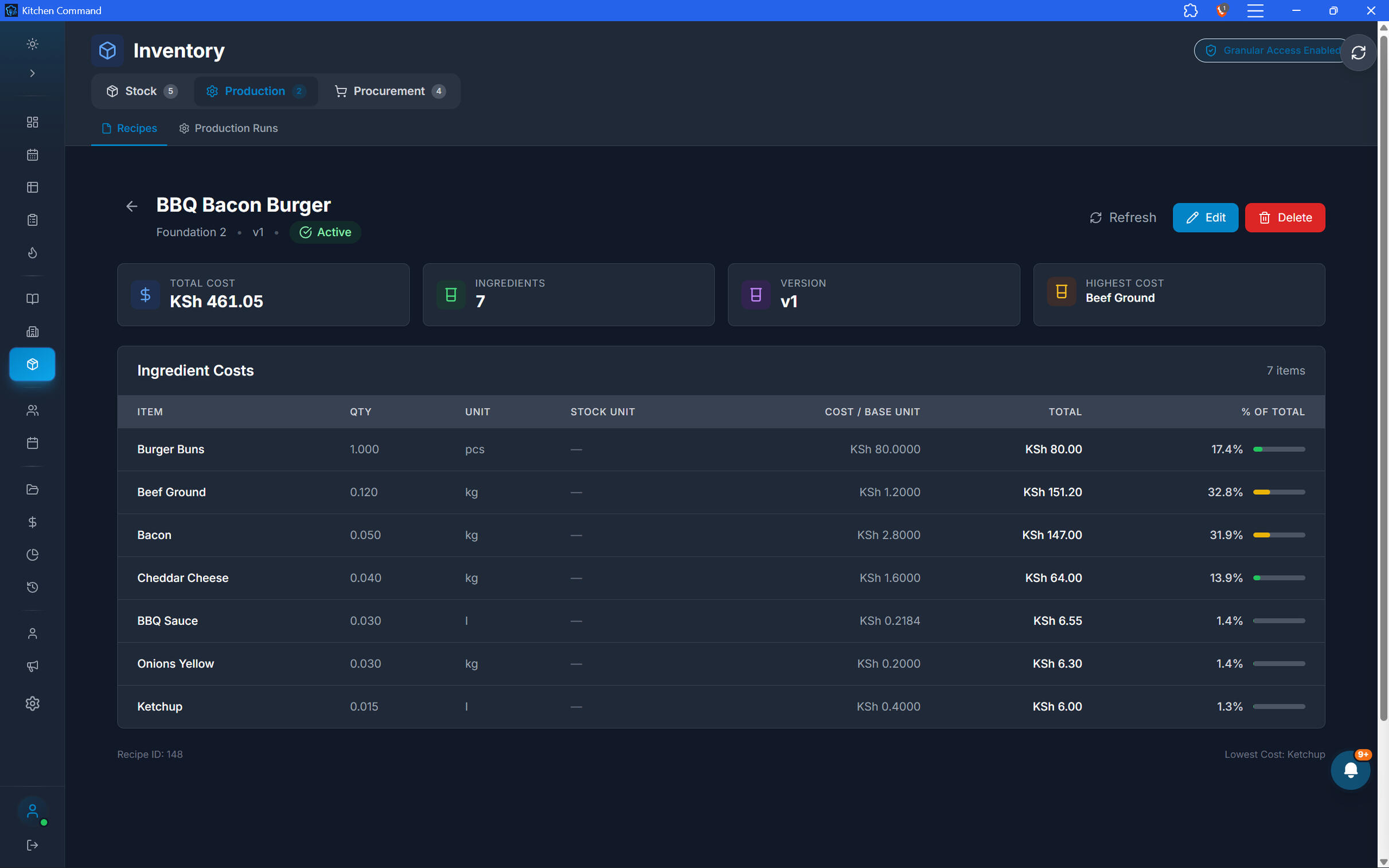
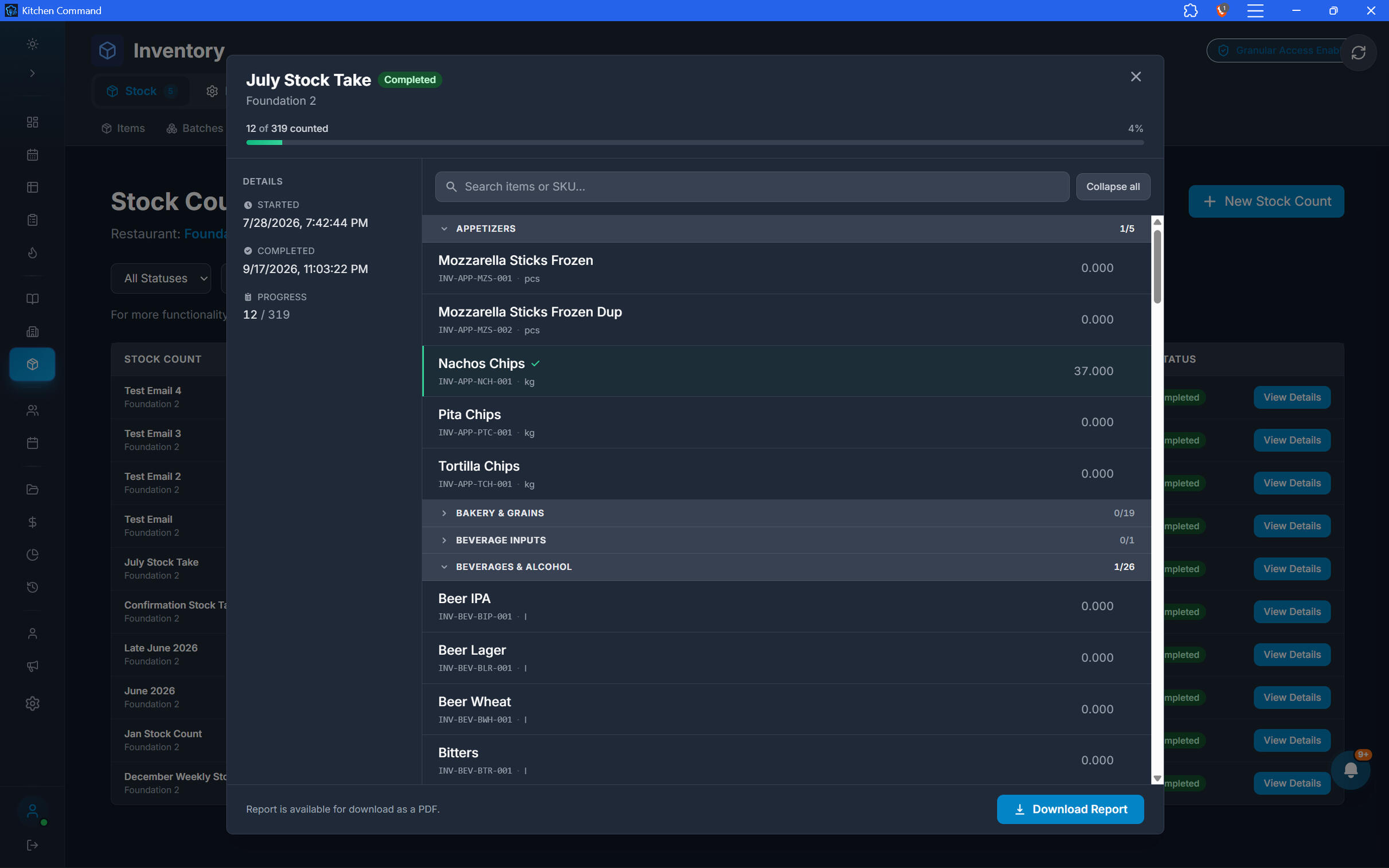
Count It. Reconcile It. Trace Every Movement.
Perform stocktakes, reconcile recorded quantities against physical counts, and retain a detailed history of inventory activity. Make discrepancies easier to investigate and stock records easier to maintain.
Flexible stocktakes: Enter counts manually or import stocktake data using CSV or Excel.
Automatic stock updates: Apply stocktake results to inventory quantities through the stocktake workflow.
Variance reports & documentation: Review count differences and receive automated email reports and documentation after stocktakes.
Detailed stock movement audit trail: Trace inventory quantities, movement types, and related operations—including recipe deductions, receipts, transfers, stock adjustments, and production.
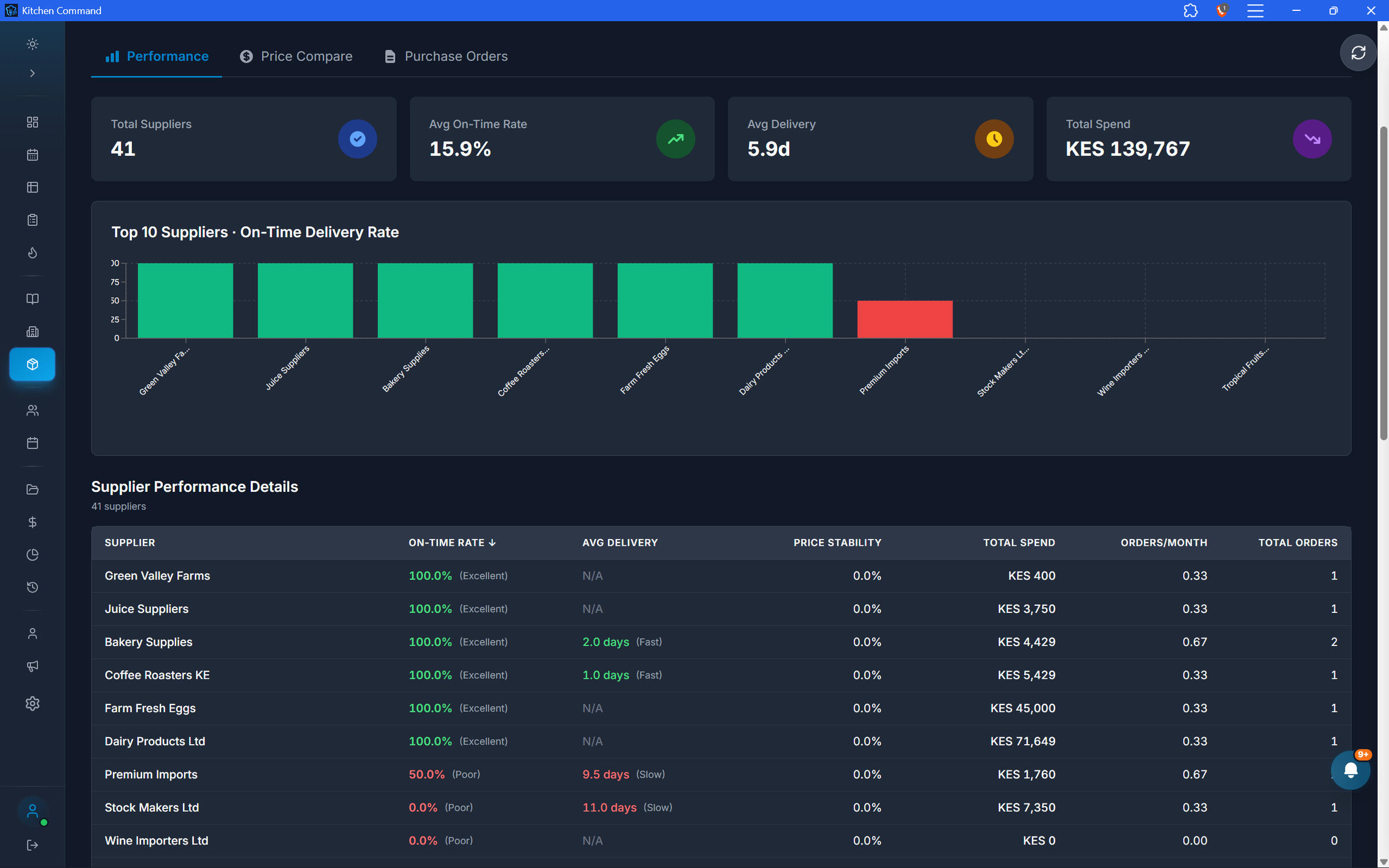
Know Who to Buy From. Know When to Reorder.
Connect your inventory items to the suppliers who provide them. Configure supplier-specific items and reorder levels to make replenishment more structured and less dependent on manual checks.
Supplier database: Maintain supplier records and the items each supplier offers.
Automatic reorder: Trigger or prepare replenishment for items that fall below their configured reorder levels, according to your workflow.
Supplier comparison: Compare suppliers for a particular ingredient using performance scores that consider delivery speed and price differences.
Better purchasing decisions: Use supplier information and performance comparisons to make more informed sourcing choices.
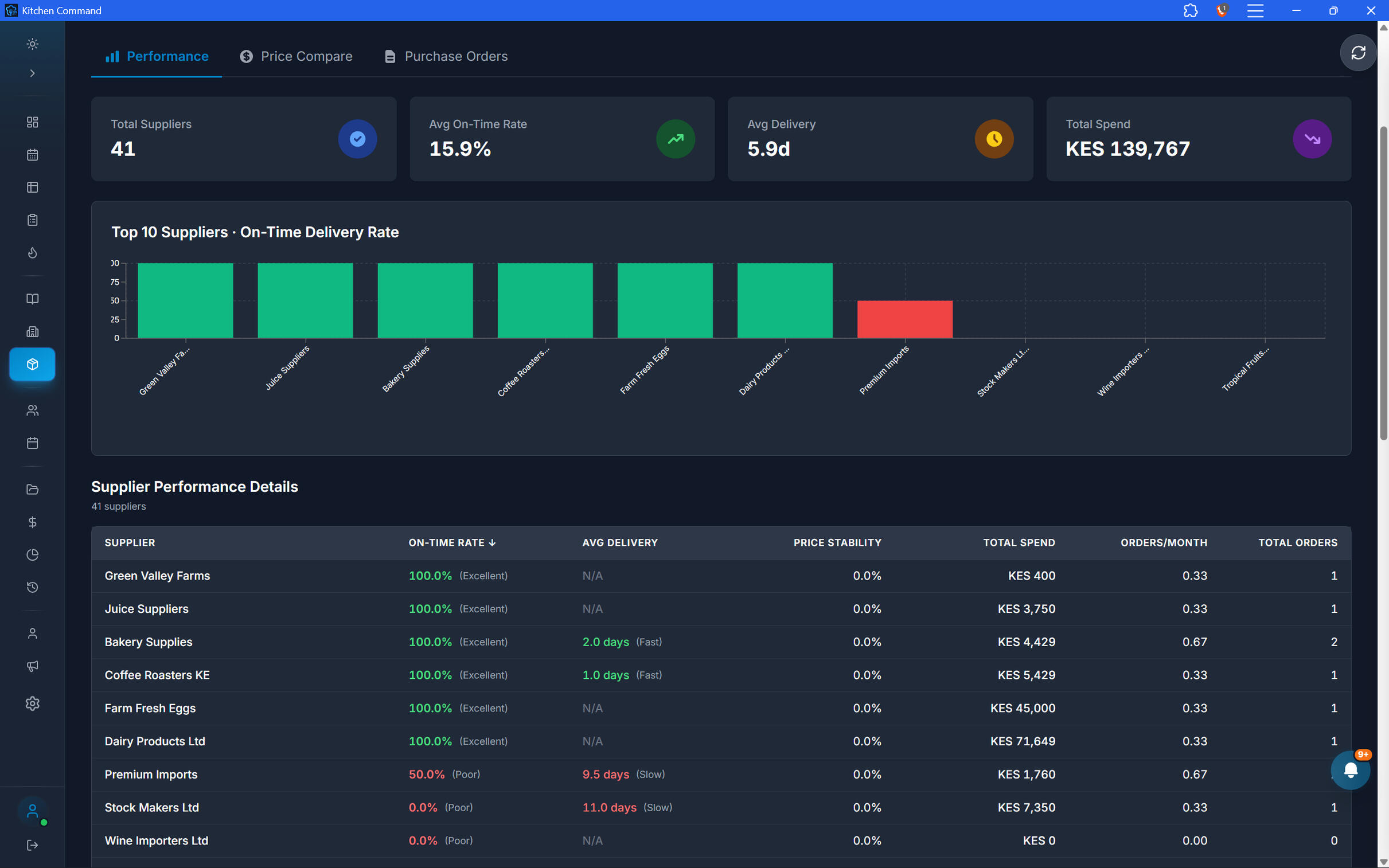
Know Who to Buy From. Know When to Reorder.
Connect your inventory items to the suppliers who provide them. Configure supplier-specific items and reorder levels to make replenishment more structured and less dependent on manual checks.
Supplier database: Maintain supplier records and the items each supplier offers.
Automatic reorder: Trigger or prepare replenishment for items that fall below their configured reorder levels, according to your workflow.
Supplier comparison: Compare suppliers for a particular ingredient using performance scores that consider delivery speed and price differences.
Better purchasing decisions: Use supplier information and performance comparisons to make more informed sourcing choices.
Turn Inventory into an Advantage.
Connect suppliers, stock, recipes, production, and costs to give your restaurant better control over its ingredients and profitability.
digital menus and plate and pay
From Menu to Payment. All on Your Guest's Phone.
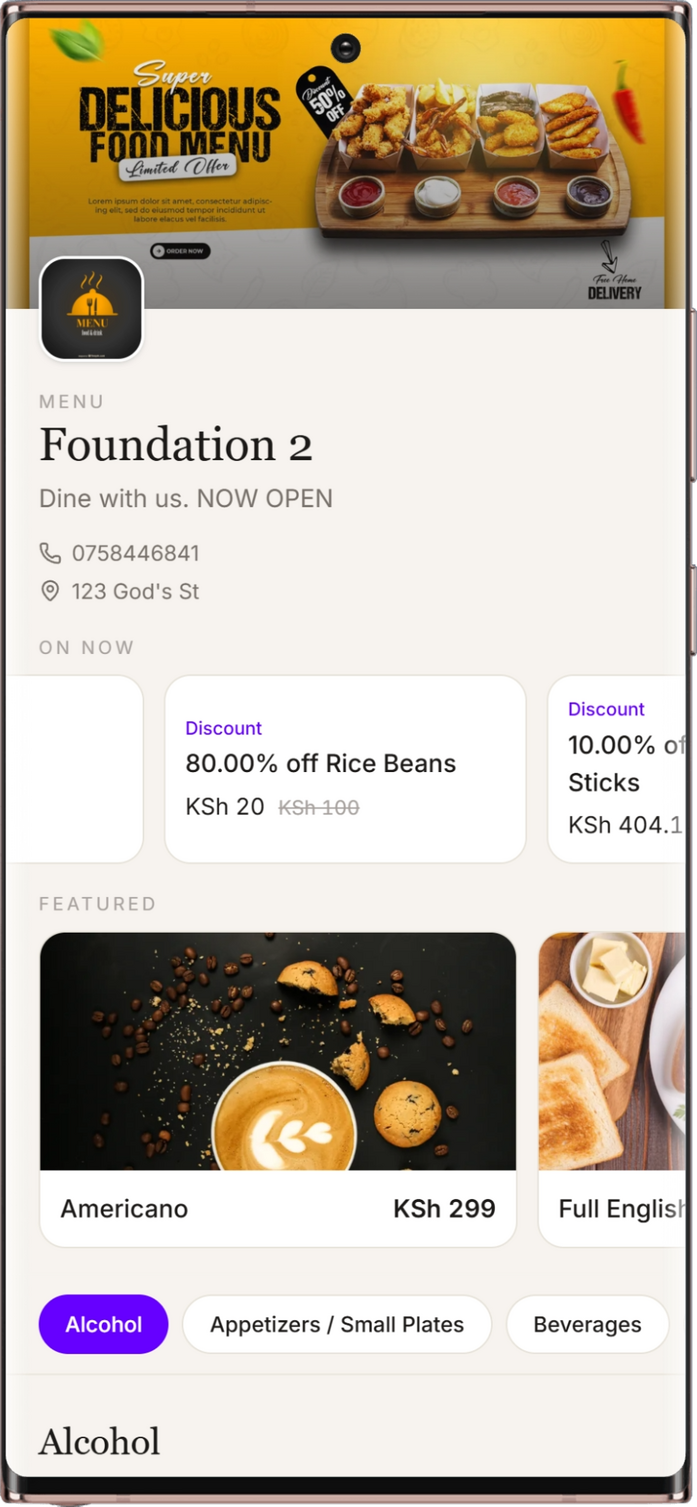
Give guests a more connected dining experience with QR-powered digital menus and self-checkout. Let customers explore the menu, follow food preparation, request assistance, view their bill, pay from their phones, and share feedback—all through Plate & Pay.
Your Menu, One Scan Away.
Let guests scan the code at their table and access your restaurant's digital menu directly on their phones.
Open the menu using a table QR code
Browse available menu items and prices
Explore the menu without needing a printed copy
Connect the digital menu experience to the restaurant's table workflow
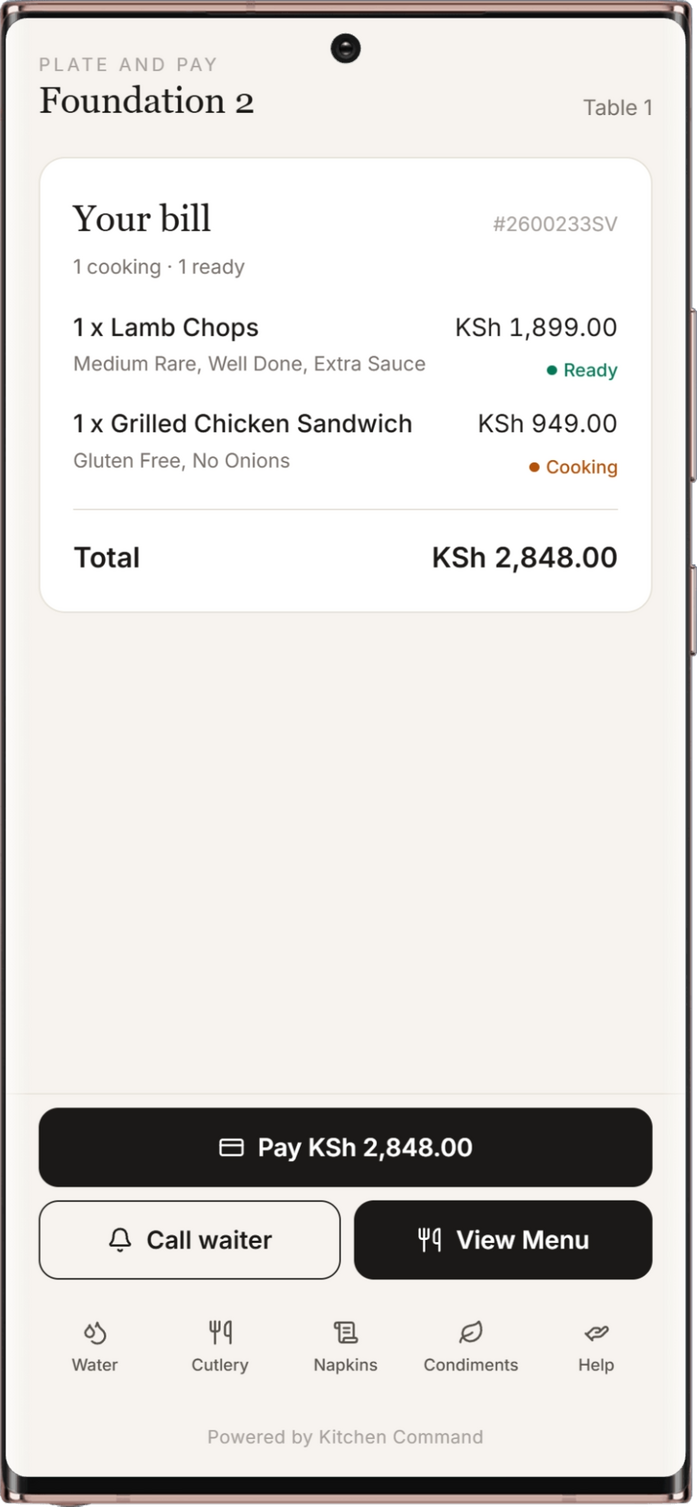
Keep Guests in the Know.
Give guests visibility into their dining experience through the customer interface, including kitchen preparation status, so they can see when their food is ready.
View food preparation status
See kitchen status updates through the interface
Know when an order is ready
Reduce uncertainty while guests wait
Keep Guests in the Know.
Give guests visibility into their dining experience through the customer interface, including kitchen preparation status, so they can see when their food is ready.
View food preparation status
See kitchen status updates through the interface
Know when an order is ready
Reduce uncertainty while guests wait
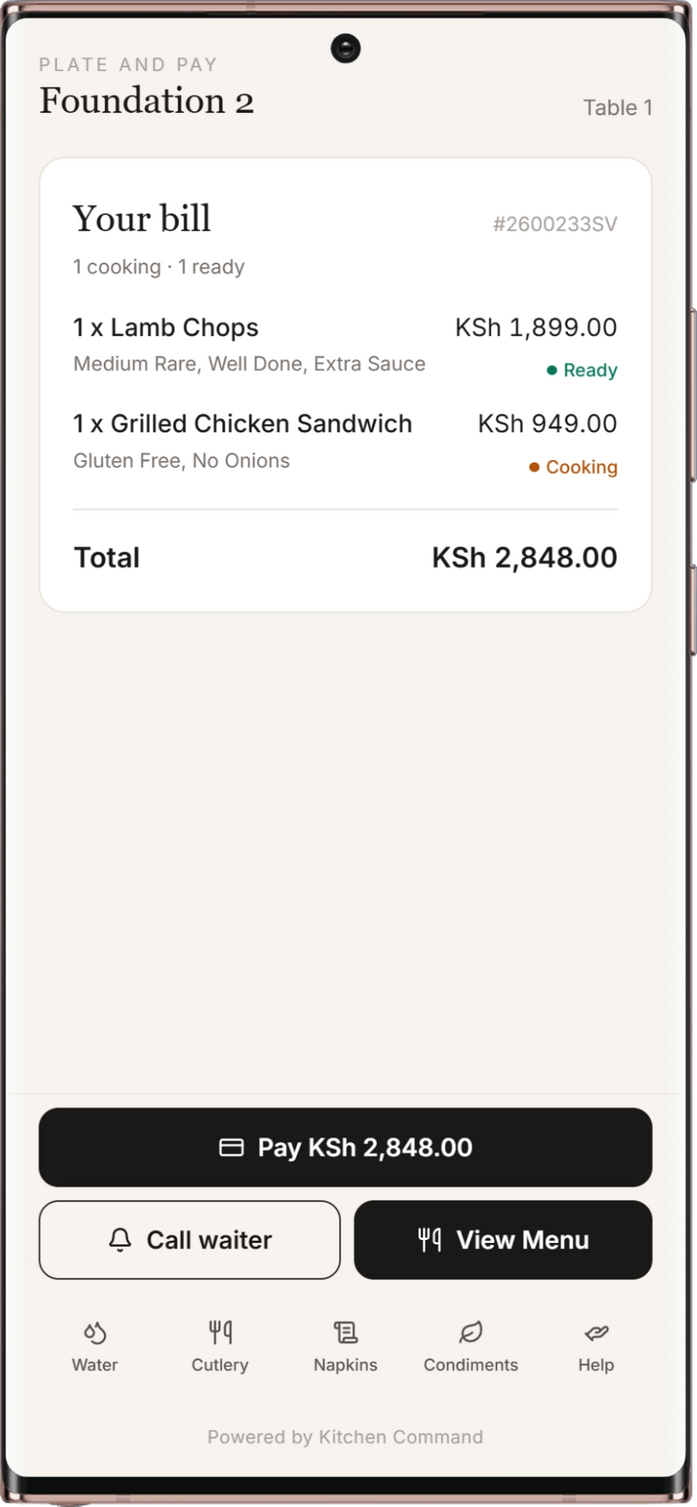
Need Something? Just Tap.
Let guests request assistance from their phones without having to flag down a member of staff.
Request water
Ask for cutlery
Request general assistance
Send service requests to the restaurant team through the connected workflow
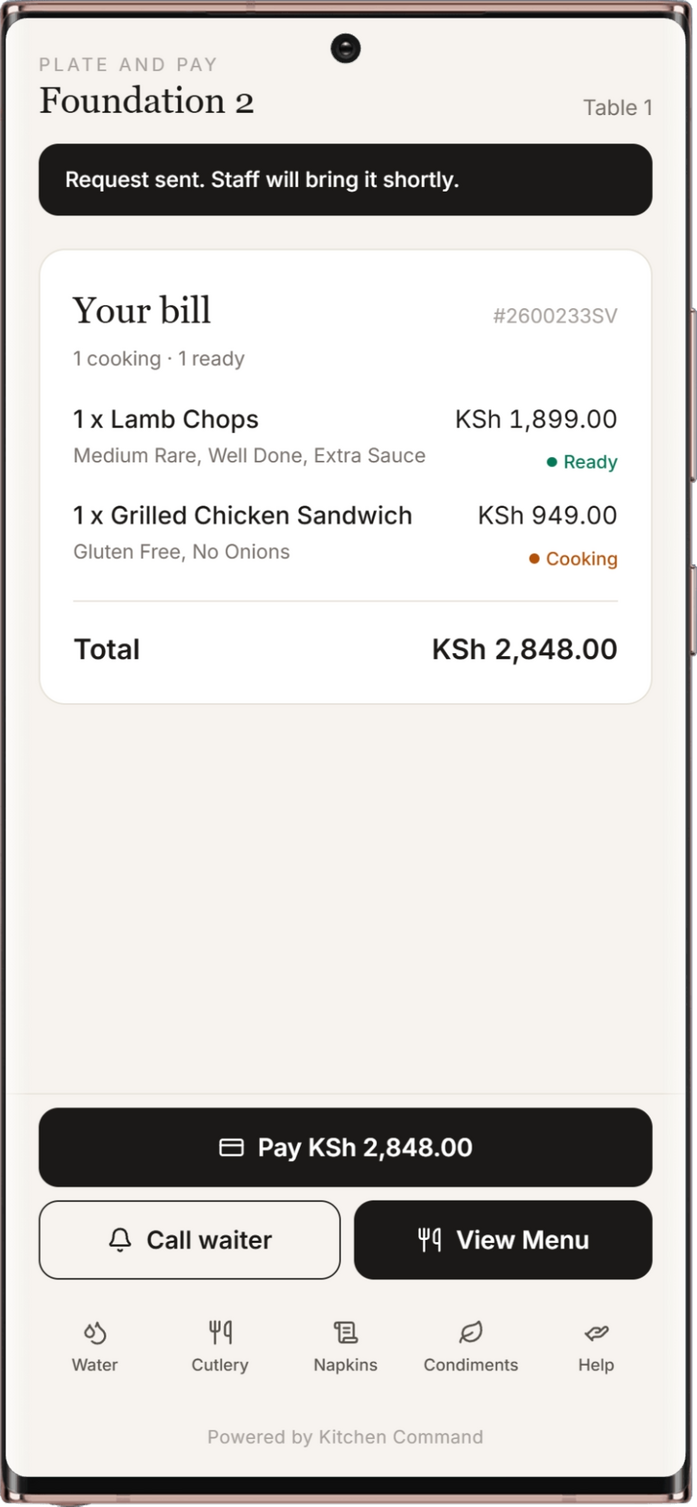
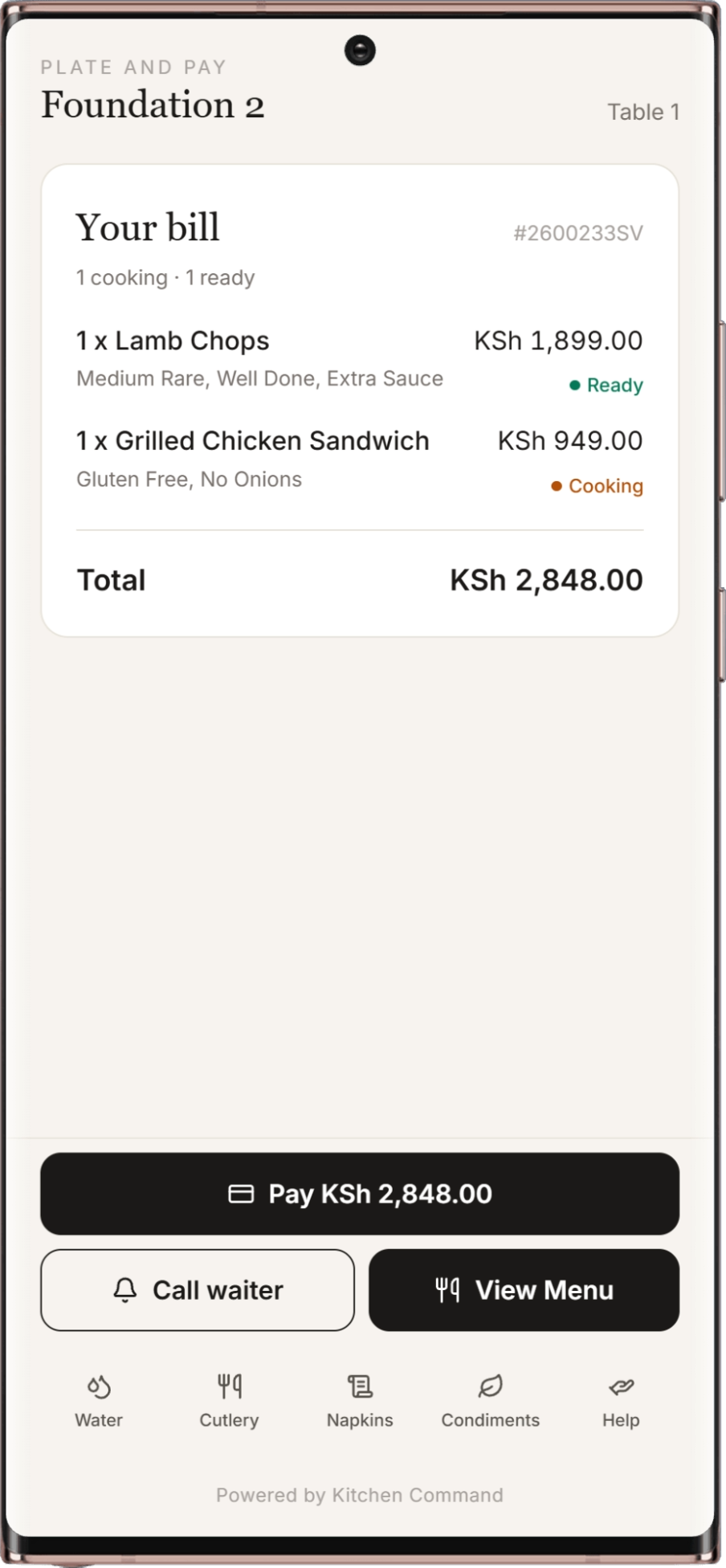
Your Bill. Your Way to Pay.
Give guests access to their bill on their phones and let them settle it without relying entirely on the traditional cashier checkout process.
View the current bill on a phone
Pay the whole bill or split the bill
Support M-Pesa payments through the integrated payment workflow
Accept card payments through the supported card payment integration
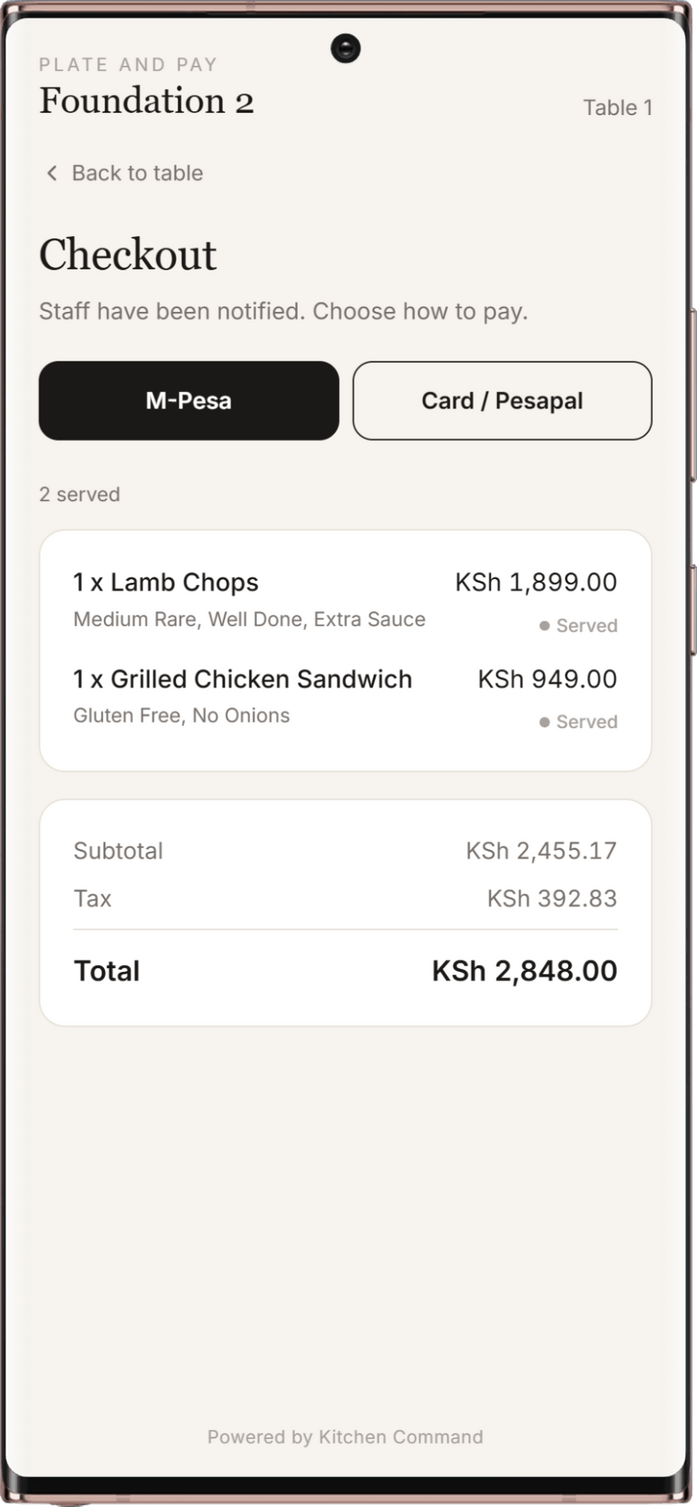
Your Bill. Your Way to Pay.
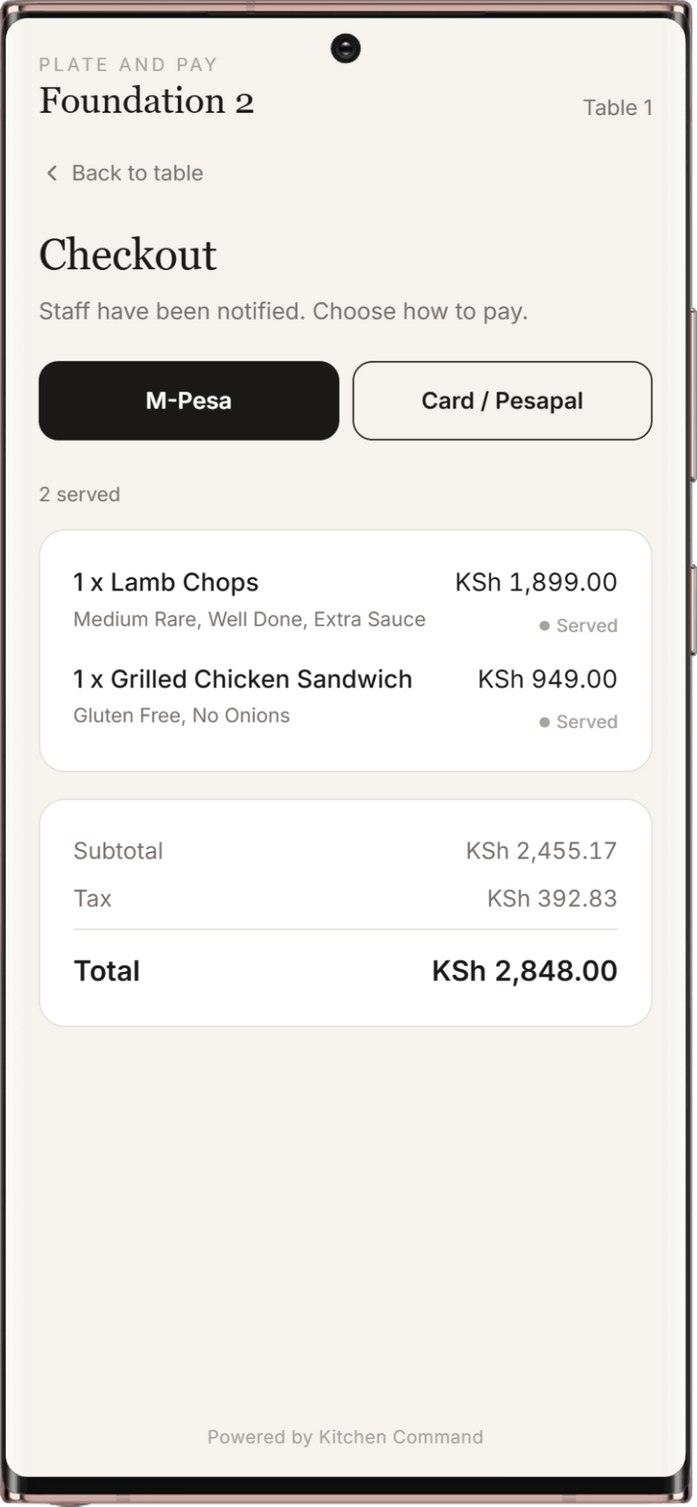
Give guests access to their bill on their phones and let them settle it without relying entirely on the traditional cashier checkout process.
View the current bill on a phone
Pay the whole bill or split the bill
Support M-Pesa payments through the integrated payment workflow
Accept card payments through the supported card payment integration
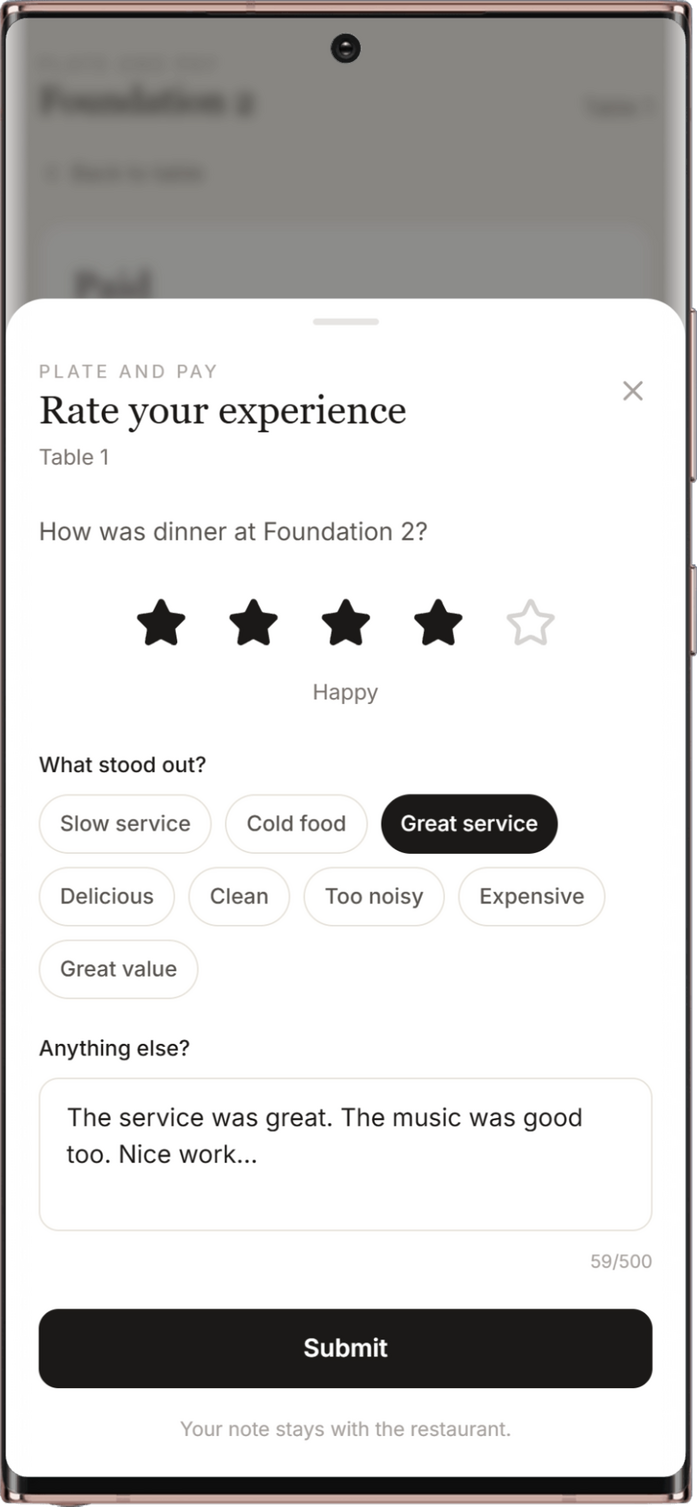
Close the Bill. Keep the Experience Going.
Make it easy for guests to access their payment records and share feedback after their visit.
Download a digital receipt after payment
Rate the dining experience
Capture customer feedback through the guest interface
Connect the final stage of checkout with the overall guest experience
Give Your Guests More Control.
Bring digital menus, in-dining service requests, self-checkout, and customer feedback together with Kitchen Command's Plate & Pay.
events and catering
From First Inquiry to Final Profit. Every Event, Under Control.
Manage event leads, send branded quotations, coordinate your team, and track every milestone from one connected platform. Kitchen Command brings your event and catering workflow together—from the first client inquiry to final cost and profitability reports.
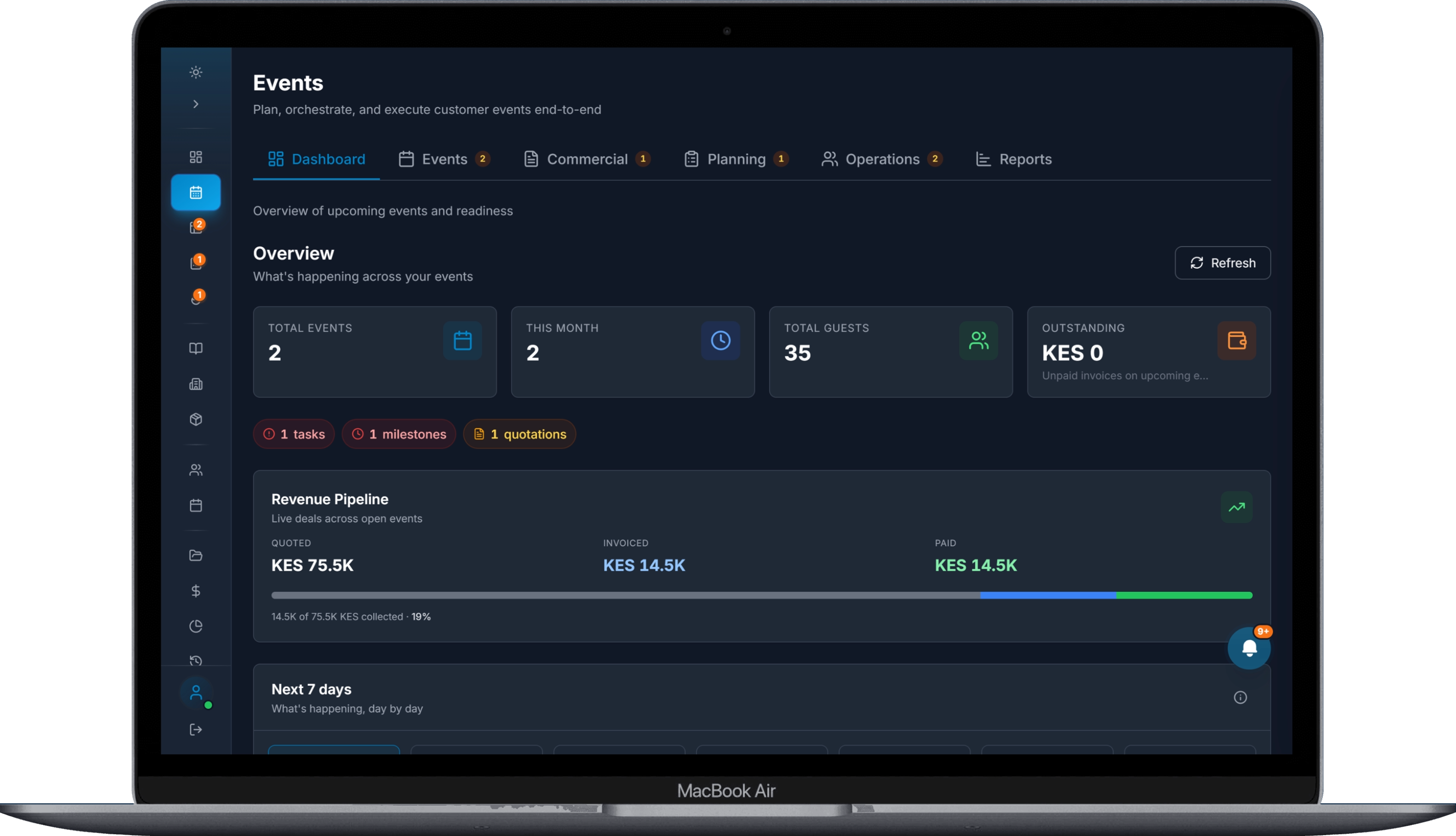
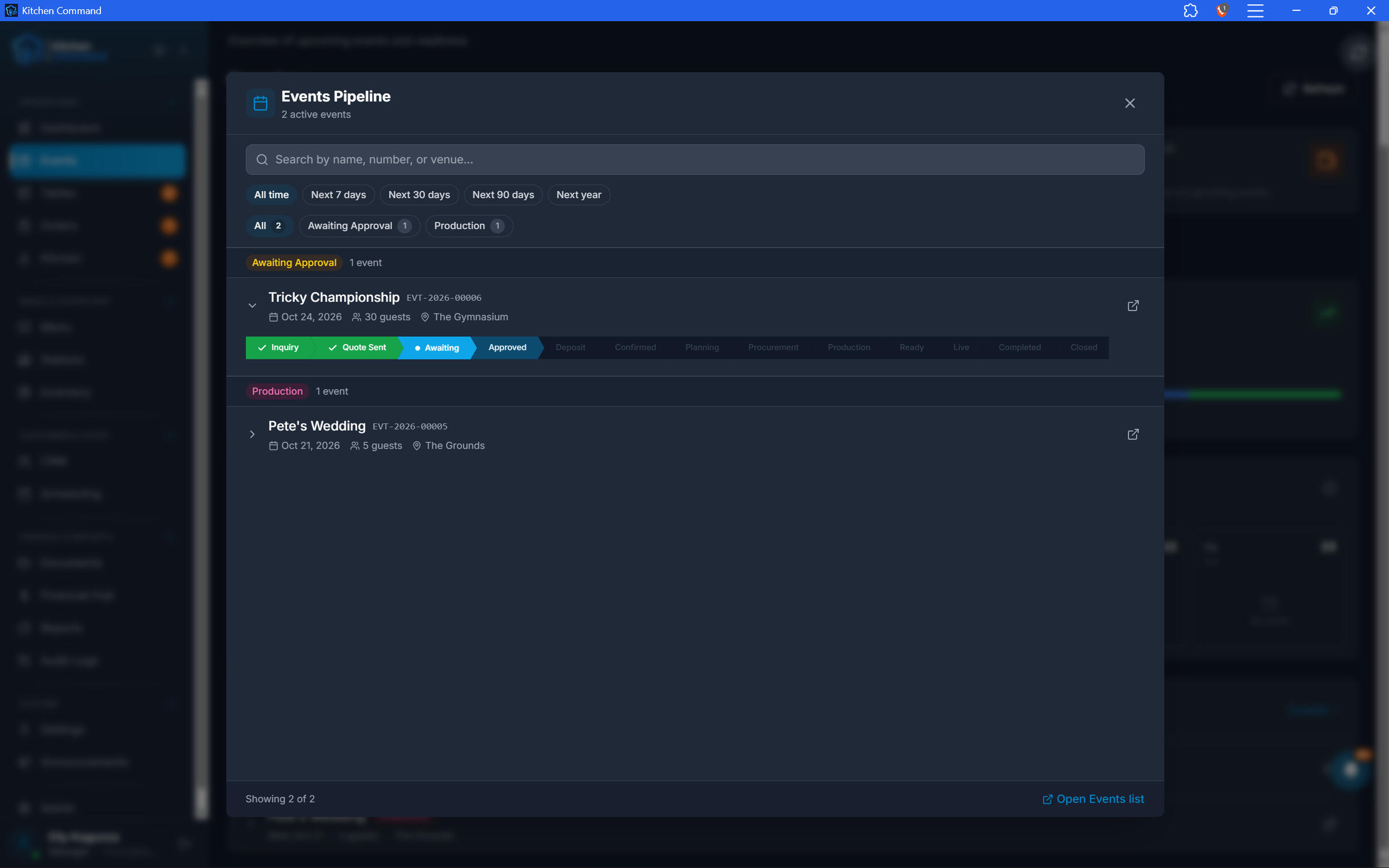
Every Lead Has Potential. Never Miss the Follow-Up.
Keep event and catering inquiries organized from the moment they come in.
Register leads and capture event requirements.
Set follow-up dates to keep opportunities moving.
Track every opportunity through an intuitive event pipeline.
See which leads need attention and which are progressing toward confirmation.
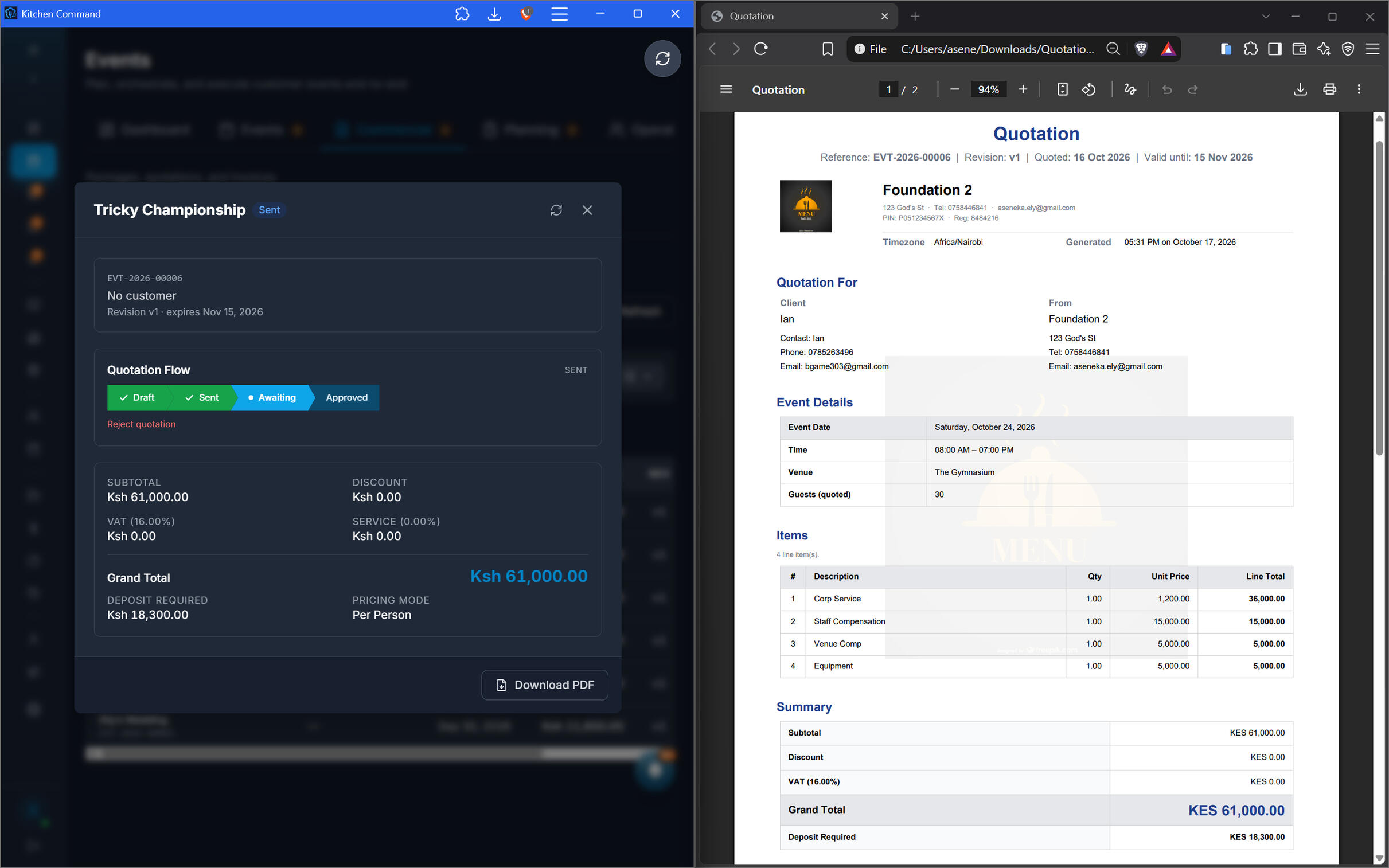
Turn Your Packages into Professional Quotations.
Create event and catering packages once, then use them to prepare branded quotations for prospective clients.
Build quotations around your preset packages.
Generate professionally branded quotation documents.
Send quotations to leads through the configured workflow.
Keep the quotation connected to the event opportunity.
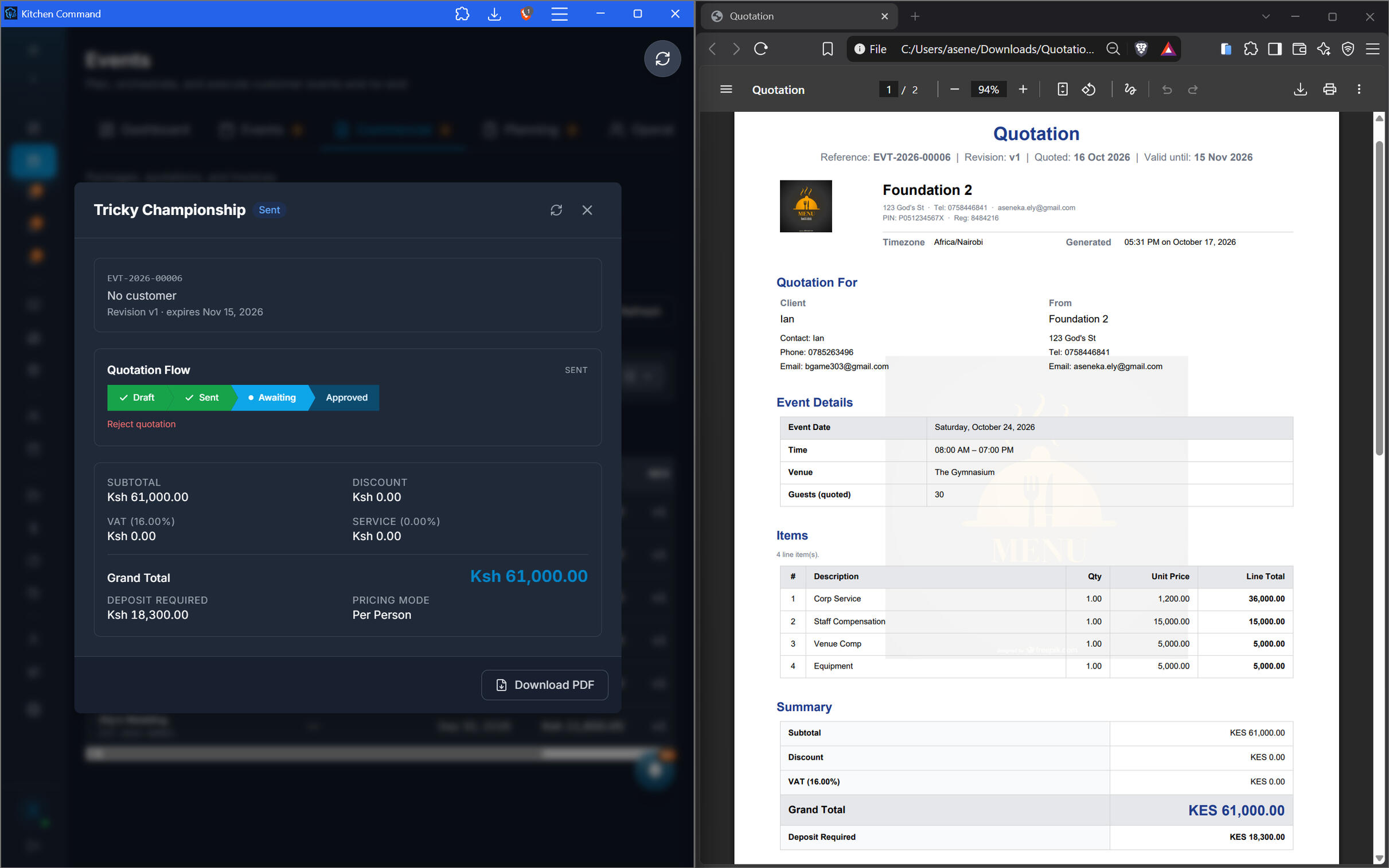
Turn Your Packages into Professional Quotations.
Create event and catering packages once, then use them to prepare branded quotations for prospective clients.
Build quotations around your preset packages.
Generate professionally branded quotation documents.
Send quotations to leads through the configured workflow.
Keep the quotation connected to the event opportunity.
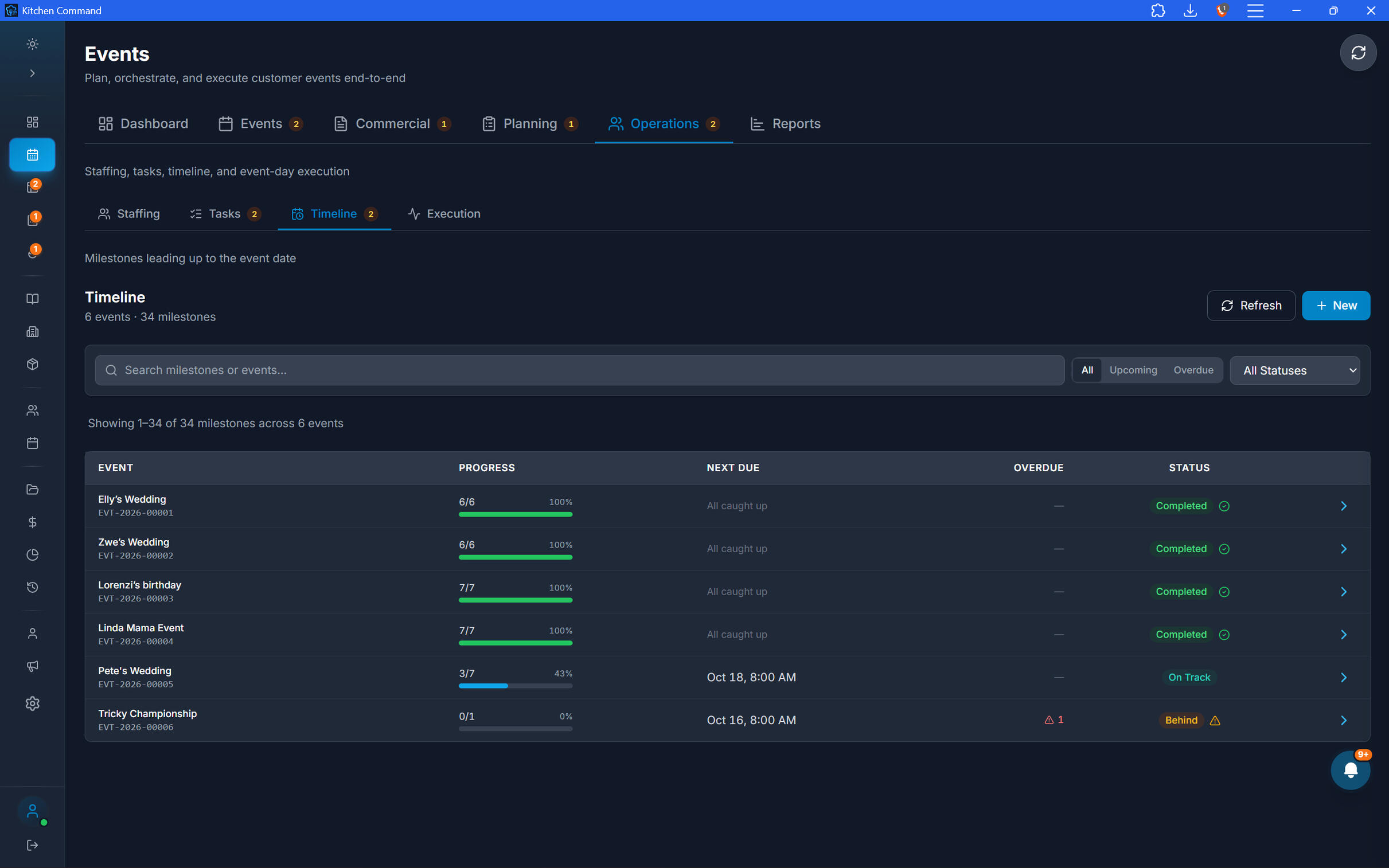
Every Task. Every Milestone. Assigned.
Delivering an event takes coordination. Give your team a clear view of responsibilities and deadlines.
Assign staff to specific event tasks.
Organize work around milestones and deadlines.
Track task progress throughout event preparation.
Receive reminders through the Kitchen Command Intelligence Center.
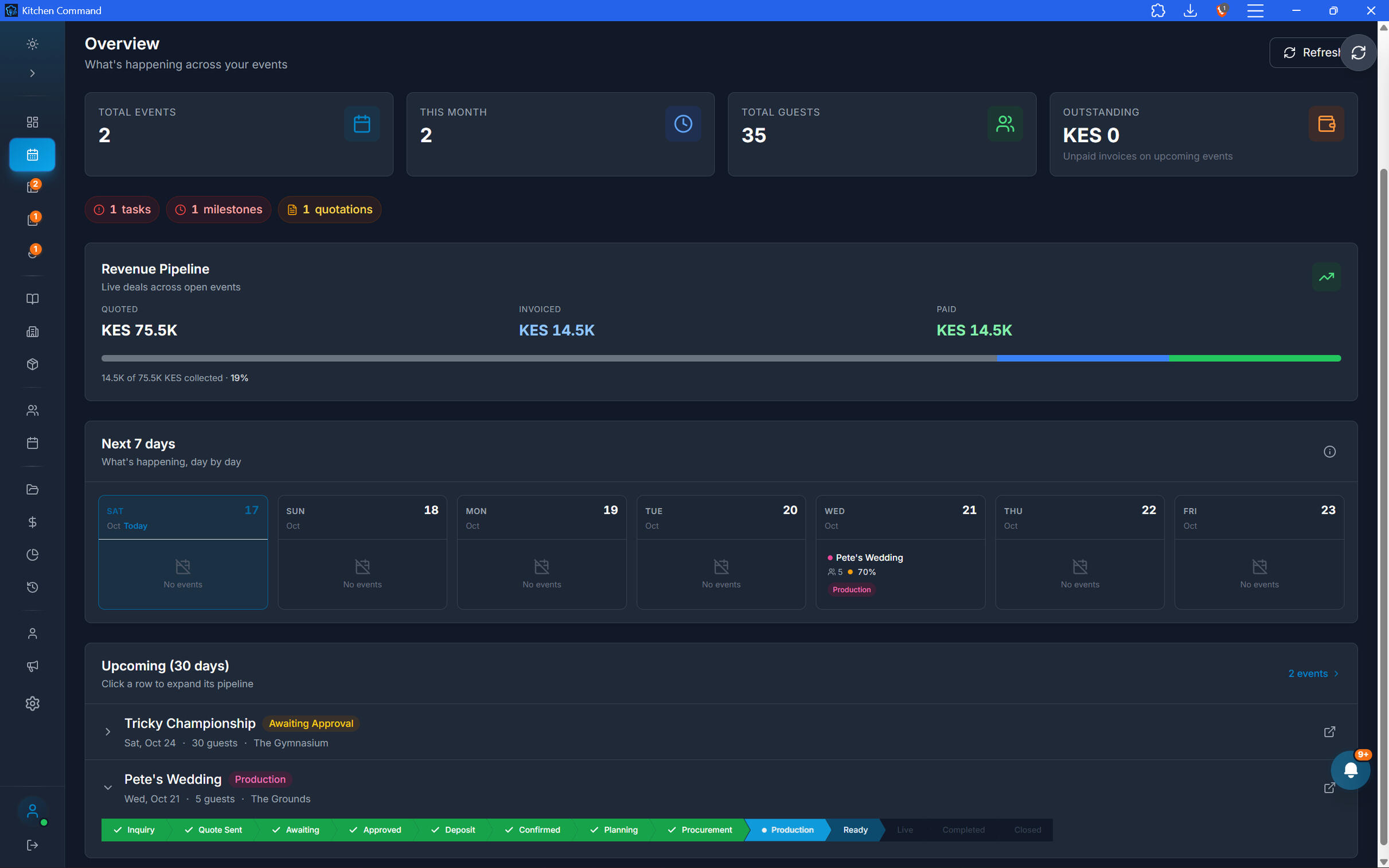
From Planning to Execution, See the Whole Picture.
Use the event dashboard to understand where each opportunity stands and what needs to happen next.
Follow leads through your event pipeline.
Track progress from inquiry and quotation to preparation and delivery.
Identify outstanding follow-ups, tasks, and milestones.
Keep event activity visible in one central workspace.
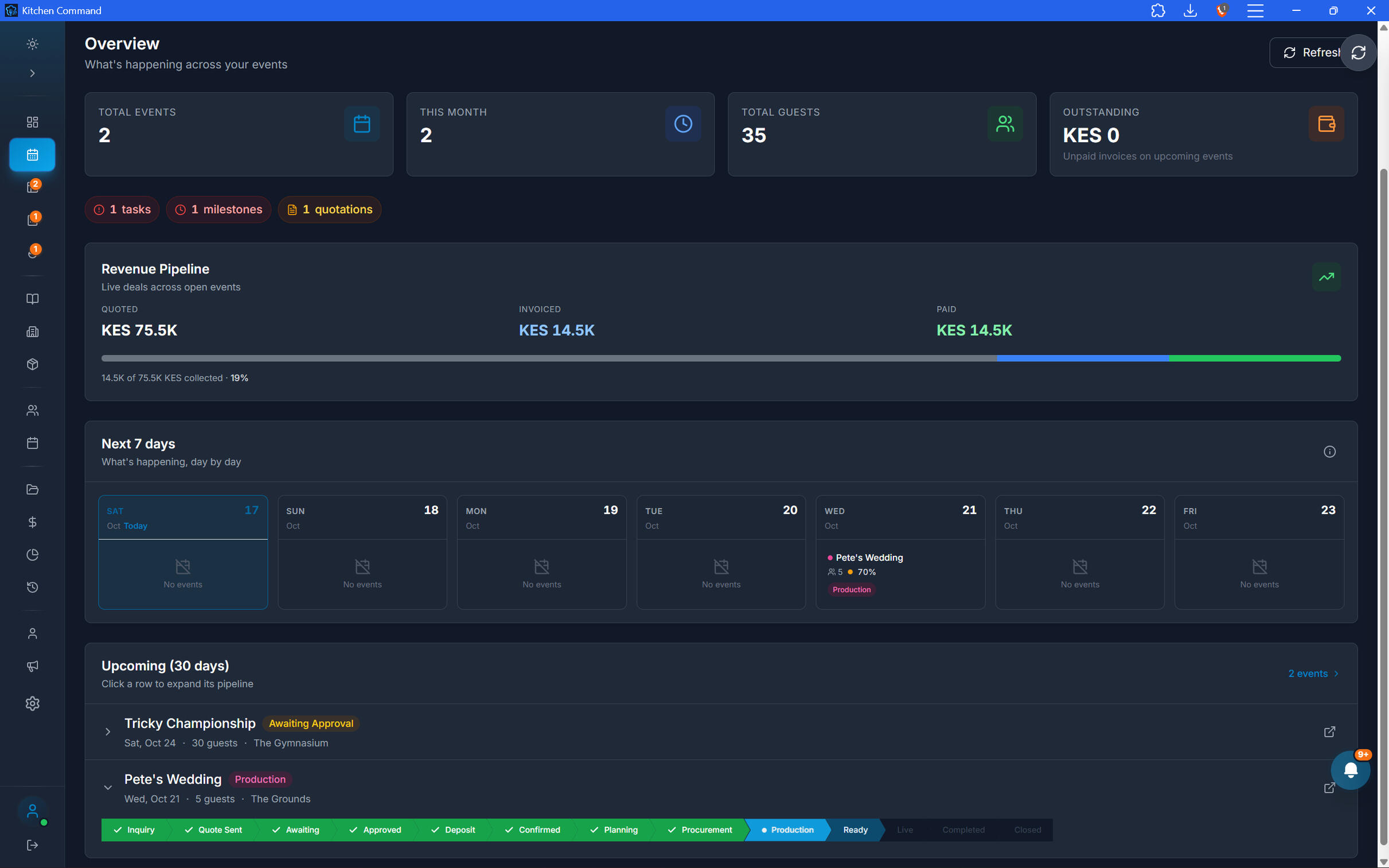
From Planning to Execution, See the Whole Picture.
Use the event dashboard to understand where each opportunity stands and what needs to happen next.
Follow leads through your event pipeline.
Track progress from inquiry and quotation to preparation and delivery.
Identify outstanding follow-ups, tasks, and milestones.
Keep event activity visible in one central workspace.
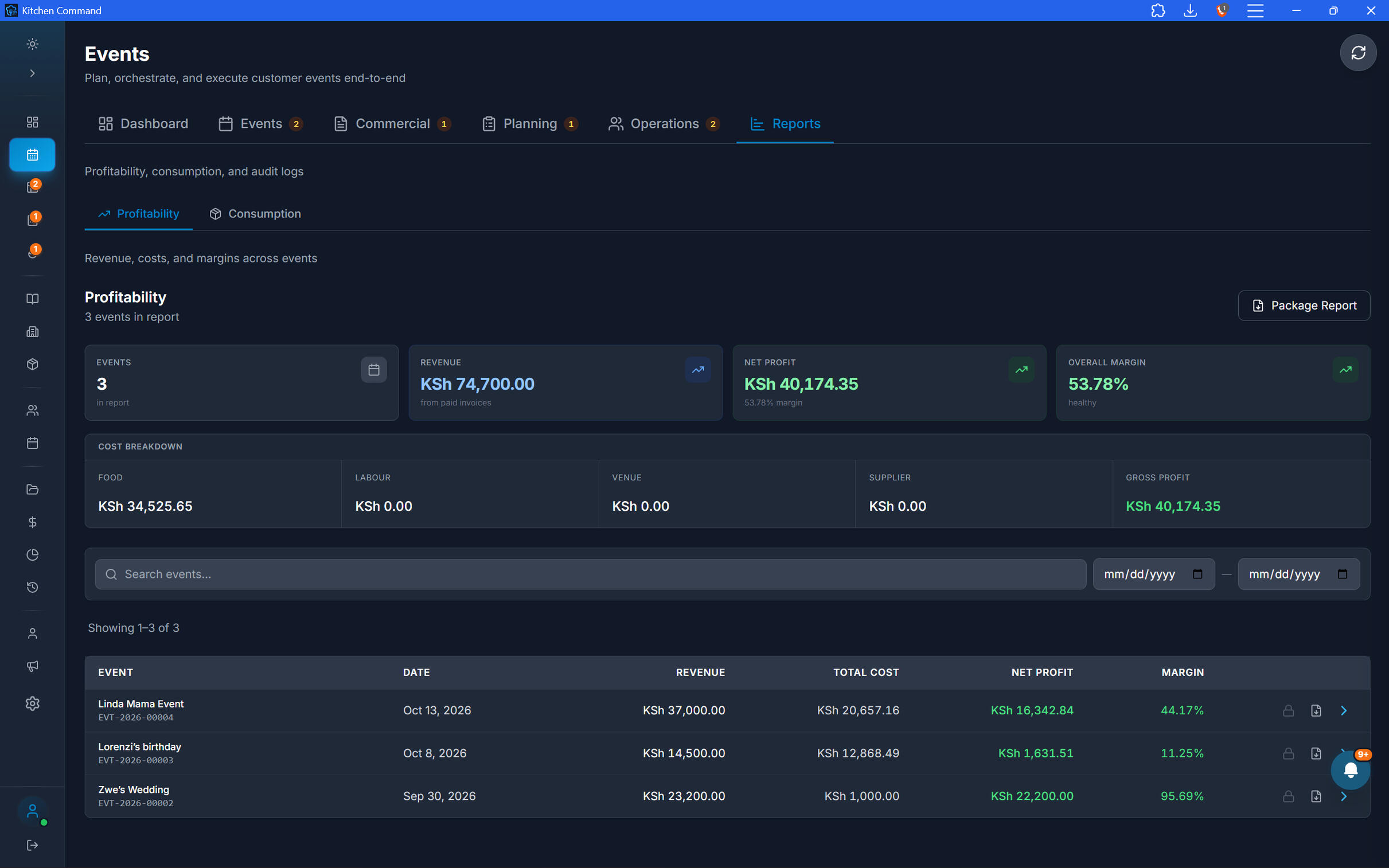
Know What the Event Consumed—and What It Earned.
An event can generate revenue and still lose money if costs and consumption go unchecked. Kitchen Command helps connect event execution with operational and financial reporting.
Review recorded consumption associated with an event.
Generate consumption reports for post-event review.
Review final profitability reports to understand event performance.
Use the results to make better decisions about future packages, pricing, and planning.
Keep Every Event Moving Forward.
From the first client inquiry to the final profitability report, bring your event operations together with Kitchen Command.
house accounts and receivables
Offer Customer Credit. Stay in Control of Every Shilling.
Manage credit sales, customer invoices, account credits, and outstanding payments from one connected platform. Kitchen Command helps you track what customers owe, enforce credit limits, follow up on overdue invoices, and maintain a clear picture of your restaurant's receivables.
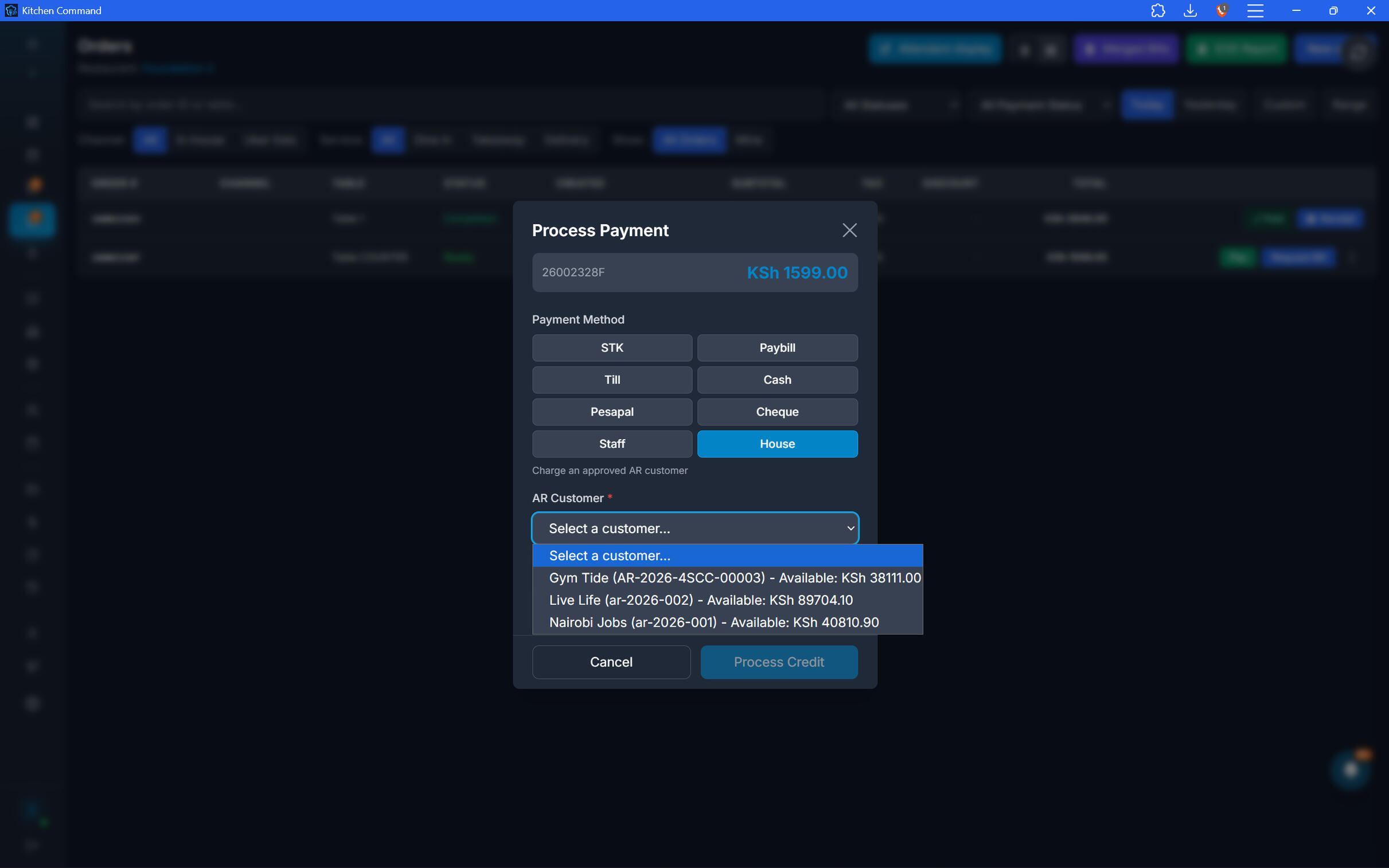
Serve on Credit. Keep Every Sale Accounted For.
Complete eligible orders against a customer's house account instead of collecting payment immediately.
Complete an order as a credit sale.
Select the customer responsible for the balance.
Record the transaction against the customer's account.
Keep credit sales connected to the wider order and receivables workflow.
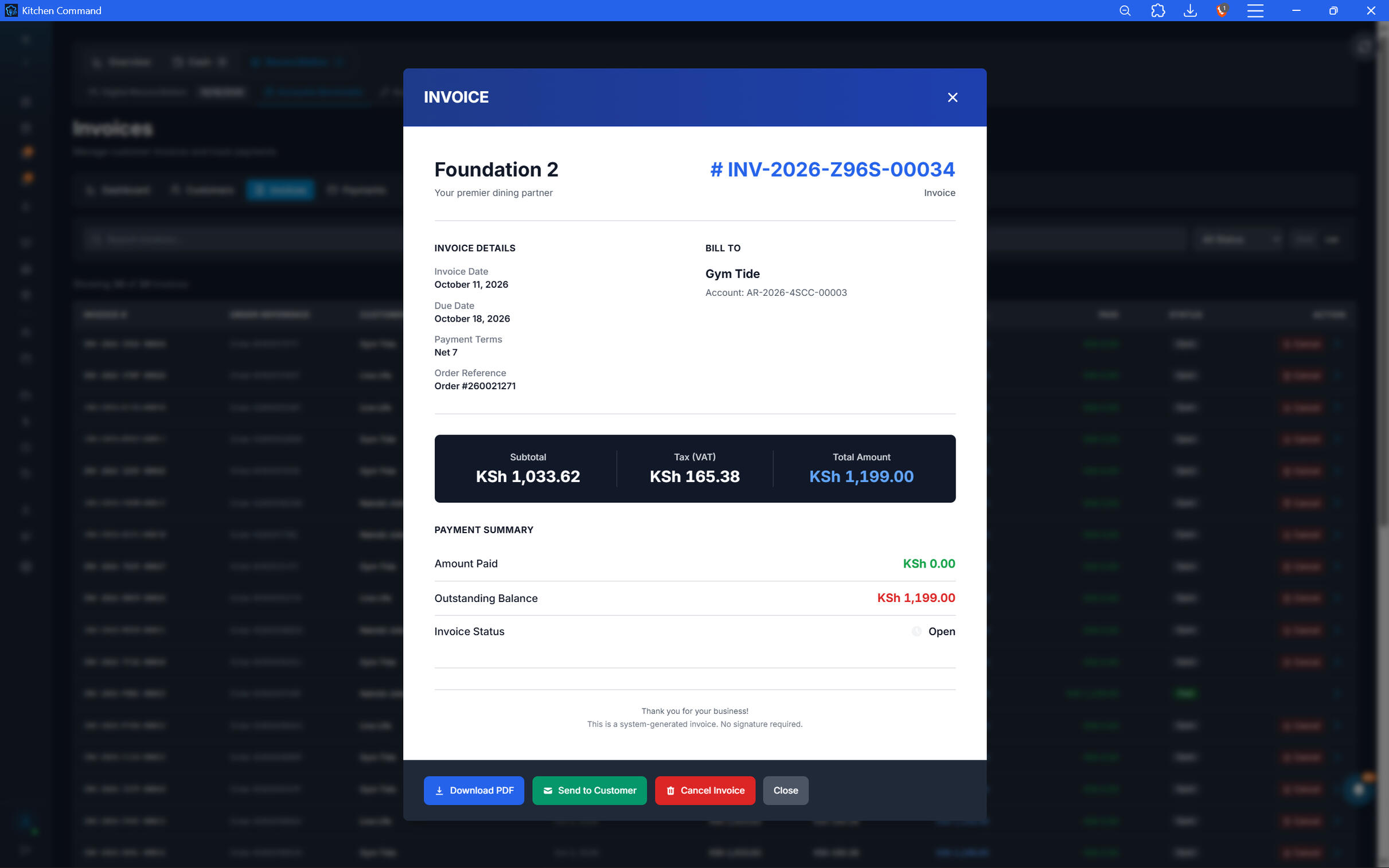
Every Invoice. Sent and Tracked.
Turn outstanding customer balances into clear, documented payment obligations.
Generate invoices for customers.
Send invoices through Kitchen Command's configured communication workflow.
Track outstanding invoice balances and payment status.
Keep invoice records connected to the relevant customer account.
Every Invoice. Sent and Tracked.
Turn outstanding customer balances into clear, documented payment obligations.
Generate invoices for customers.
Send invoices through Kitchen Command's configured communication workflow.
Track outstanding invoice balances and payment status.
Keep invoice records connected to the relevant customer account.
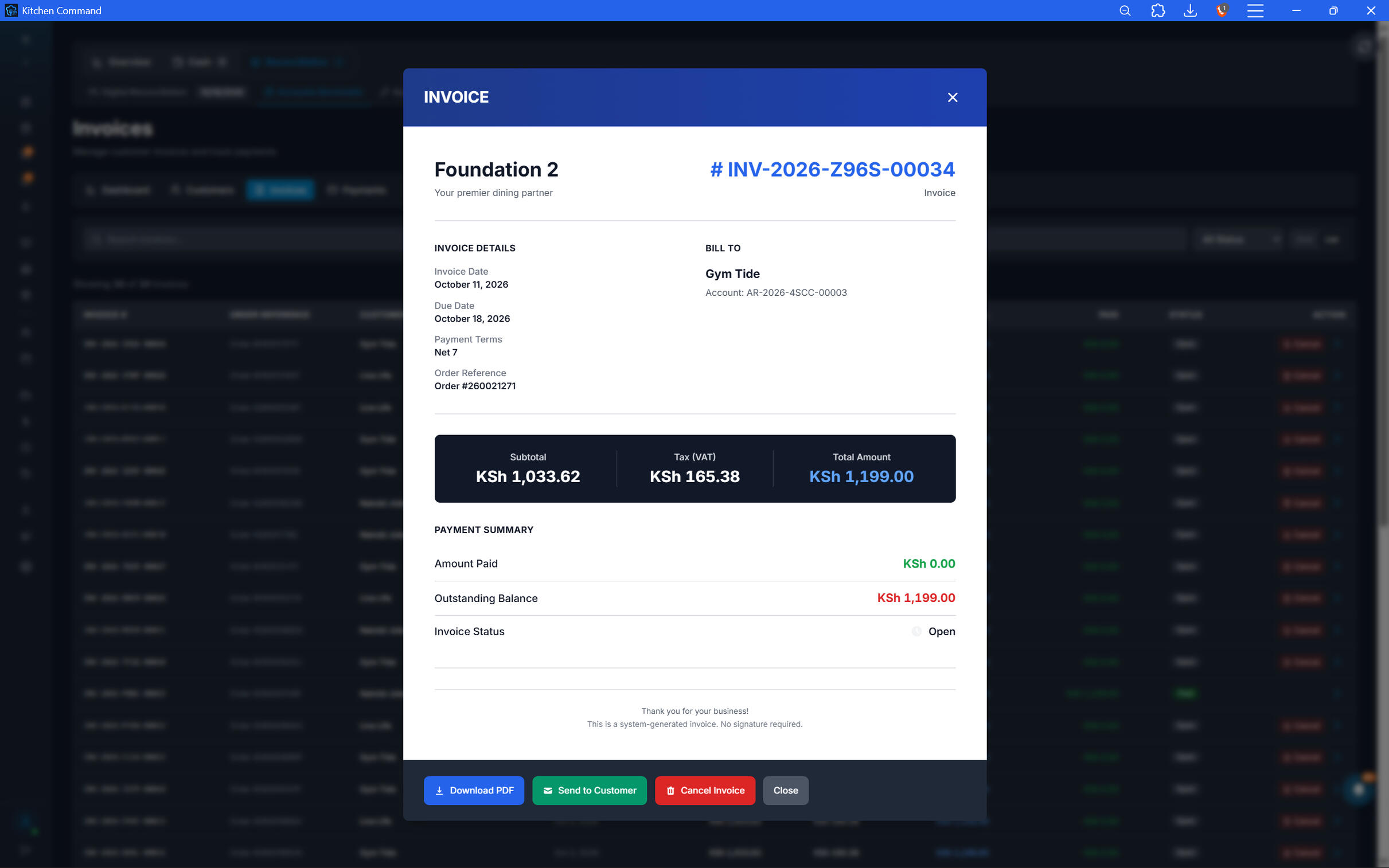
Manage Customer Credits and Account Adjustments.
Keep customer account balances accurate when credits need to be issued.
Issue credits to customer accounts.
Maintain a record of account adjustments.
Keep customer balances updated to reflect recorded credits.
Make account activity easier to review when resolving billing questions.
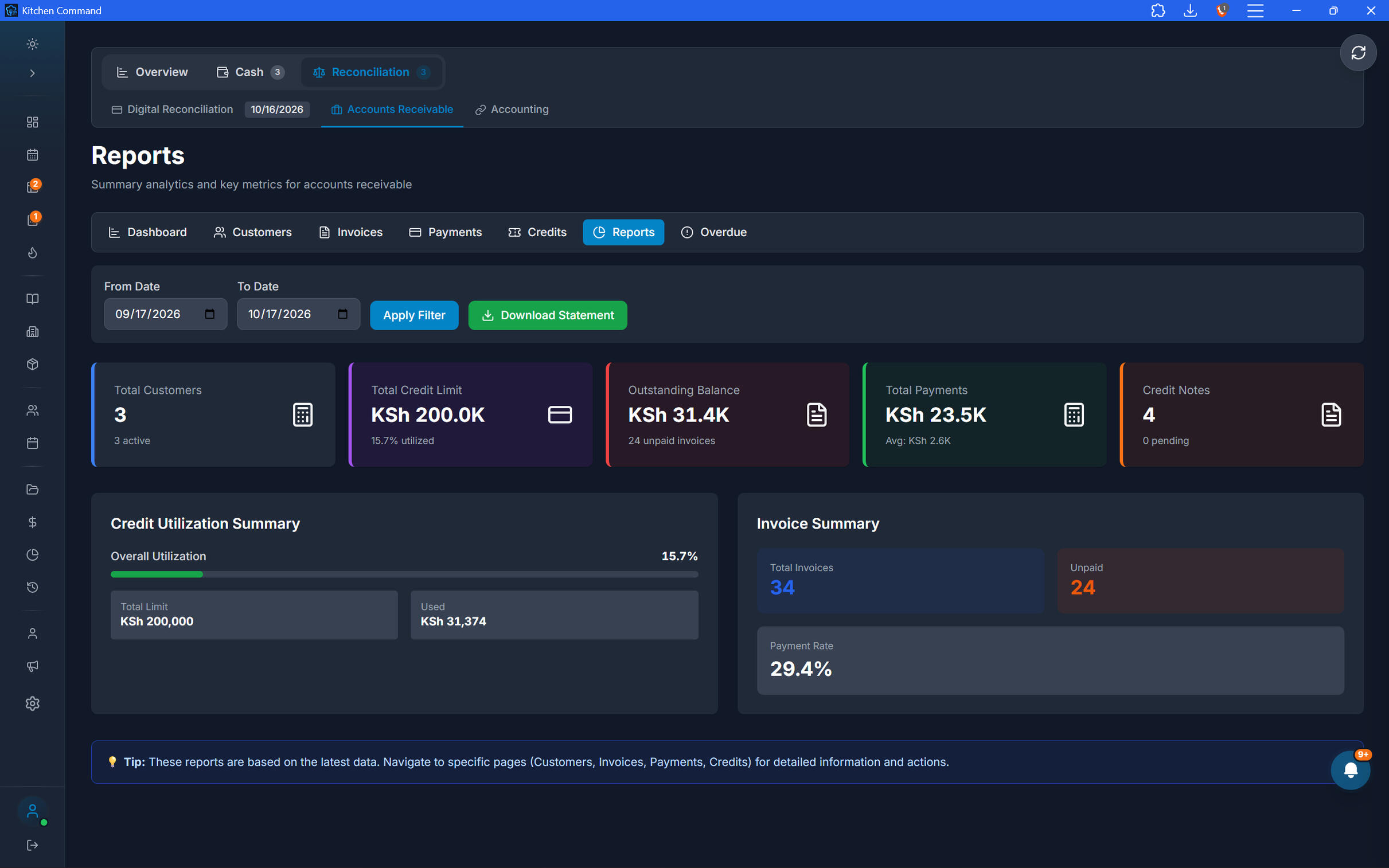
Know Who Owes You—and How Much.
Get a clearer picture of outstanding receivables across all your customers.
View aging summaries for customer balances.
Identify overdue invoices and outstanding amounts.
Receive notifications when invoices become overdue.
Prioritize follow-ups based on the status and age of debts.
Know Who Owes You—and How Much.
Get a clearer picture of outstanding receivables across all your customers.
View aging summaries for customer balances.
Identify overdue invoices and outstanding amounts.
Receive notifications when invoices become overdue.
Prioritize follow-ups based on the status and age of debts.
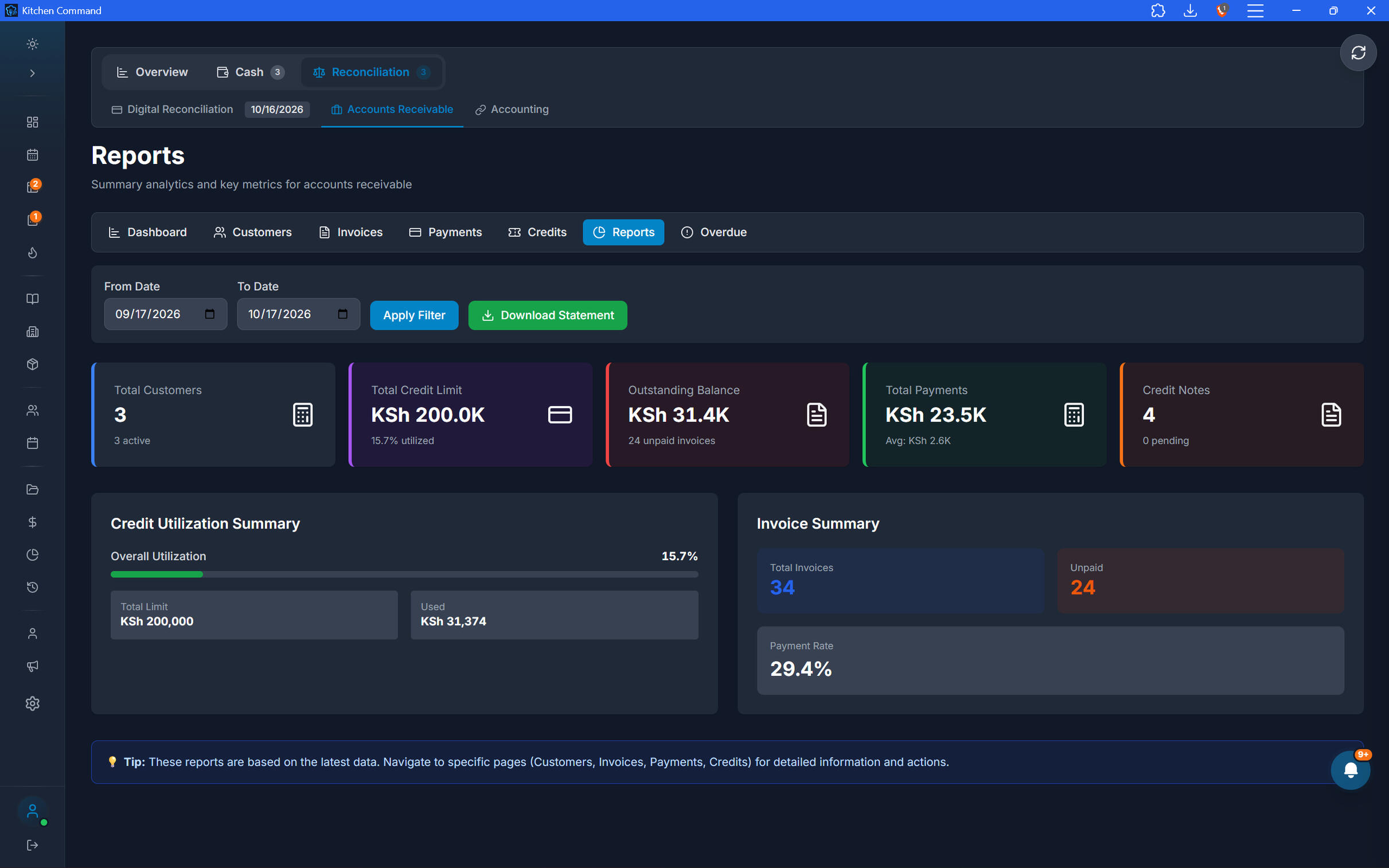
Set Credit Limits. Protect Your Cash Flow.
Give customers access to credit while maintaining boundaries that protect your business.
Set a credit limit for each customer.
Monitor outstanding balances against those limits.
Identify customers approaching their approved limits.
Prevent credit exposure from exceeding configured limits, where enforcement is enabled.
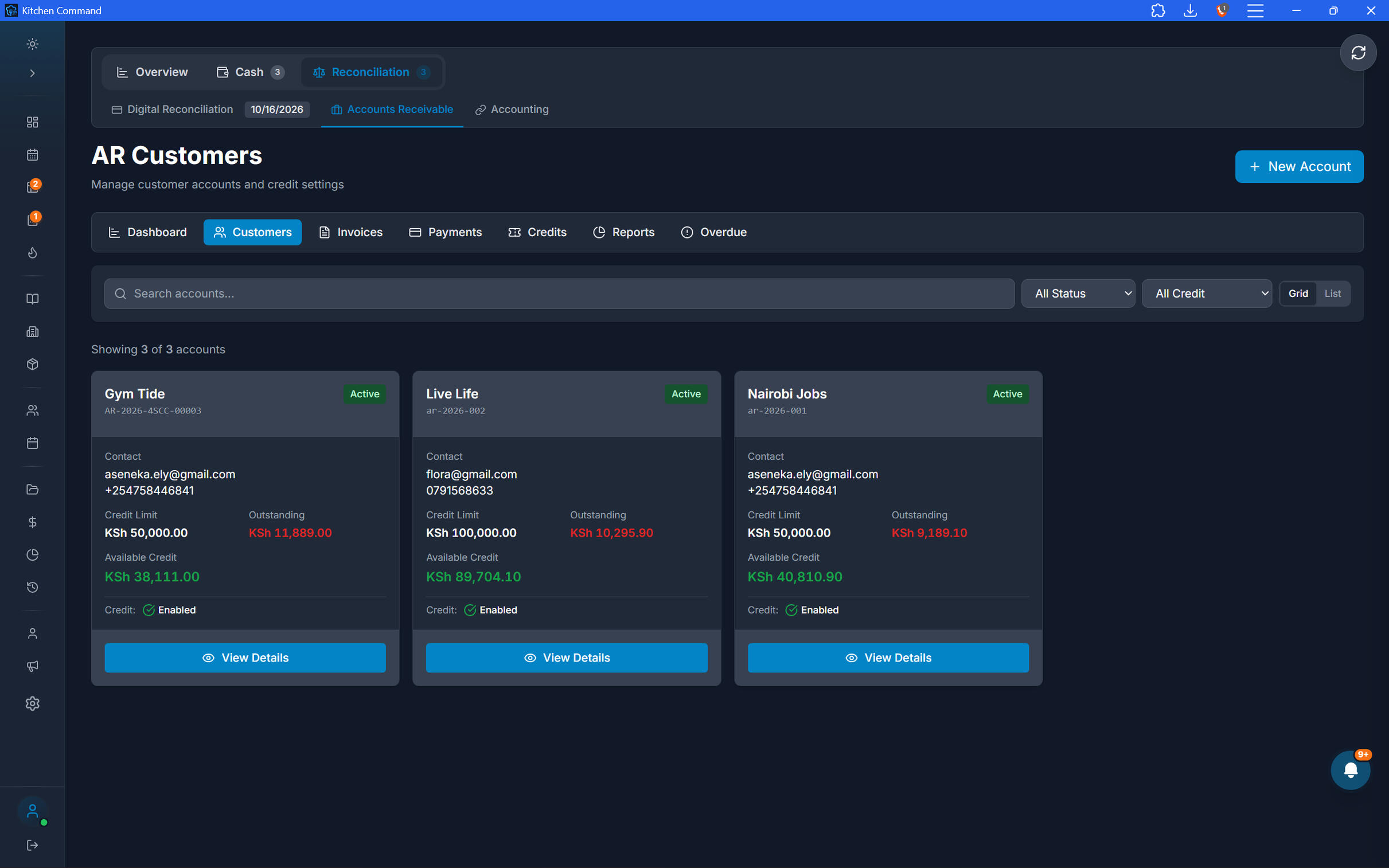
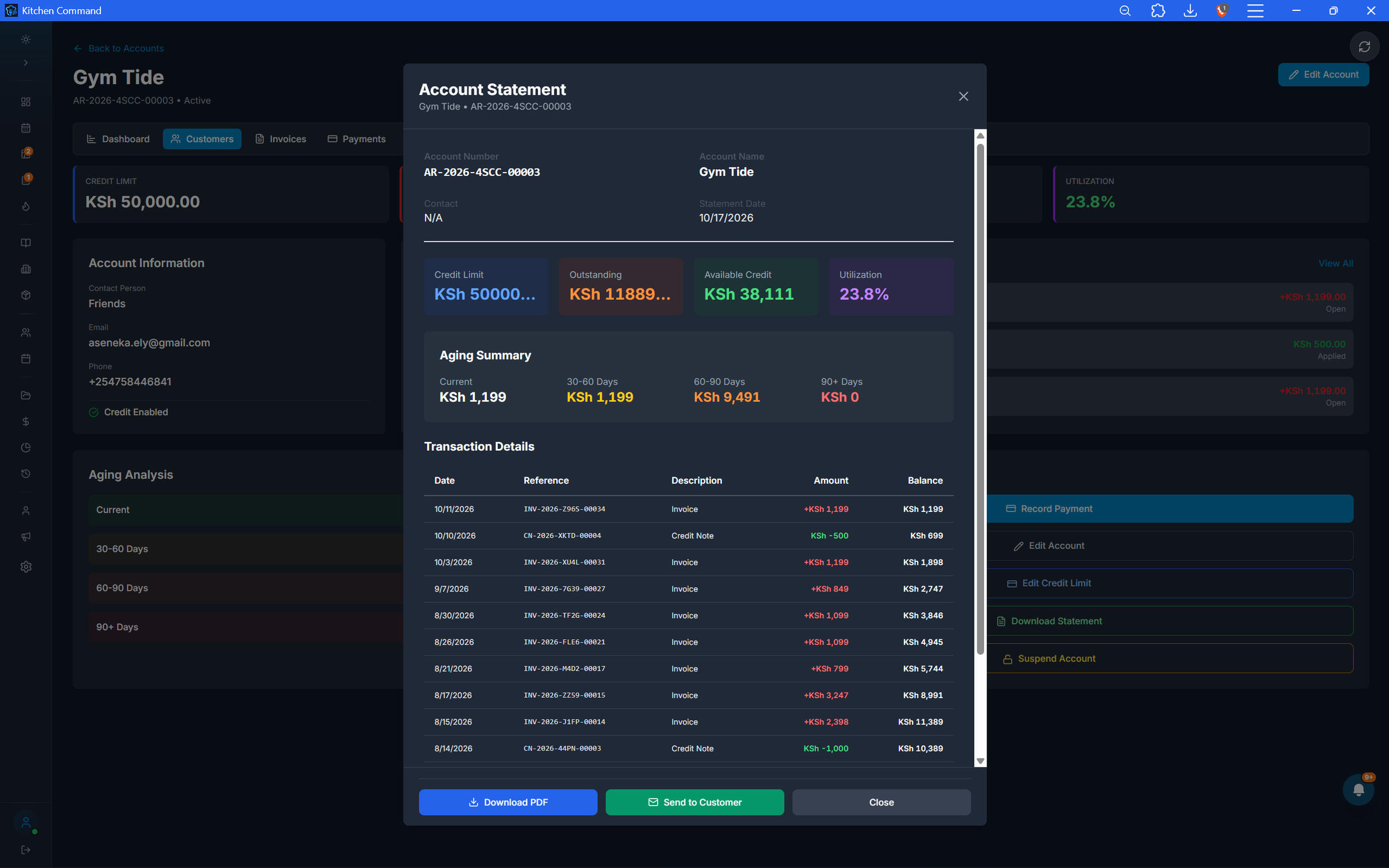
Record Payments. Keep Balances Current.
When customers pay, update their accounts and maintain a clear record of what has been settled.
Record payments against customer invoices.
Track remaining balances on partially paid invoices.
Maintain customer account histories.
Keep payment records connected to the relevant receivables.
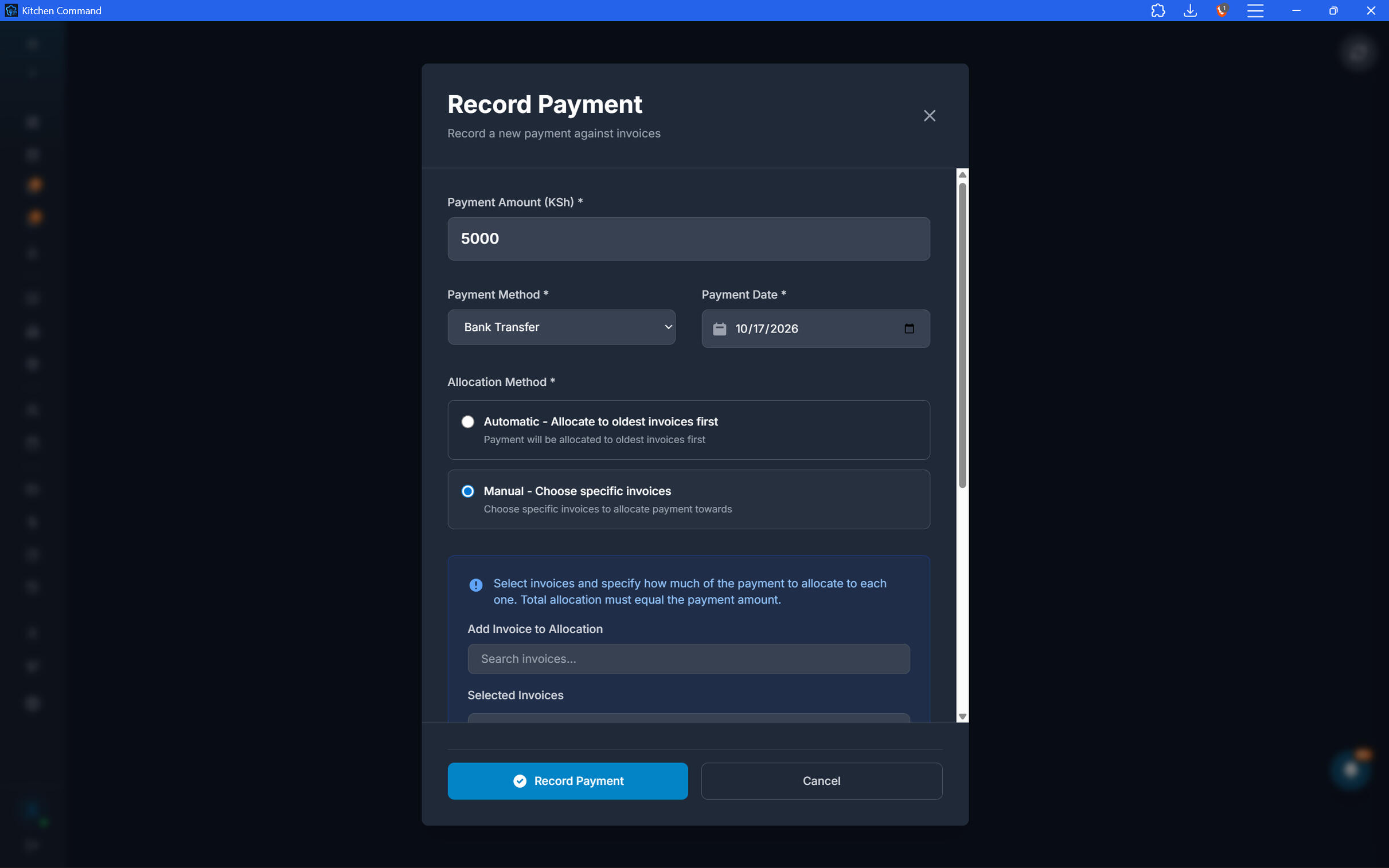
Record Payments. Keep Balances Current.
When customers pay, update their accounts and maintain a clear record of what has been settled.
Record payments against customer invoices.
Track remaining balances on partially paid invoices.
Maintain customer account histories.
Keep payment records connected to the relevant receivables.
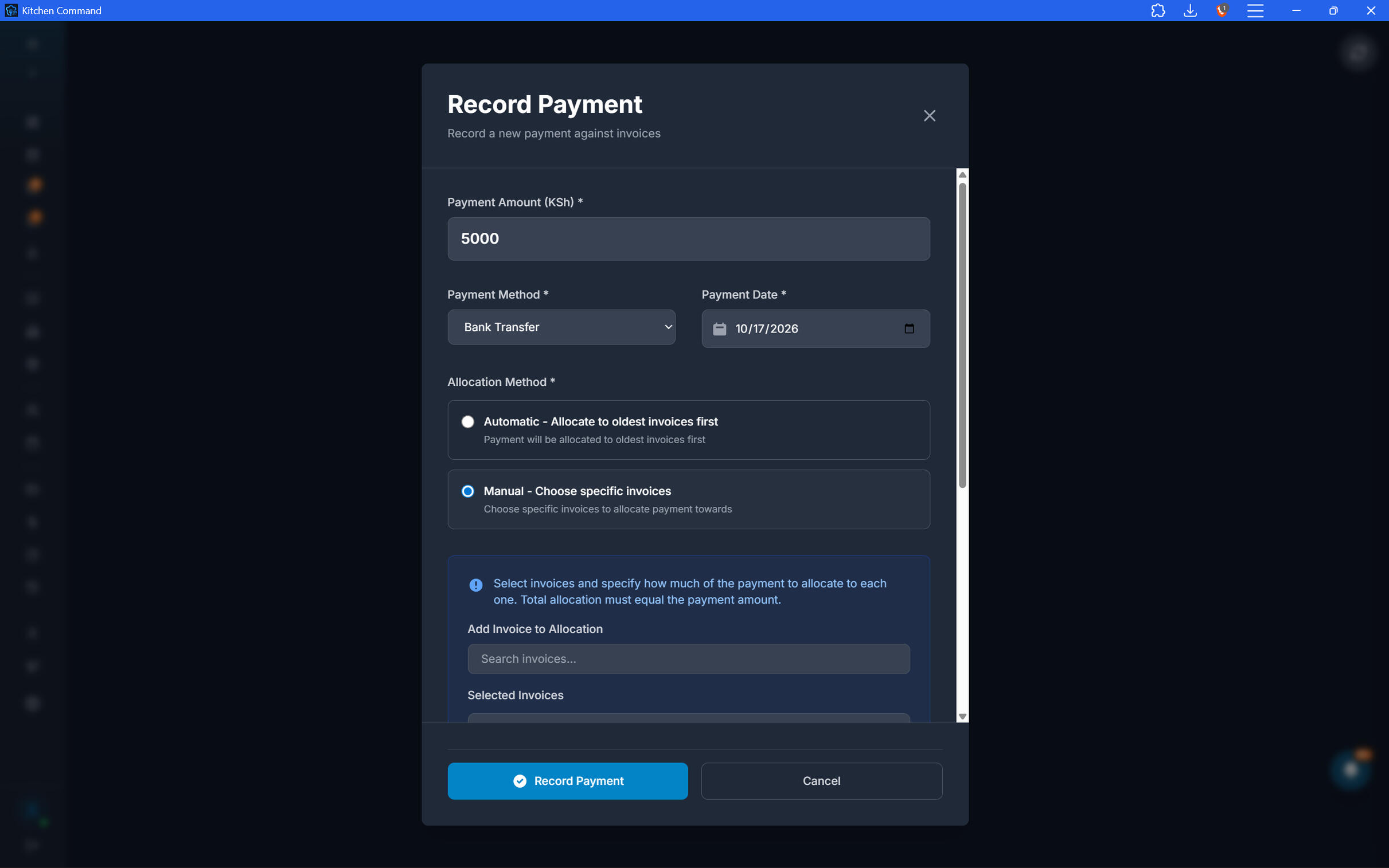
Send Customer Statements. Make Follow-Ups Easier.
Give customers a consolidated view of their account activity without manually assembling the details.
Generate customer statements.
Show account activity and outstanding balances.
Send statements to customers through Kitchen Command.
Make it easier for customers to review what they owe and reconcile their payments.
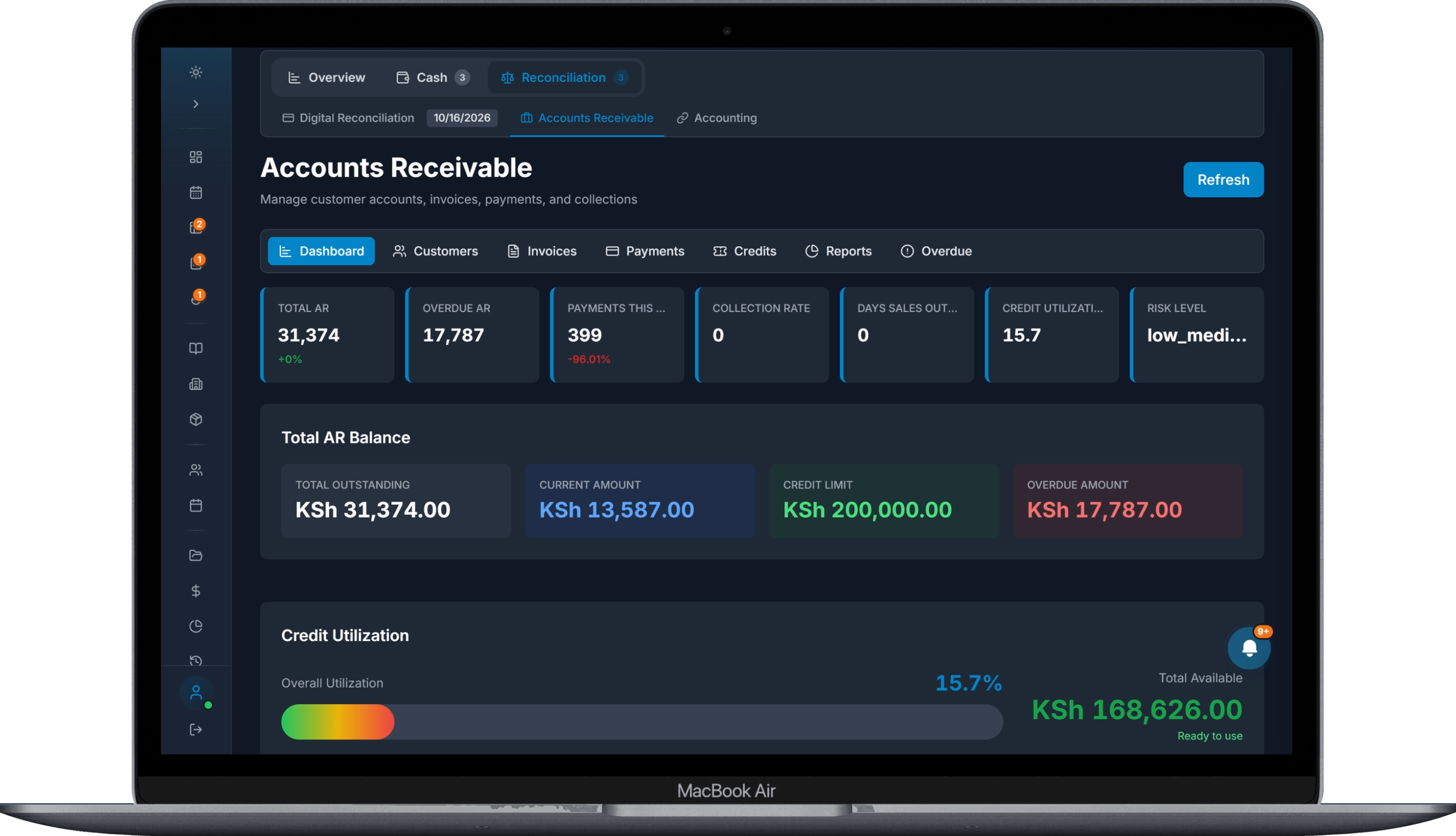
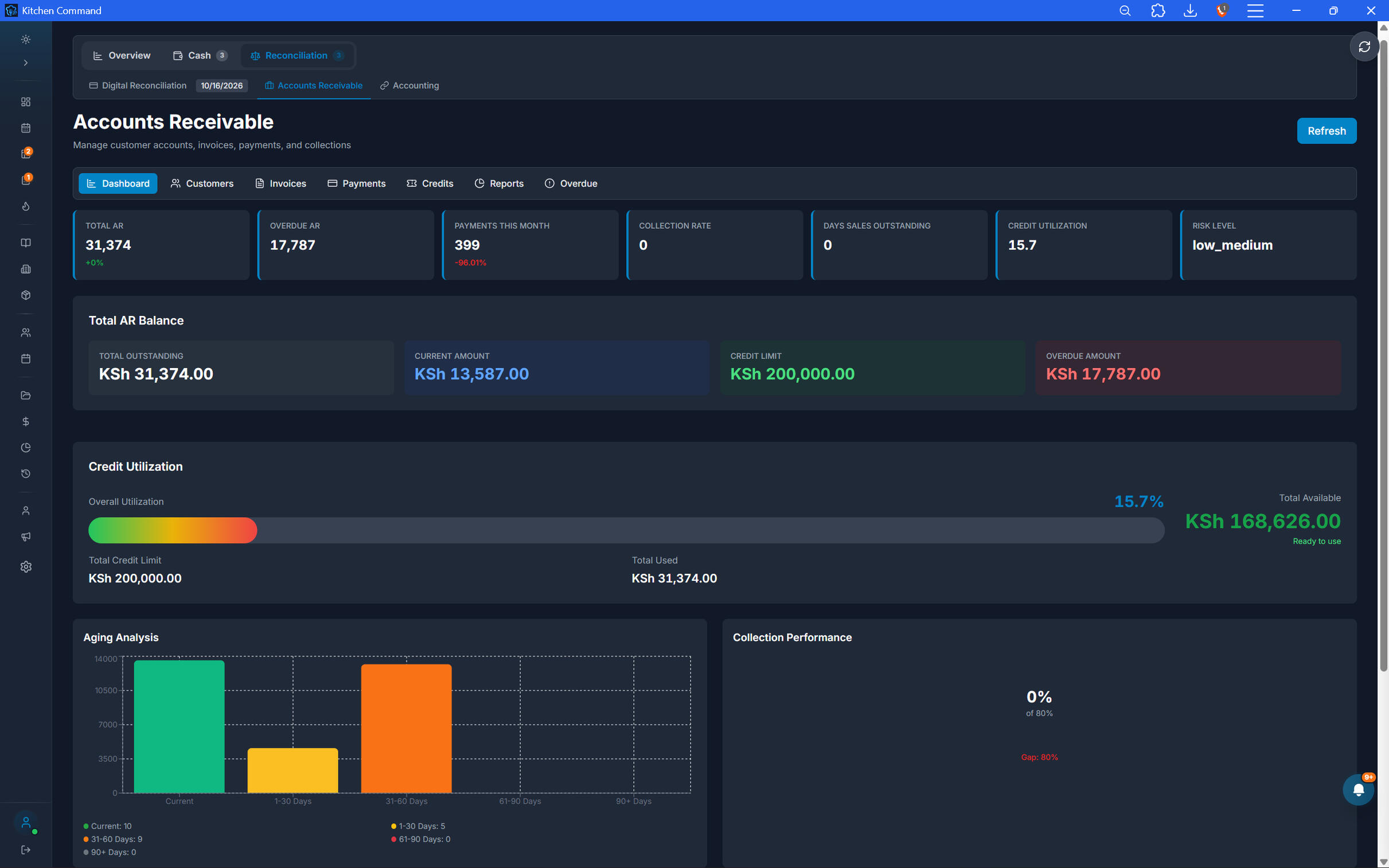
Your Receivables. One Clear Dashboard.
Understand the state of your restaurant's outstanding customer accounts at a glance.
Review total outstanding receivables.
Track overdue balances and aging summaries.
Monitor customer credit exposure and invoice statuses.
Use detailed reports to understand collection performance and identify accounts requiring attention.
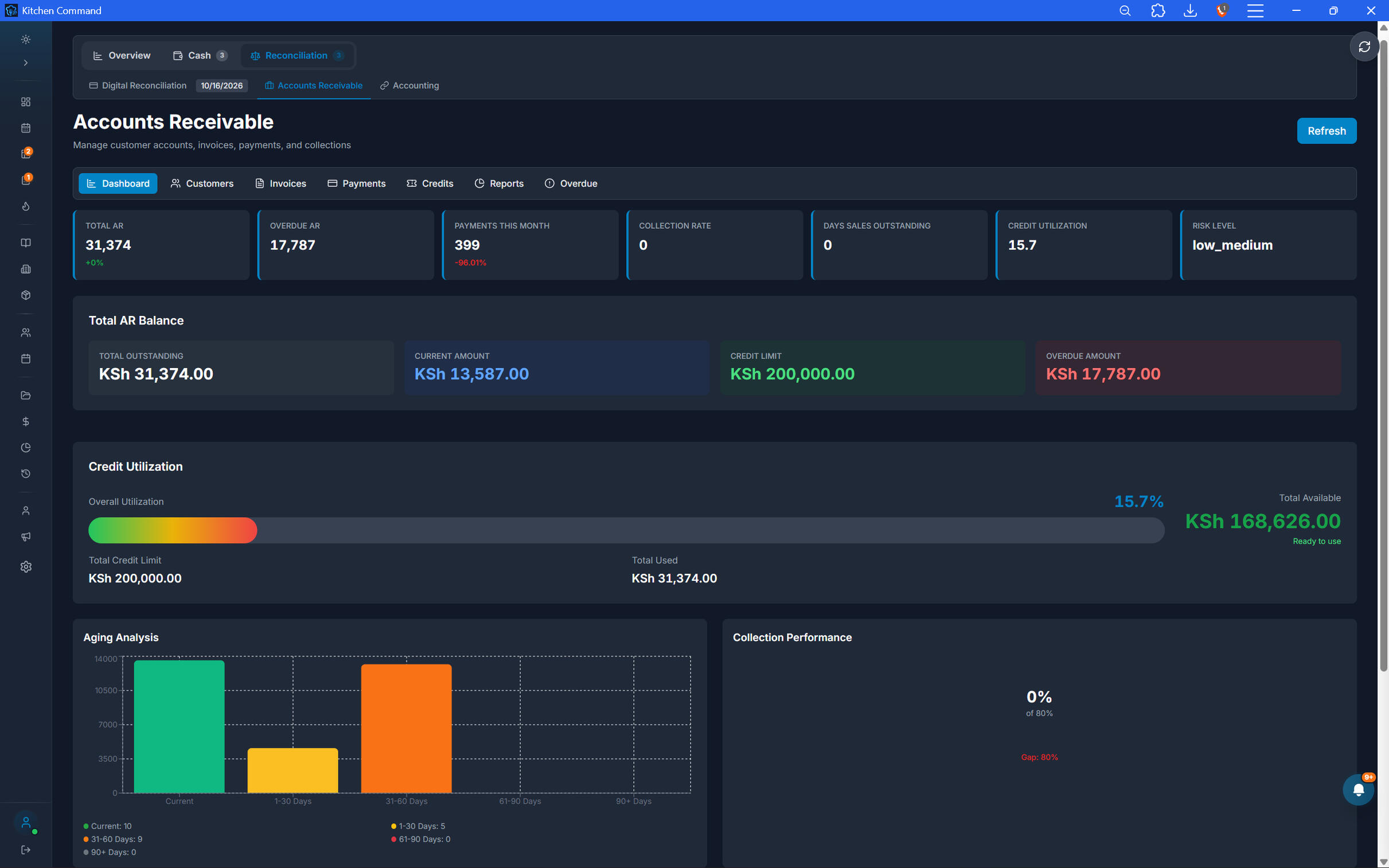
Your Receivables. One Clear Dashboard.
Understand the state of your restaurant's outstanding customer accounts at a glance.
Review total outstanding receivables.
Track overdue balances and aging summaries.
Monitor customer credit exposure and invoice statuses.
Use detailed reports to understand collection performance and identify accounts requiring attention.
Know What You're Owed. Take Control of What Comes In.
From credit sales to customer statements and overdue invoices, Kitchen Command helps you manage receivables with greater visibility and accountability.
crm and customer loyalty
Turn Every Visit into a Lasting Relationship.
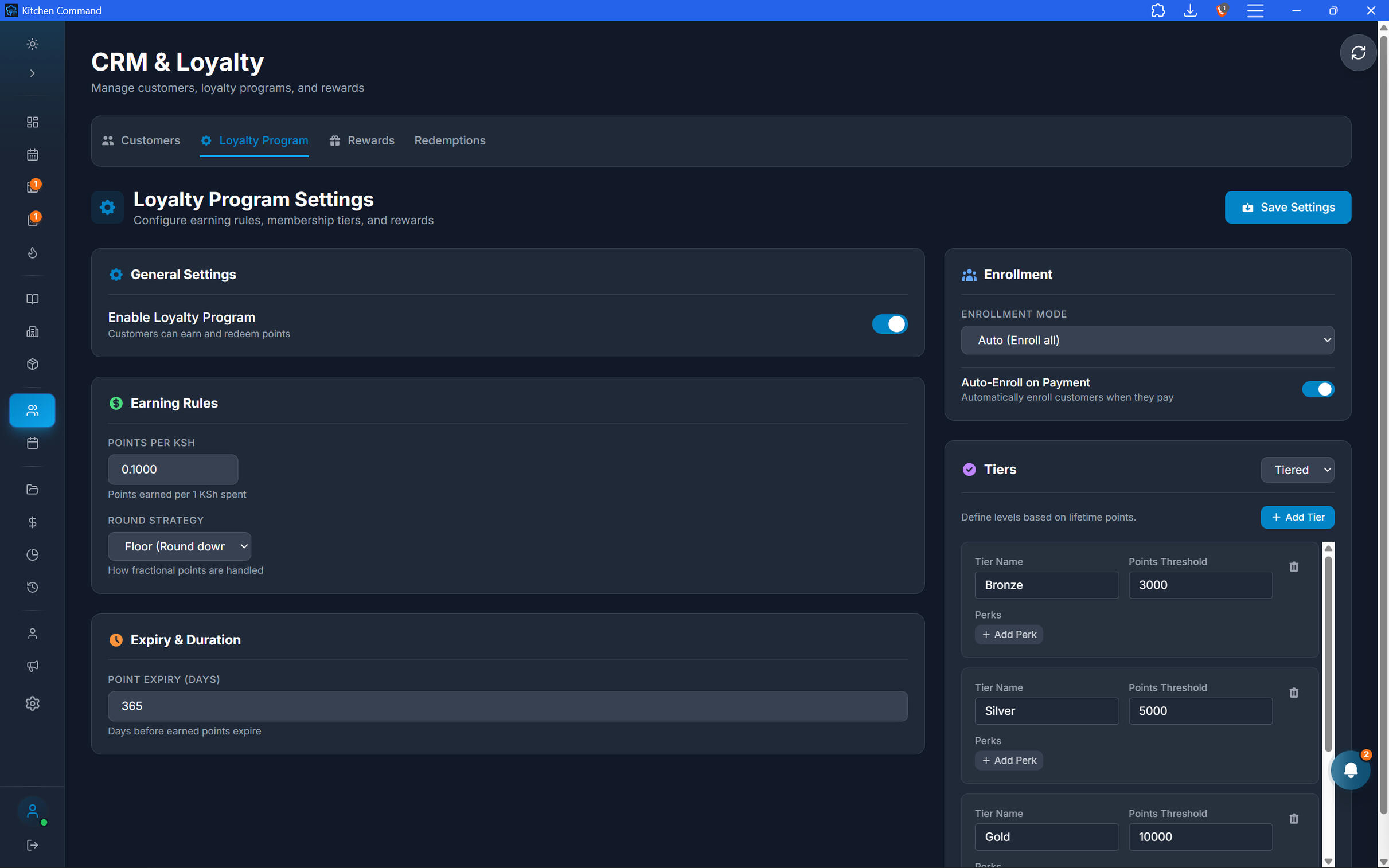
Know your customers beyond the transaction. Build your customer database, reward purchases with loyalty points, create exclusive rewards and tiers, and use customer insights to understand who keeps coming back—and who you may be losing.
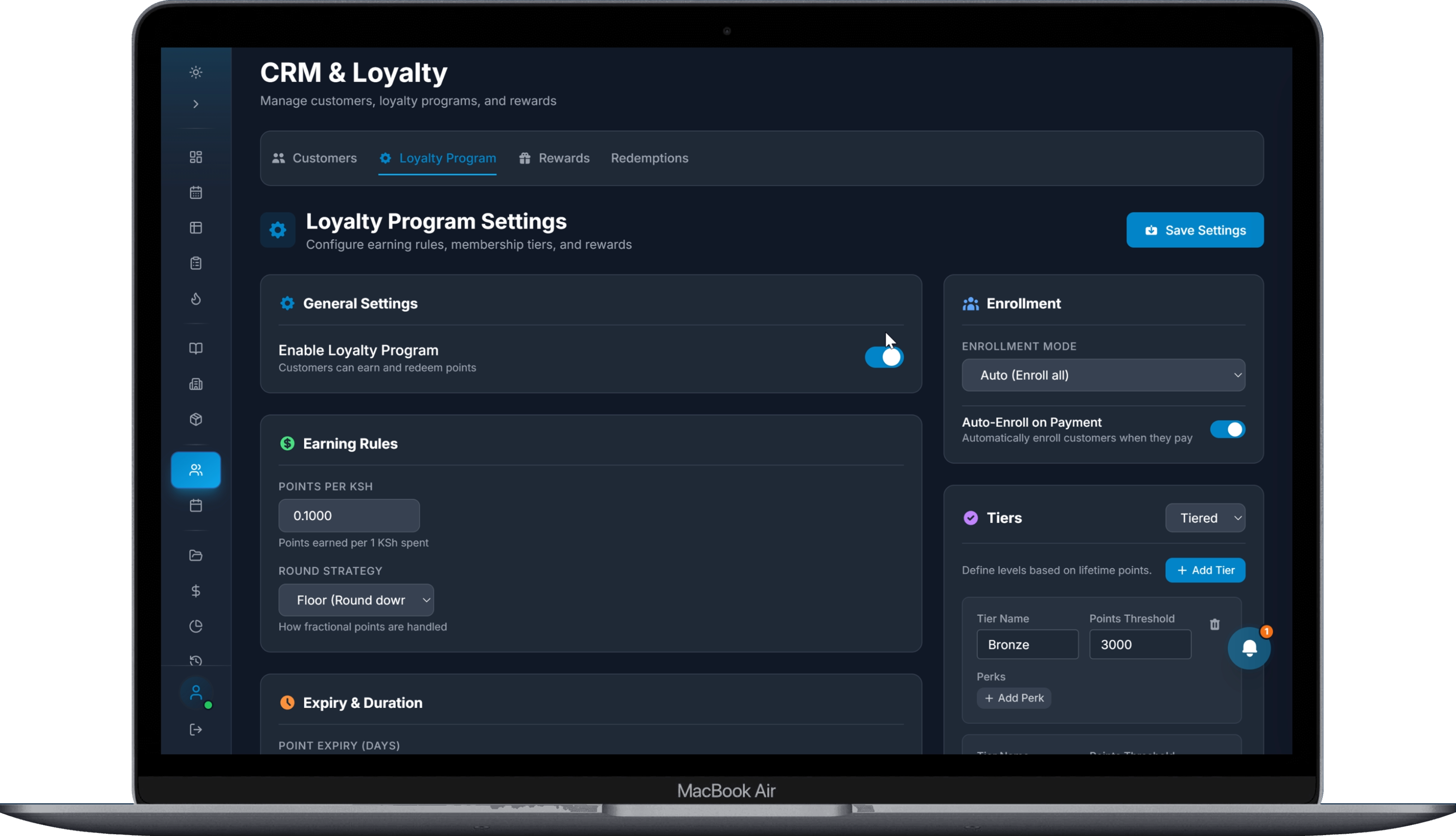
Know Who's Behind Every Bill.
Build a customer database that connects customer profiles to their restaurant purchases. Add customers to your CRM and identify them at checkout using their phone numbers.
Create and manage customer profiles
Register customer phone numbers
Associate eligible bills with customer records
Build a purchase history that supports better customer relationships
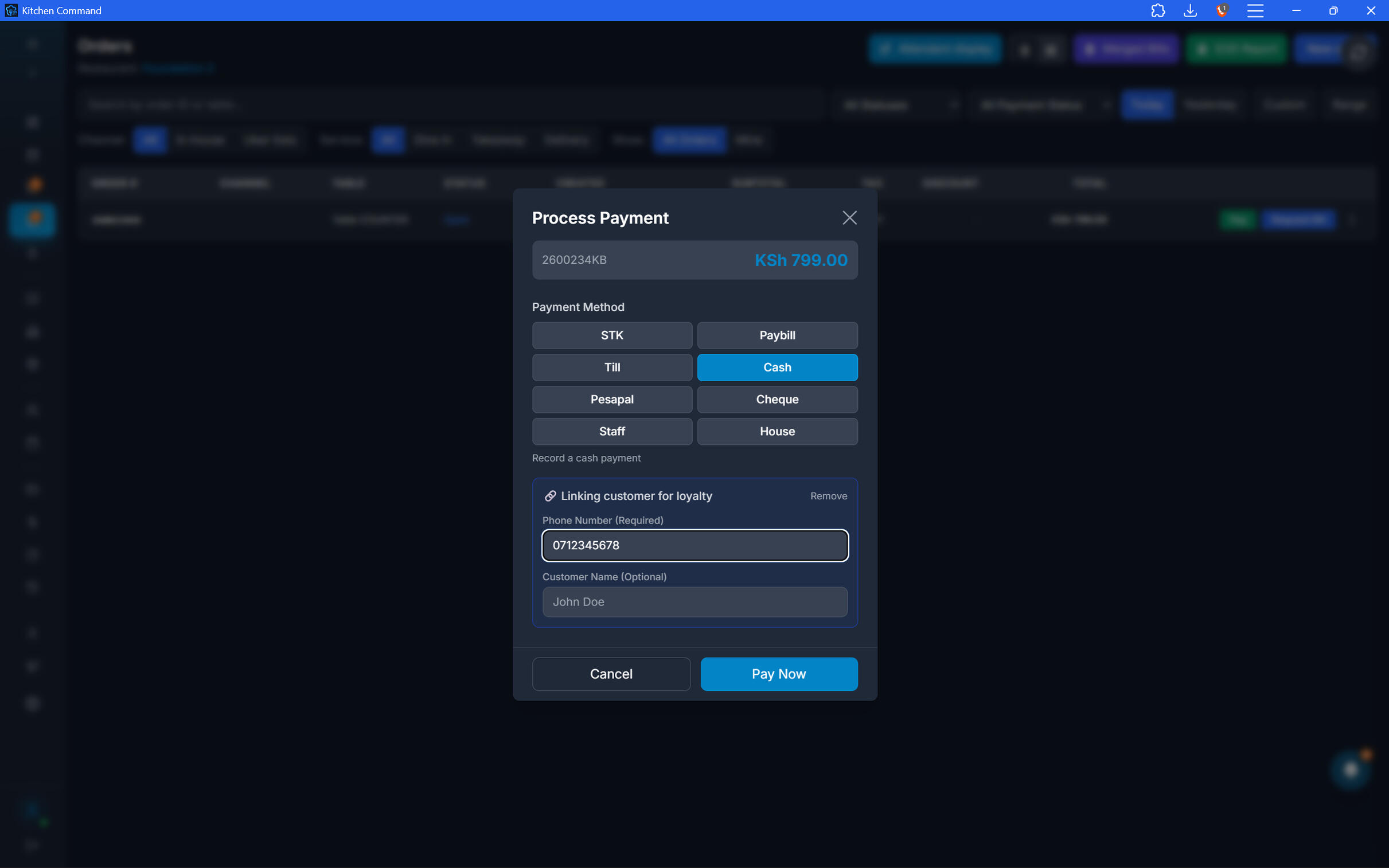
Give Customers a Reason to Return.
Reward customers for the bills they pay. Configure loyalty rewards that customers can redeem after accumulating the required points, giving repeat visits a tangible benefit.
Award points on eligible paid bills linked to a customer
Track customer loyalty point balances
Create rewards with defined point requirements
Redeem eligible rewards through your loyalty workflow
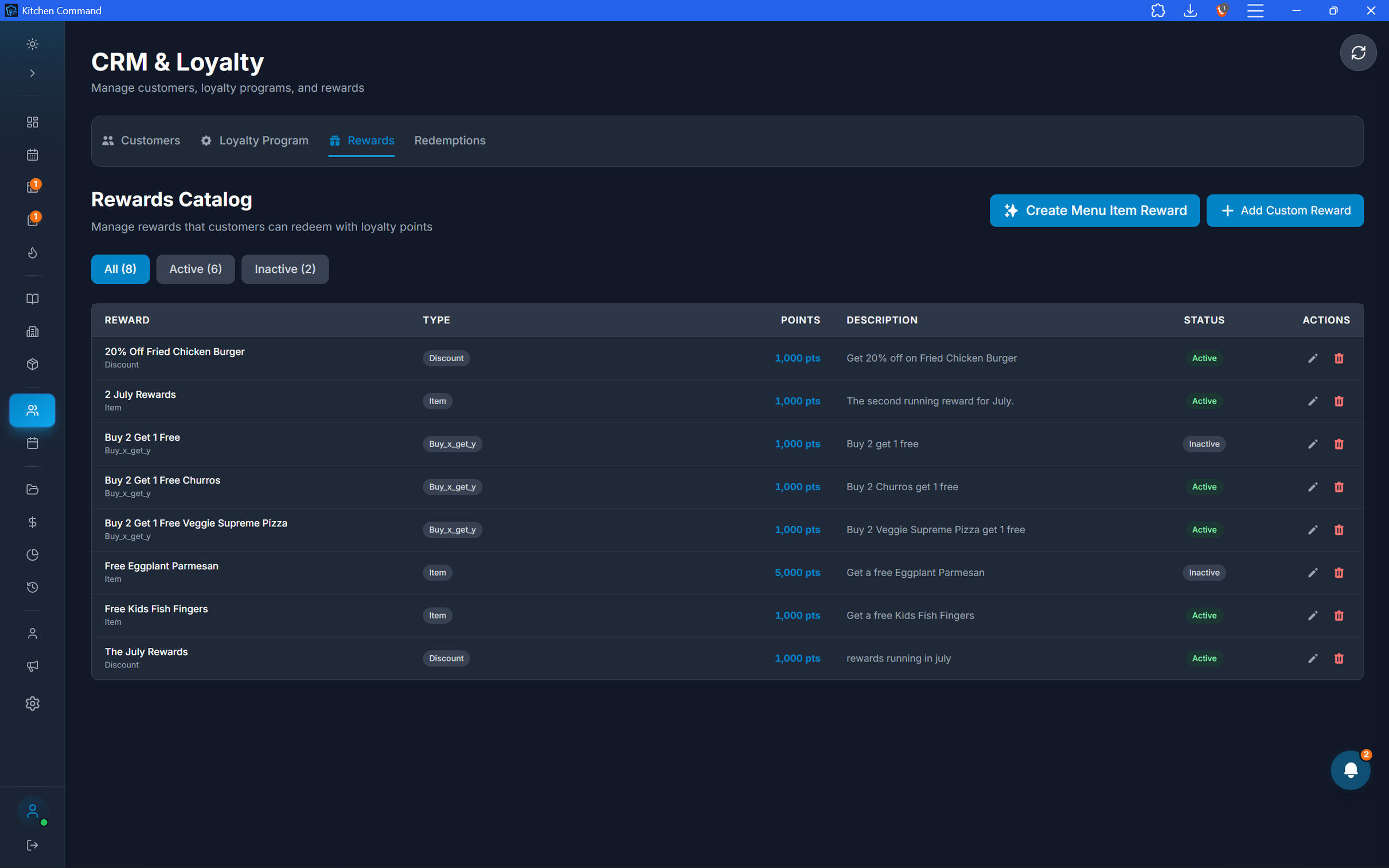
Give Customers a Reason to Return.
Reward customers for the bills they pay. Configure loyalty rewards that customers can redeem after accumulating the required points, giving repeat visits a tangible benefit.
Award points on eligible paid bills linked to a customer
Track customer loyalty point balances
Create rewards with defined point requirements
Redeem eligible rewards through your loyalty workflow
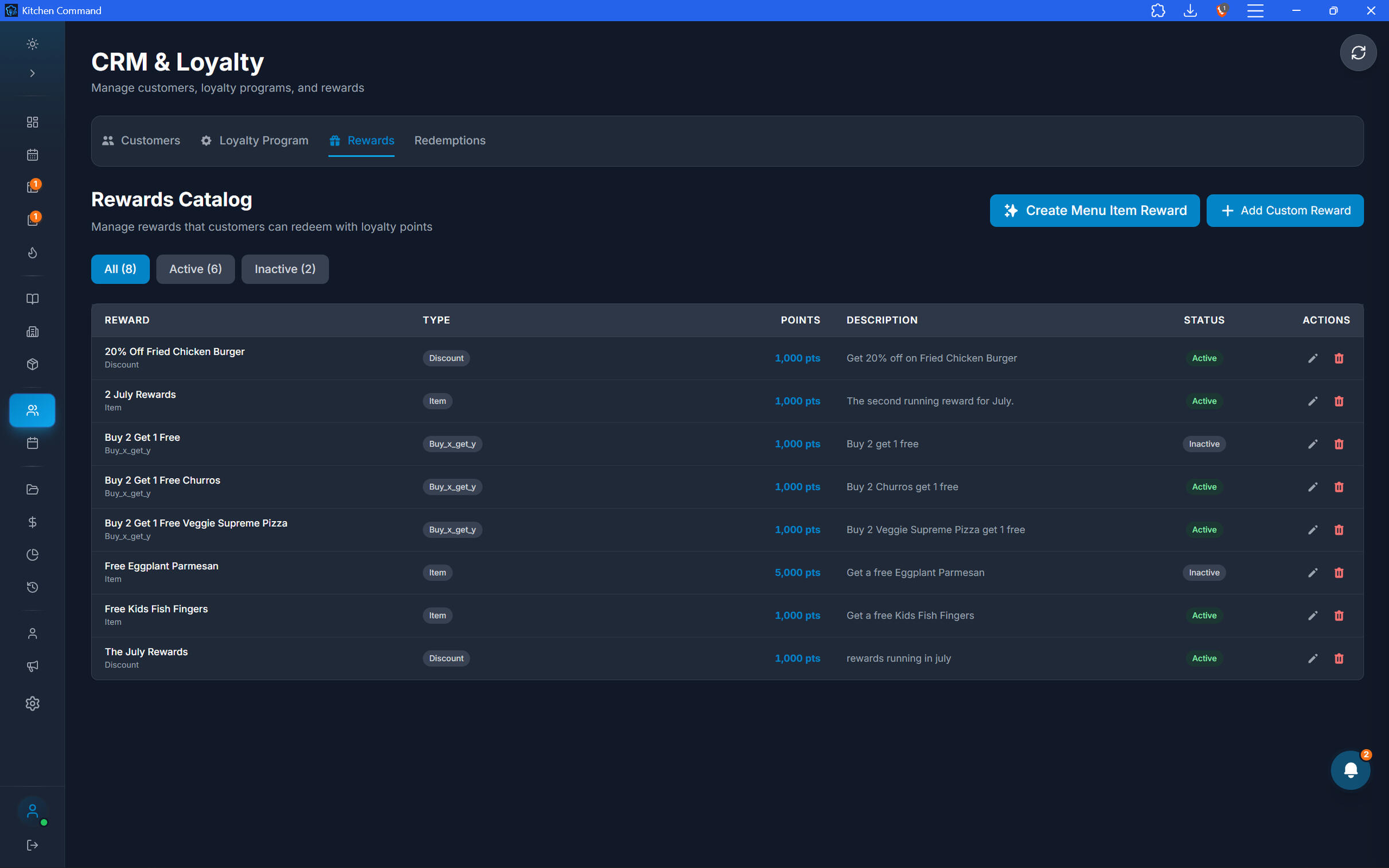
Recognize Your Most Loyal Customers.
Create loyalty tiers that reflect how you want to reward your customer base. Structure your program around defined membership levels and the eligibility rules you configure.
Configure your own loyalty tiers
Define tier requirements according to your program
Organize customers by loyalty level
Build a loyalty experience that fits your restaurant's brand
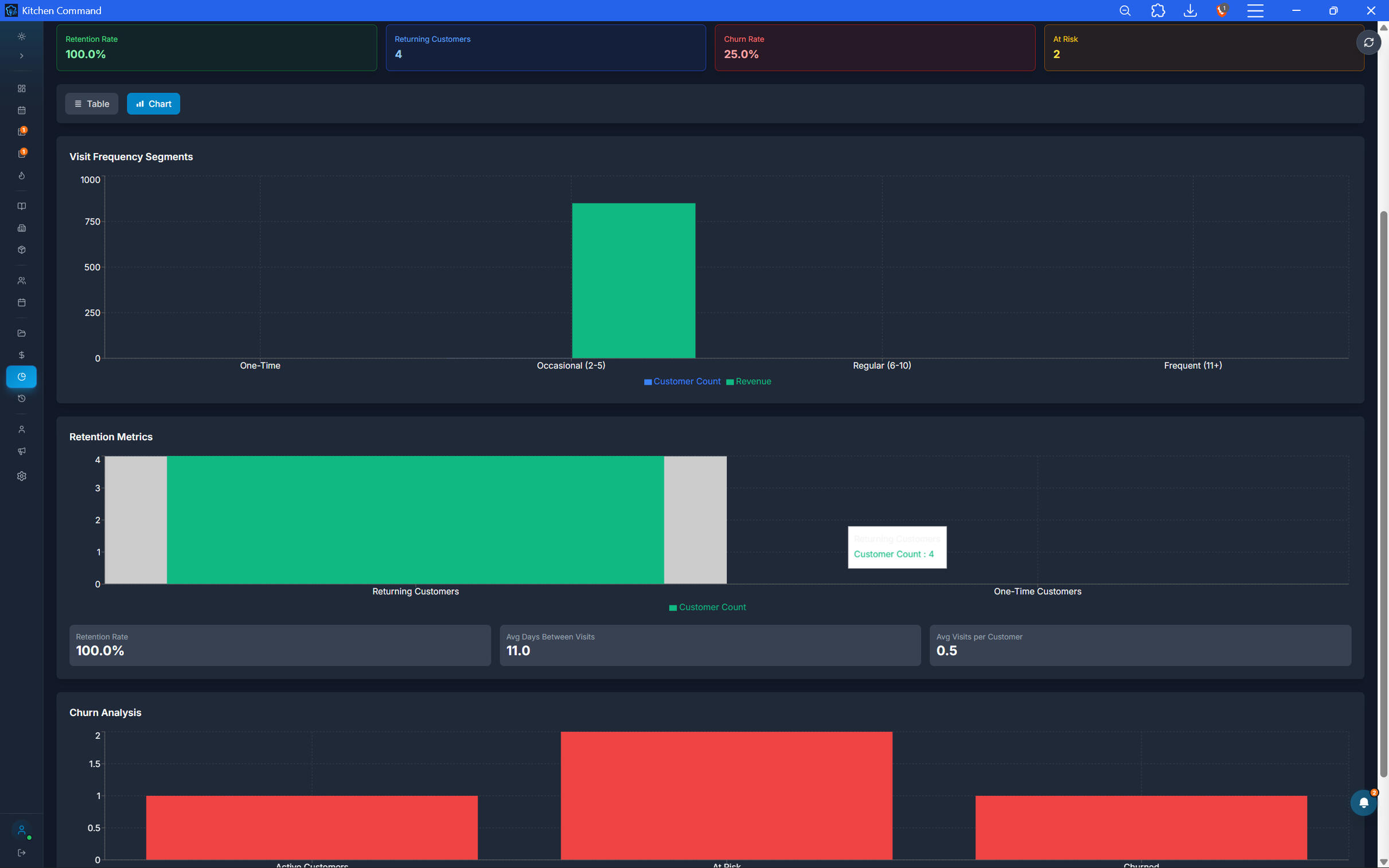
Understand Who Returns—and Who Doesn't.
Turn your CRM data into insights about customer behavior and business performance. Use customer reports to understand retention, evaluate customer lifetime value, and identify opportunities to improve loyalty.
Churn analysis: Understand customer loss and declining return activity.
Lifetime value (LTV): Evaluate the value customers generate over their relationship with your restaurant.
Customer insights: Review trends in customer purchases and engagement.
Recommendations: Surface opportunities to improve retention and strengthen customer relationships.
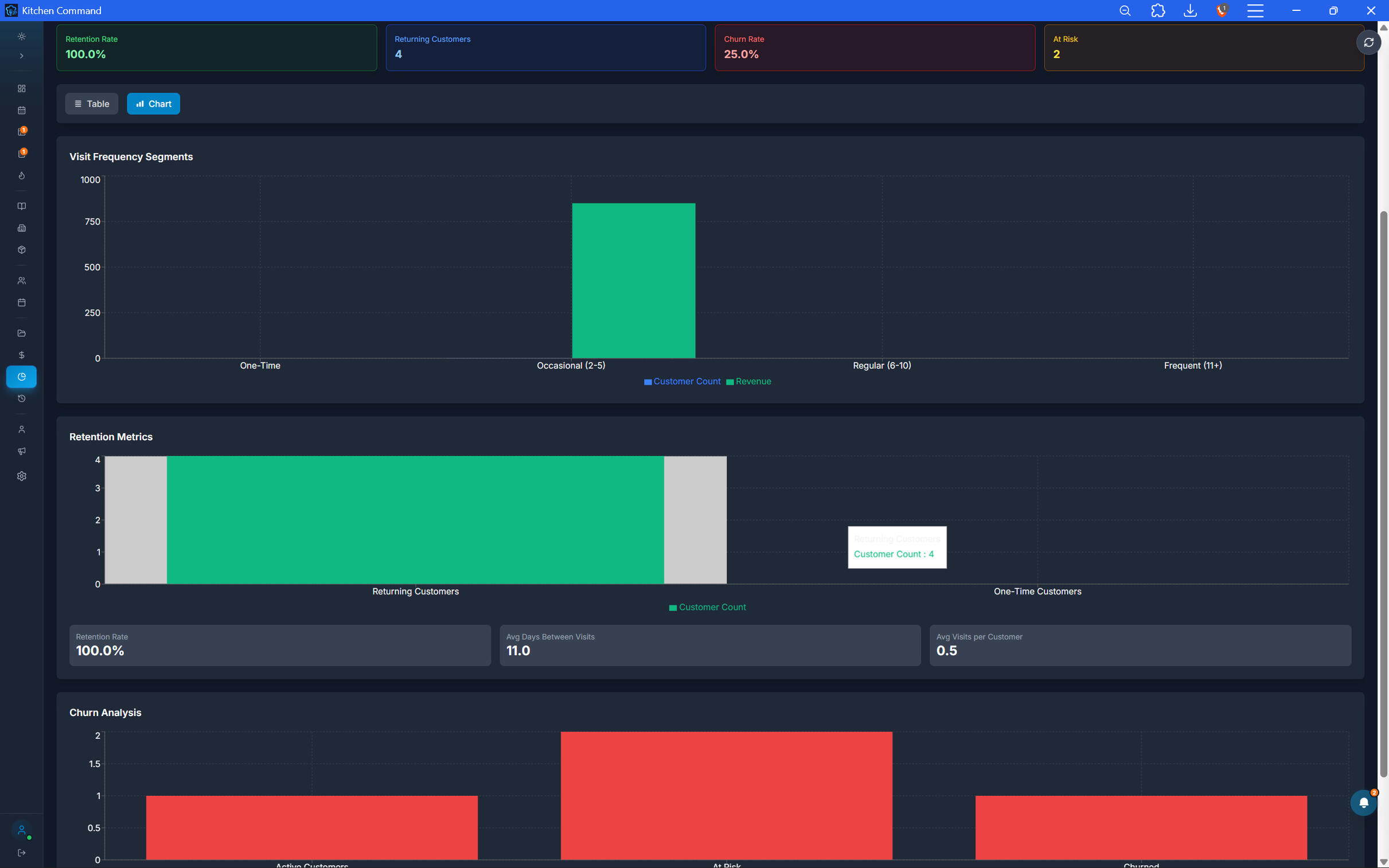
Understand Who Returns—and Who Doesn't.
Turn your CRM data into insights about customer behavior and business performance. Use customer reports to understand retention, evaluate customer lifetime value, and identify opportunities to improve loyalty.
Churn analysis: Understand customer loss and declining return activity.
Lifetime value (LTV): Evaluate the value customers generate over their relationship with your restaurant.
Customer insights: Review trends in customer purchases and engagement.
Recommendations: Surface opportunities to improve retention and strengthen customer relationships.
Make Customer Loyalty Part of Your Growth.
Connect customer records, loyalty rewards, membership tiers, and customer insights in one platform designed for restaurant businesses.
reports and business intelligence
See the Numbers Behind Your Restaurant.
Turn restaurant operations into actionable business insights. Explore sales performance, inventory movement, financial results, staff activity, and kitchen operations through connected reports designed to help you make better decisions.
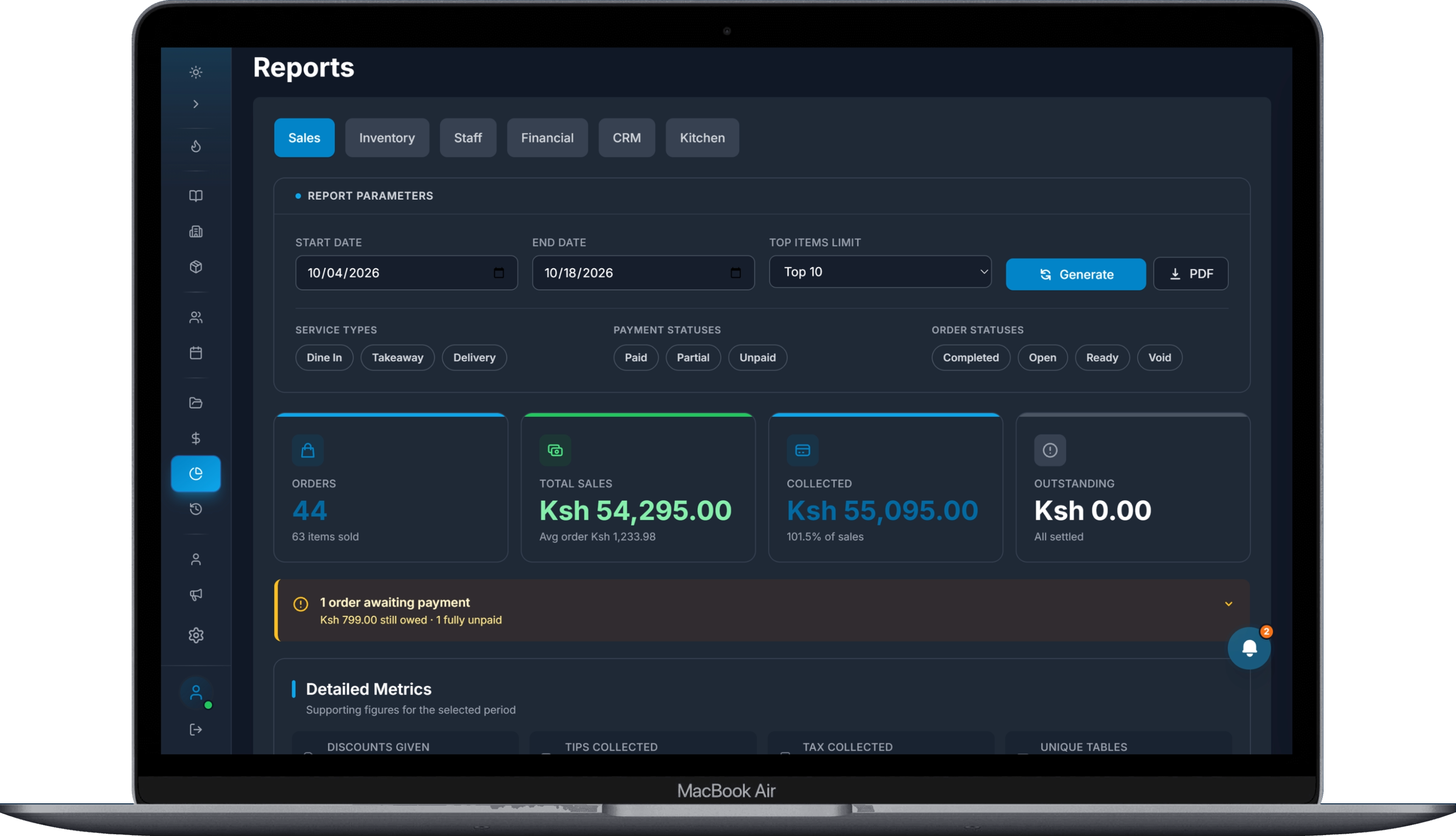
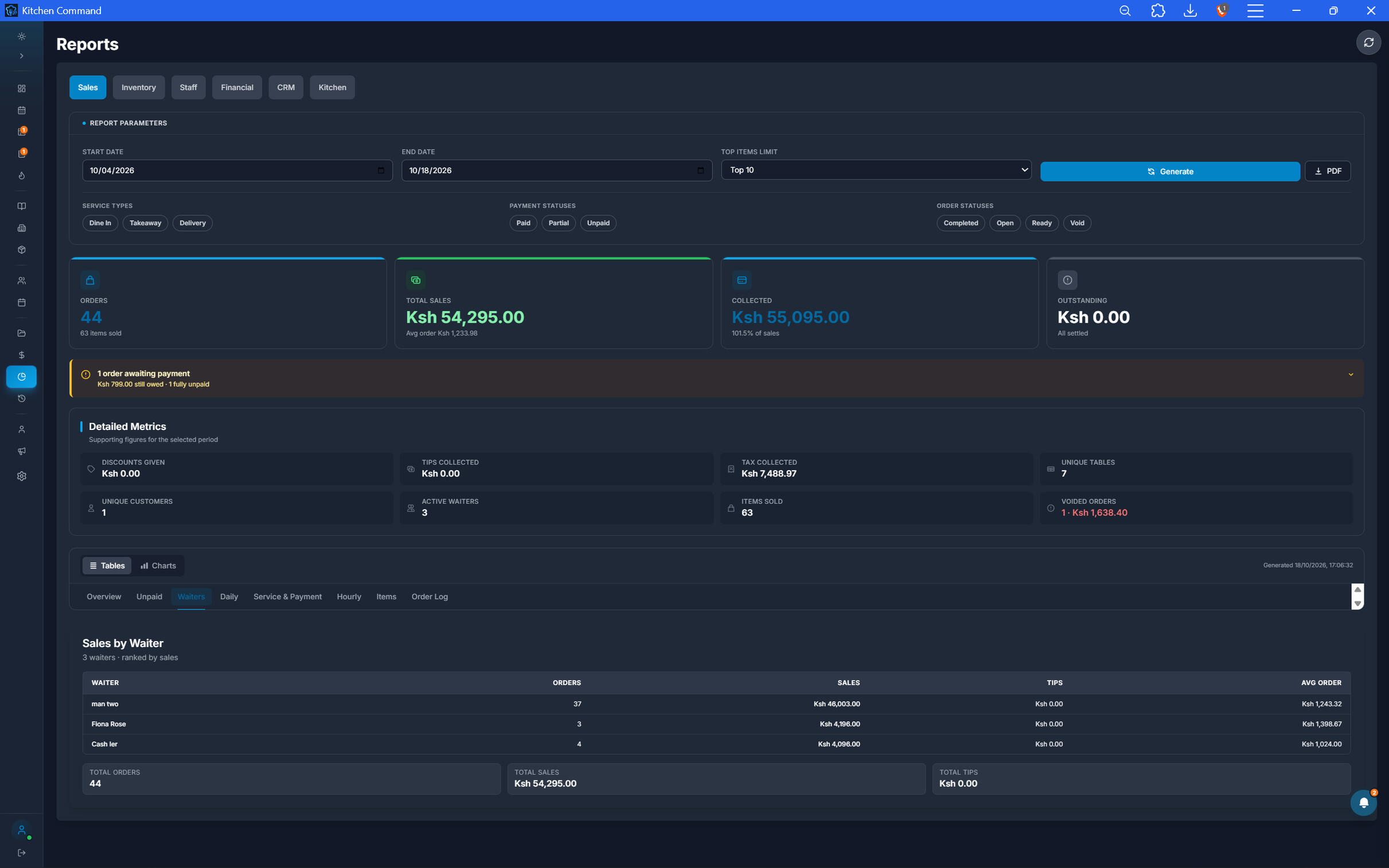
Understand What Drives Your Sales.
See how your restaurant is performing across sales activity and identify patterns that can inform business decisions.
Sales totals and trends across selected periods
Order and transaction performance
Sales breakdowns by relevant categories
Visibility into sales activity and performance changes
Know What You Have—and What It Costs.
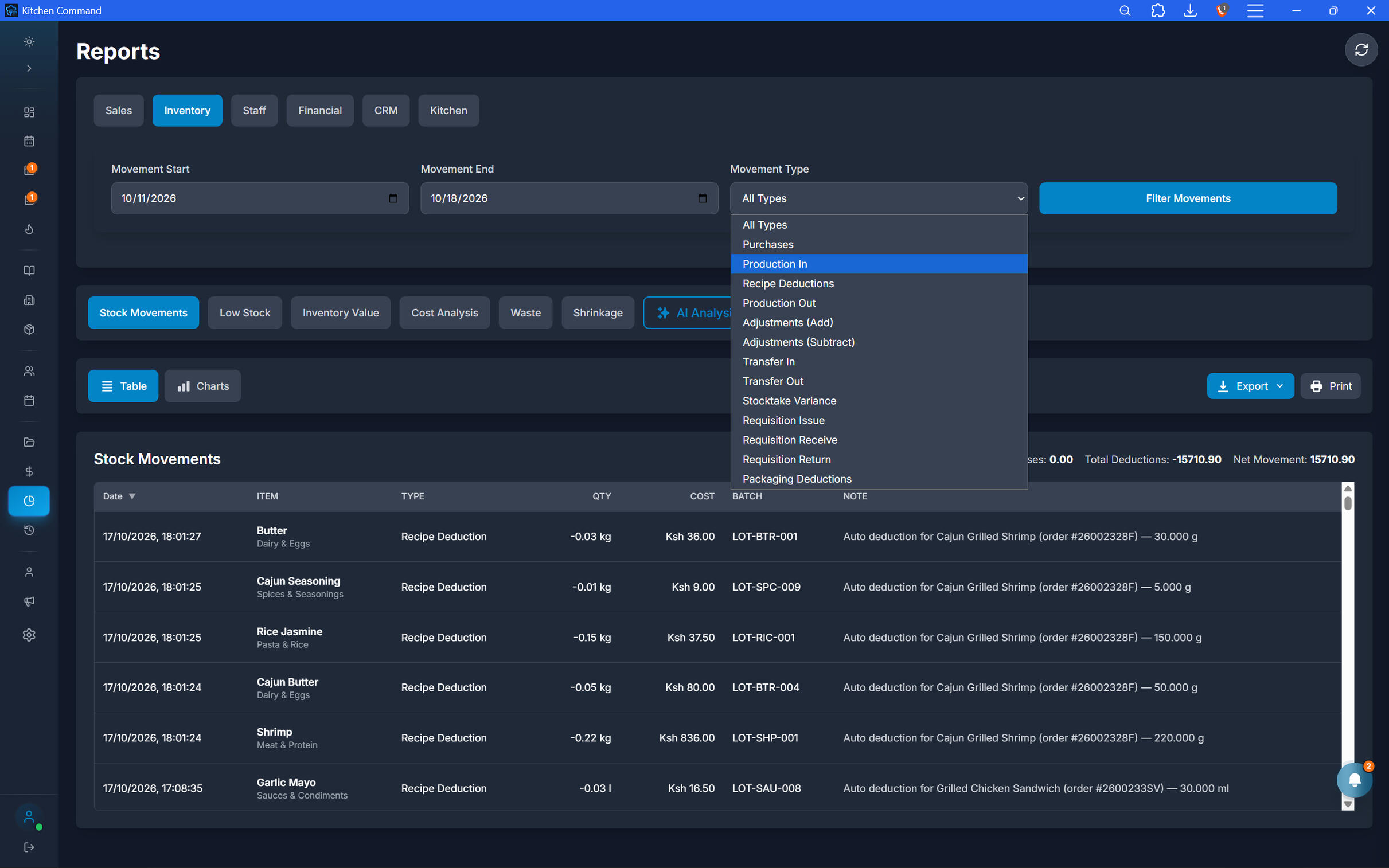
Understand stock levels, inventory movements, and stocktake differences. Use inventory reporting to improve stock control and investigate discrepancies.
Inventory levels and stock valuation, where available
Stock movement and consumption
Stocktake variance reports
Ingredient usage and food-cost visibility
Know What You Have—and What It Costs.
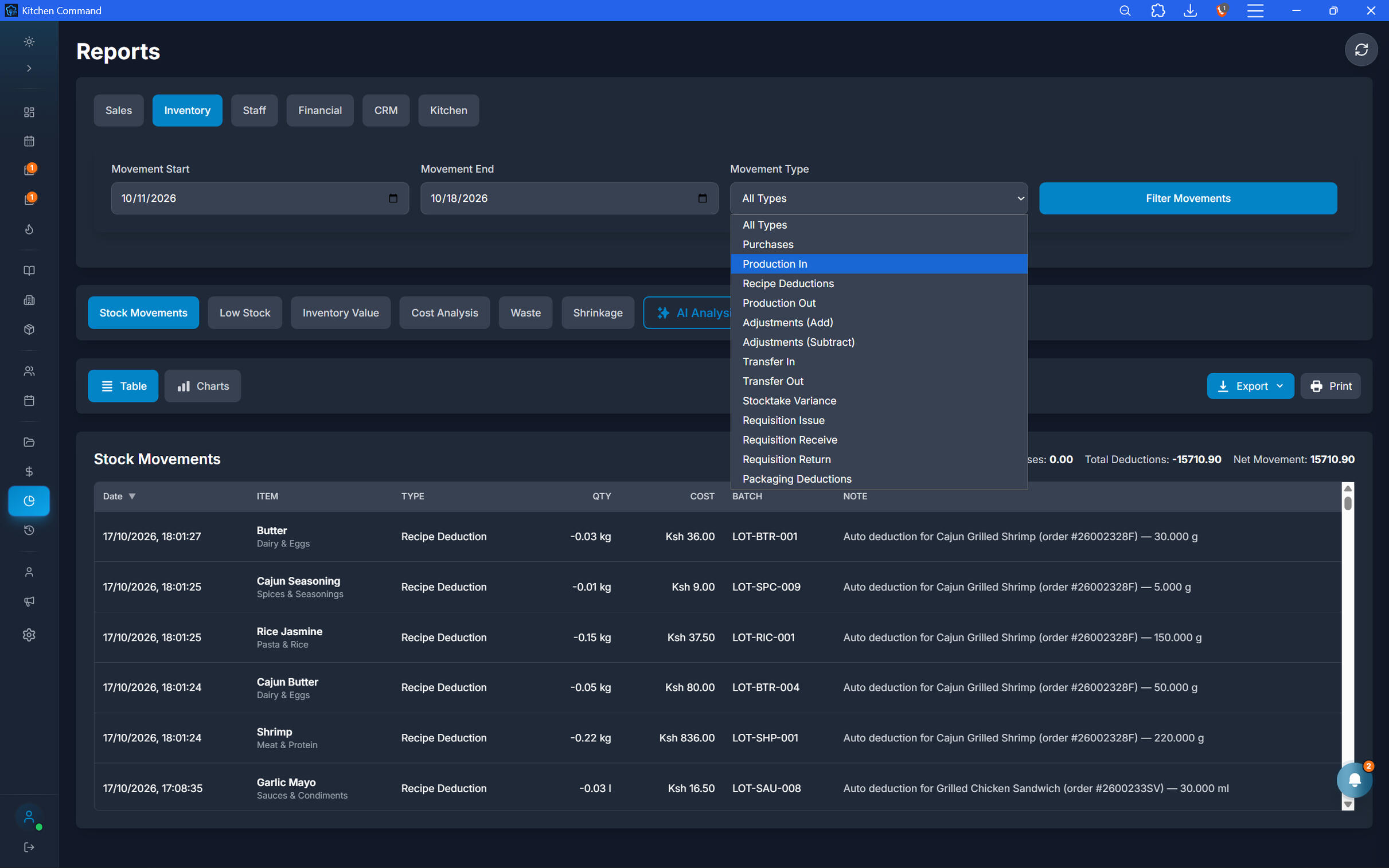
Understand stock levels, inventory movements, and stocktake differences. Use inventory reporting to improve stock control and investigate discrepancies.
Inventory levels and stock valuation, where available
Stock movement and consumption
Stocktake variance reports
Ingredient usage and food-cost visibility
See the Financial Picture, Not Just Revenue.
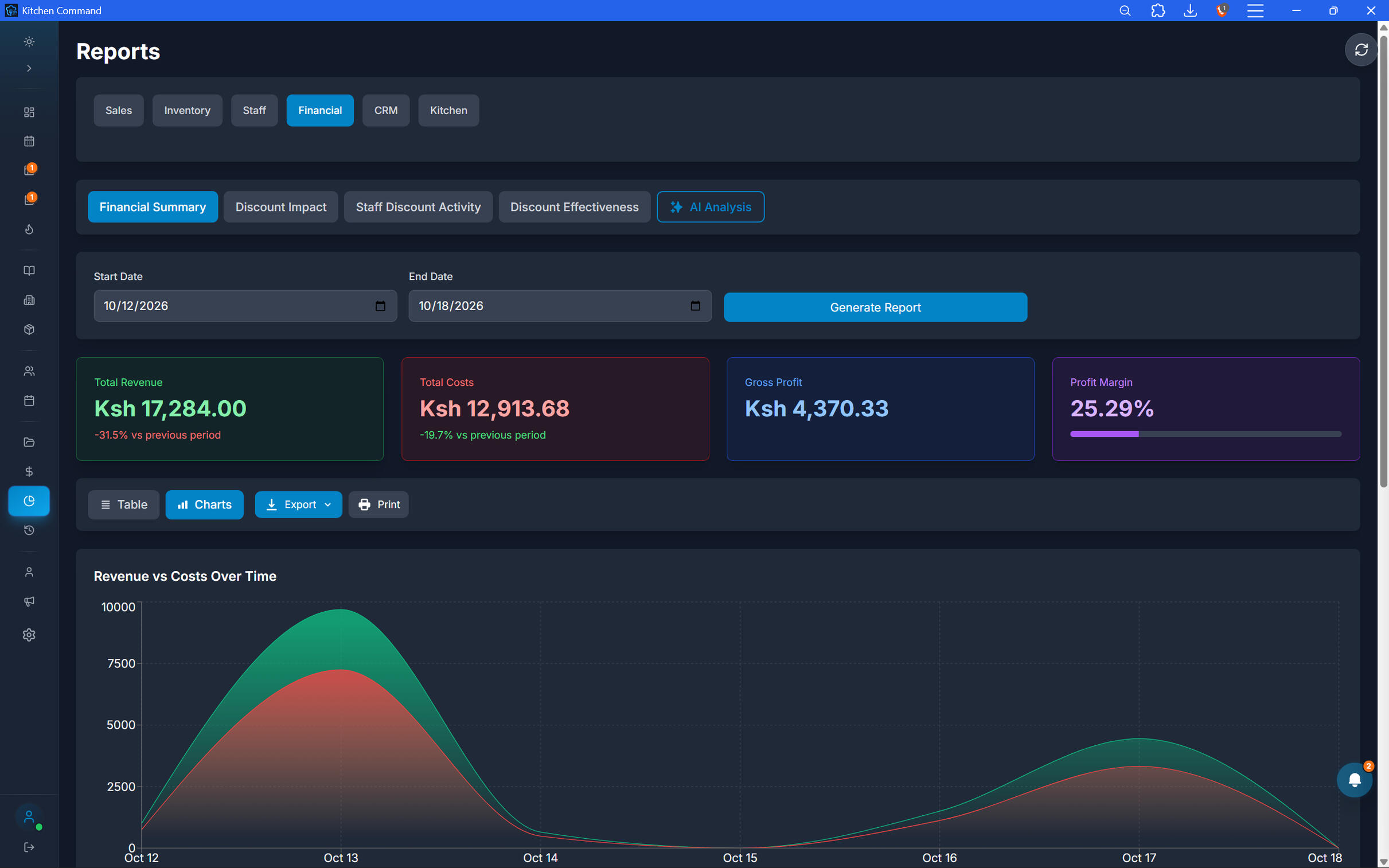
Bring financial performance into focus with reports that help you understand money collected, recorded expenses, and profitability measures supported by your system.
Revenue and payment summaries
Financial performance over time
Cash and digital payment reconciliation results
Profitability and cost reporting, where supported by recorded data
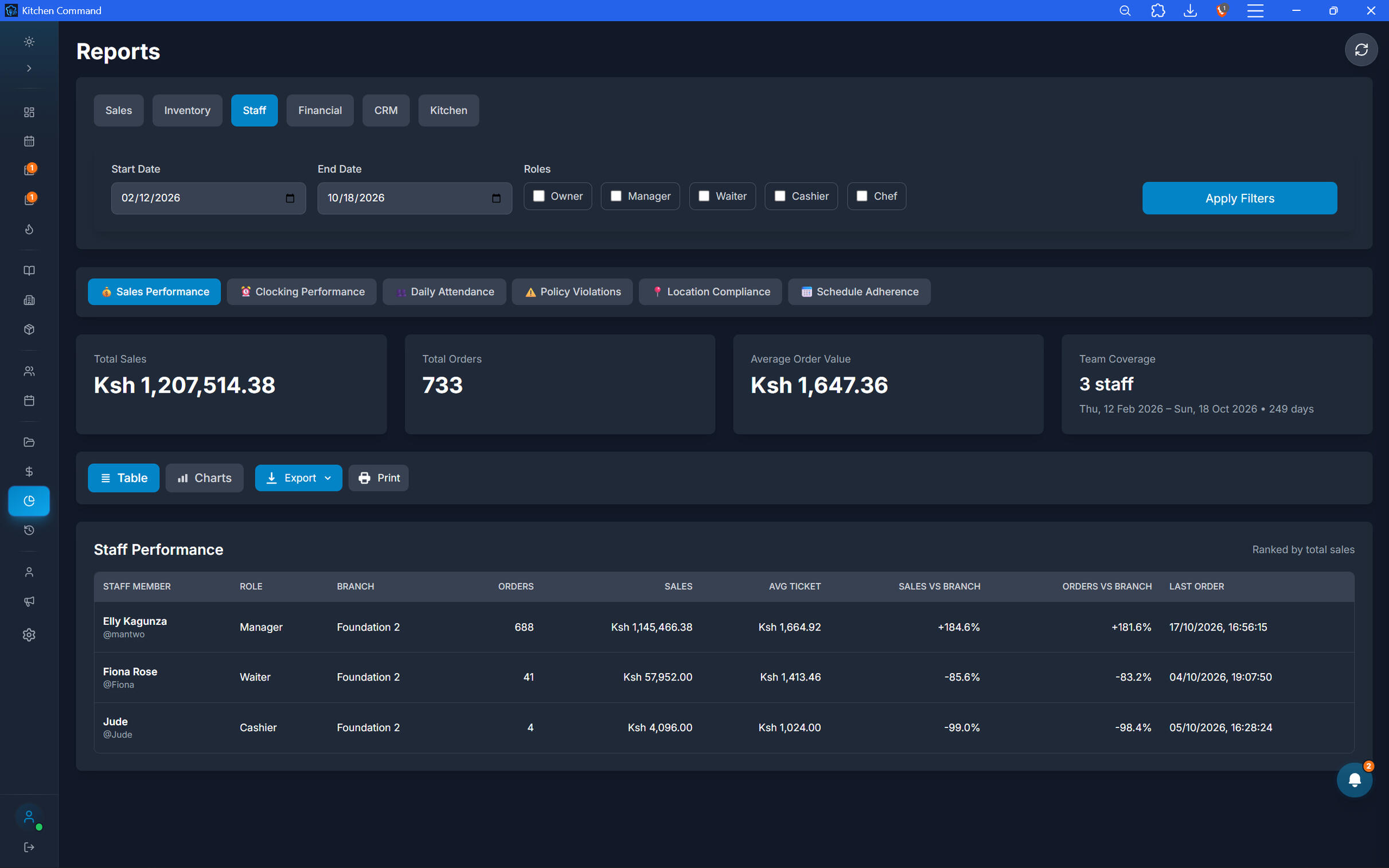
Understand Performance Across Your Team.
Review staff-related operational activity to improve accountability and understand how your team contributes to restaurant operations.
Staff activity and order-related performance
Sales or transactions attributed to staff, where tracked
Shift and attendance reporting, where enabled
Operational activity records for management review
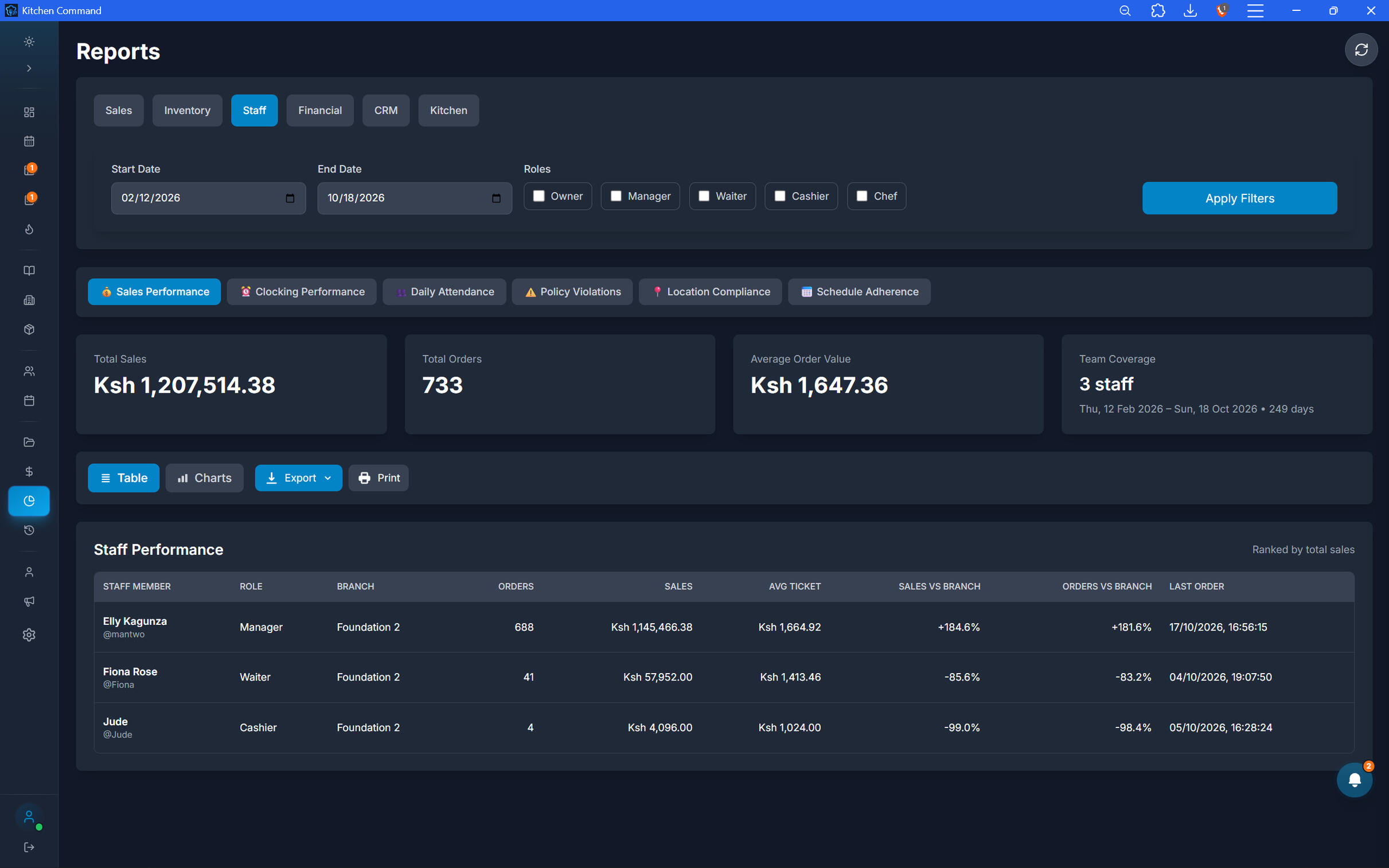
Understand Performance Across Your Team.
Review staff-related operational activity to improve accountability and understand how your team contributes to restaurant operations.
Staff activity and order-related performance
Sales or transactions attributed to staff, where tracked
Shift and attendance reporting, where enabled
Operational activity records for management review
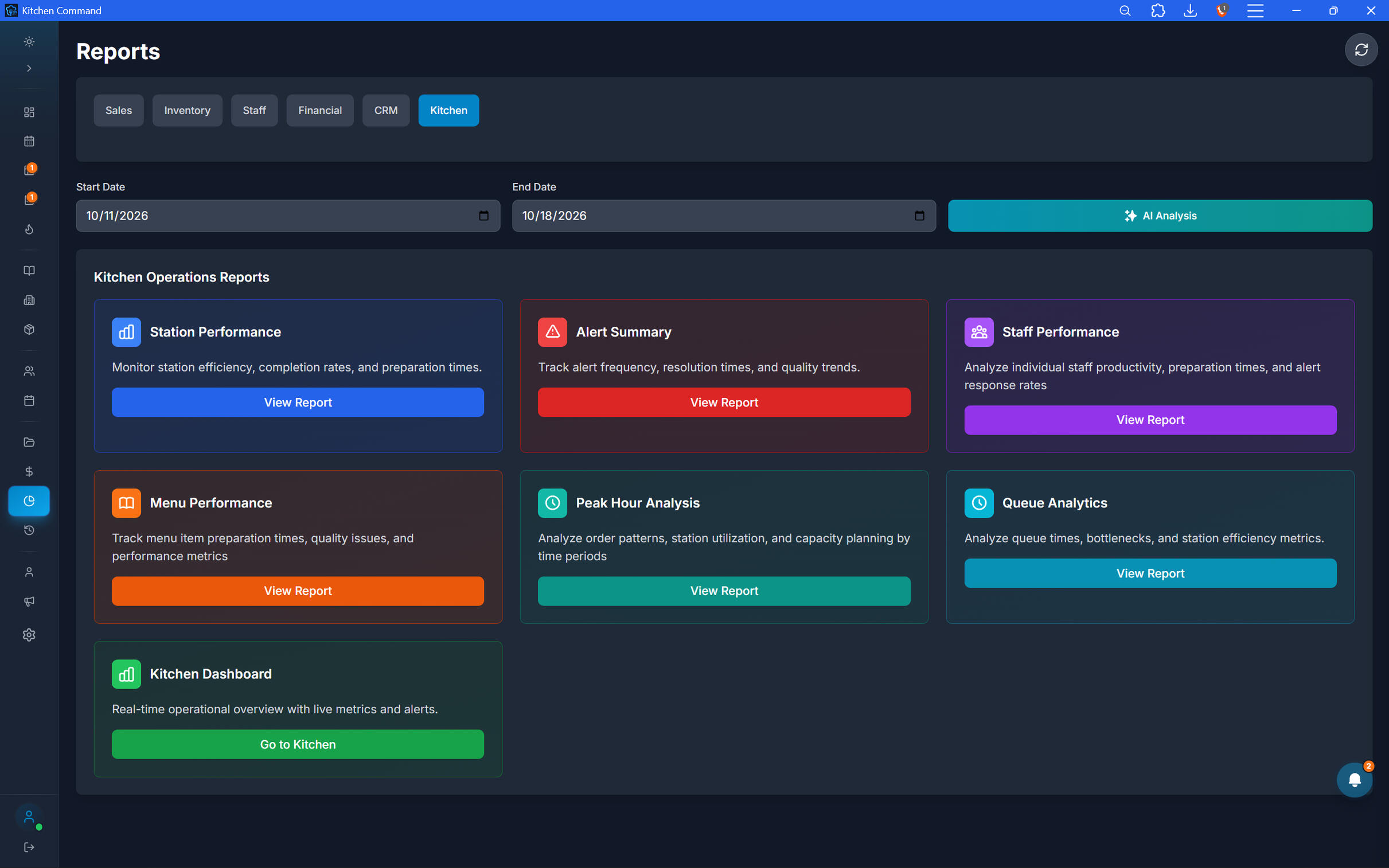
See How Your Kitchen Performs.
Gain visibility into kitchen activity and order preparation workflows. Use operational reporting to identify patterns and areas where service may need attention.
Kitchen order and ticket activity
Preparation workflow performance
Order completion and delay indicators, where tracked
Kitchen analytics to support operational improvements
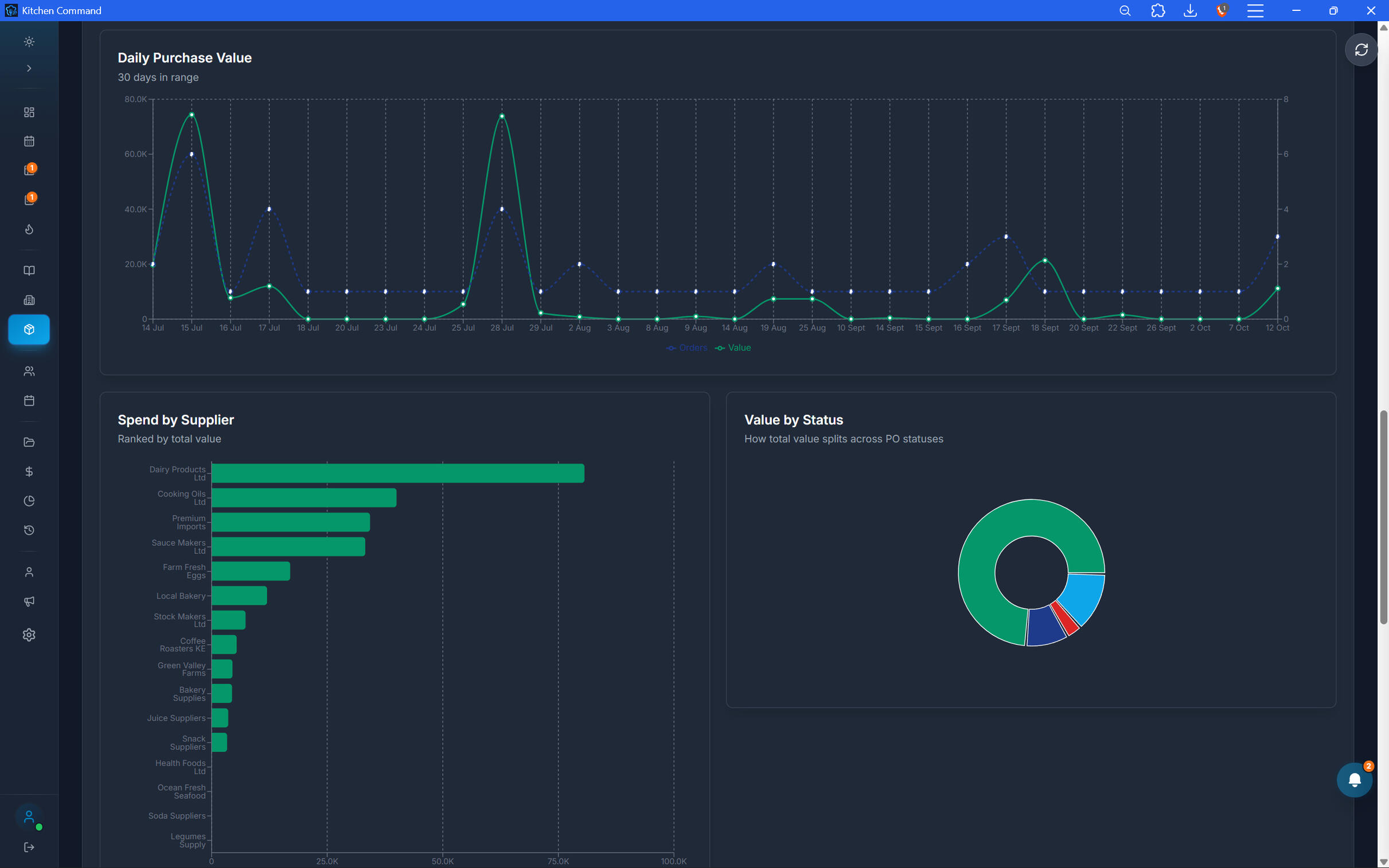
Your Restaurant. Your Data. Your Reports.
Every restaurant operates differently. That's why Kitchen Command goes beyond standard reports, offering custom reporting tailored to your business needs.Whether you need specific performance metrics, a different way to analyze your operations, or a report built around your unique requirements, we work with you to turn the data that matters into insights you can actually use.
Built around your needs: Reports designed around your business questions and operational priorities.
Relevant insights: Focus on the metrics that matter most to your restaurant.
A more informed operation: Make decisions using reporting that reflects how your business works.
Need a report that doesn't exist yet? Let's build it around your business.
Your Restaurant. Your Data. Your Reports.
Every restaurant operates differently. That's why Kitchen Command goes beyond standard reports, offering custom reporting tailored to your business needs.Whether you need specific performance metrics, a different way to analyze your operations, or a report built around your unique requirements, we work with you to turn the data that matters into insights you can actually use.
Built around your needs: Reports designed around your business questions and operational priorities.
Relevant insights: Focus on the metrics that matter most to your restaurant.
A more informed operation: Make decisions using reporting that reflects how your business works.
Need a report that doesn't exist yet? Let's build it around your business.
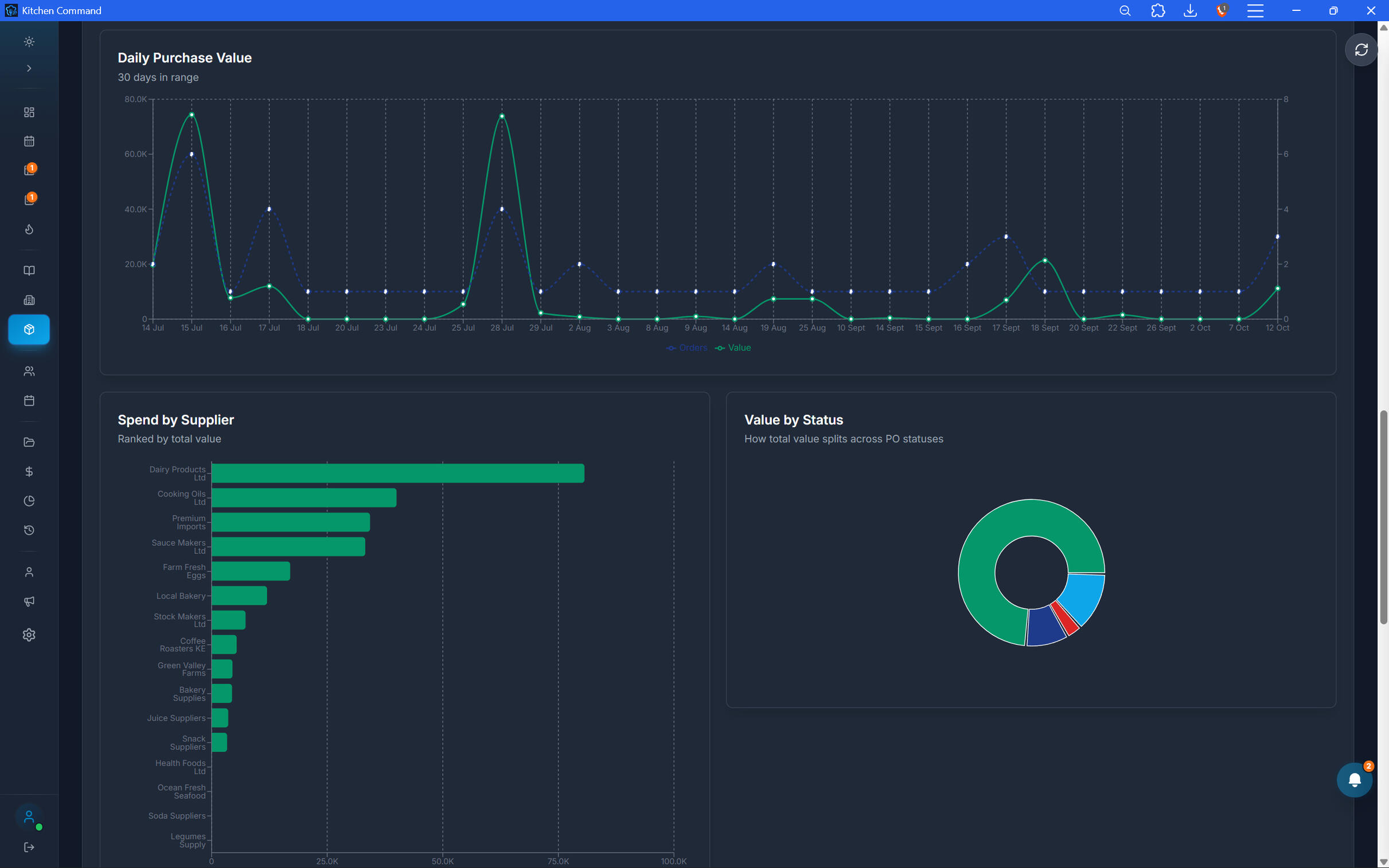
Make Better Decisions with Better Visibility.
Bring your restaurant's sales, inventory, financial, staff, and kitchen reporting into one connected management platform.
accountability and audit trails
Every Action Leaves a Trail. Every Detail Matters.
Know what happened, when it happened, and who was responsible. Kitchen Command maintains audit trails across critical restaurant operations, giving you greater visibility into orders, inventory, kitchen activity, receivables, events, menus, and cash management.
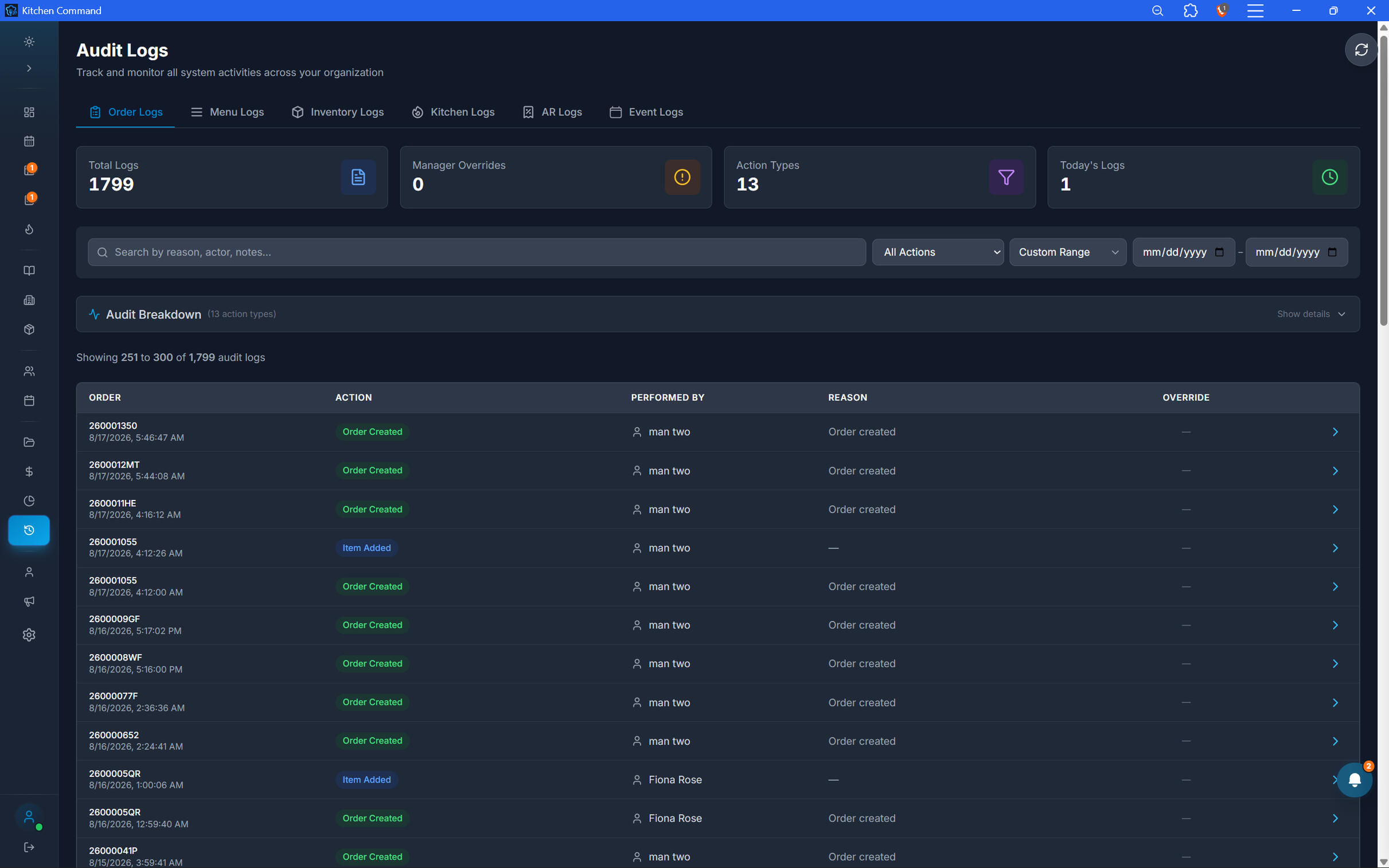
Every Order. Every Change. Accounted For.
Maintain visibility into order activity, from order creation to changes made during service. Review recorded actions to help investigate discrepancies, understand adjustments, and reinforce accountability across your team.
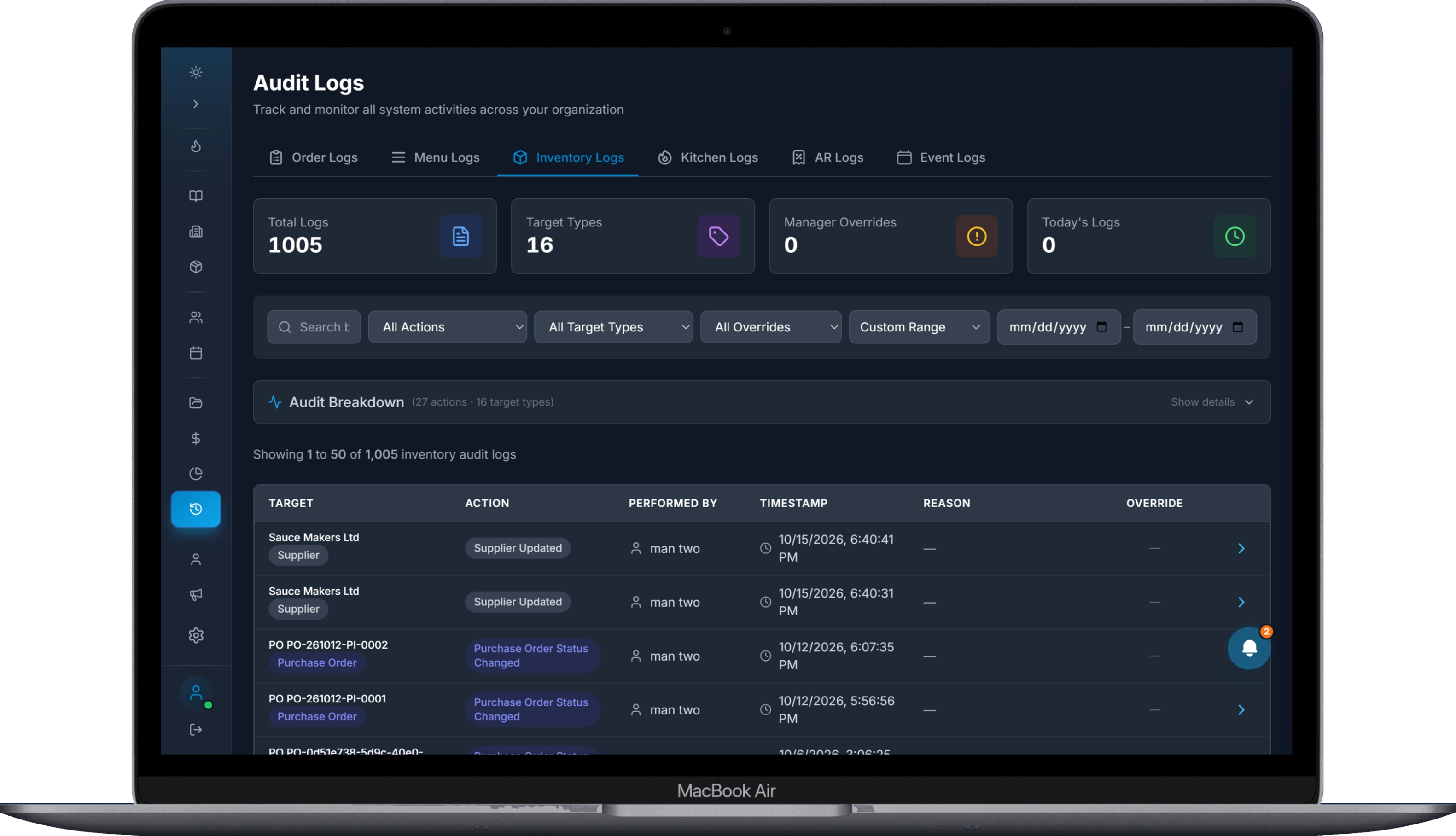
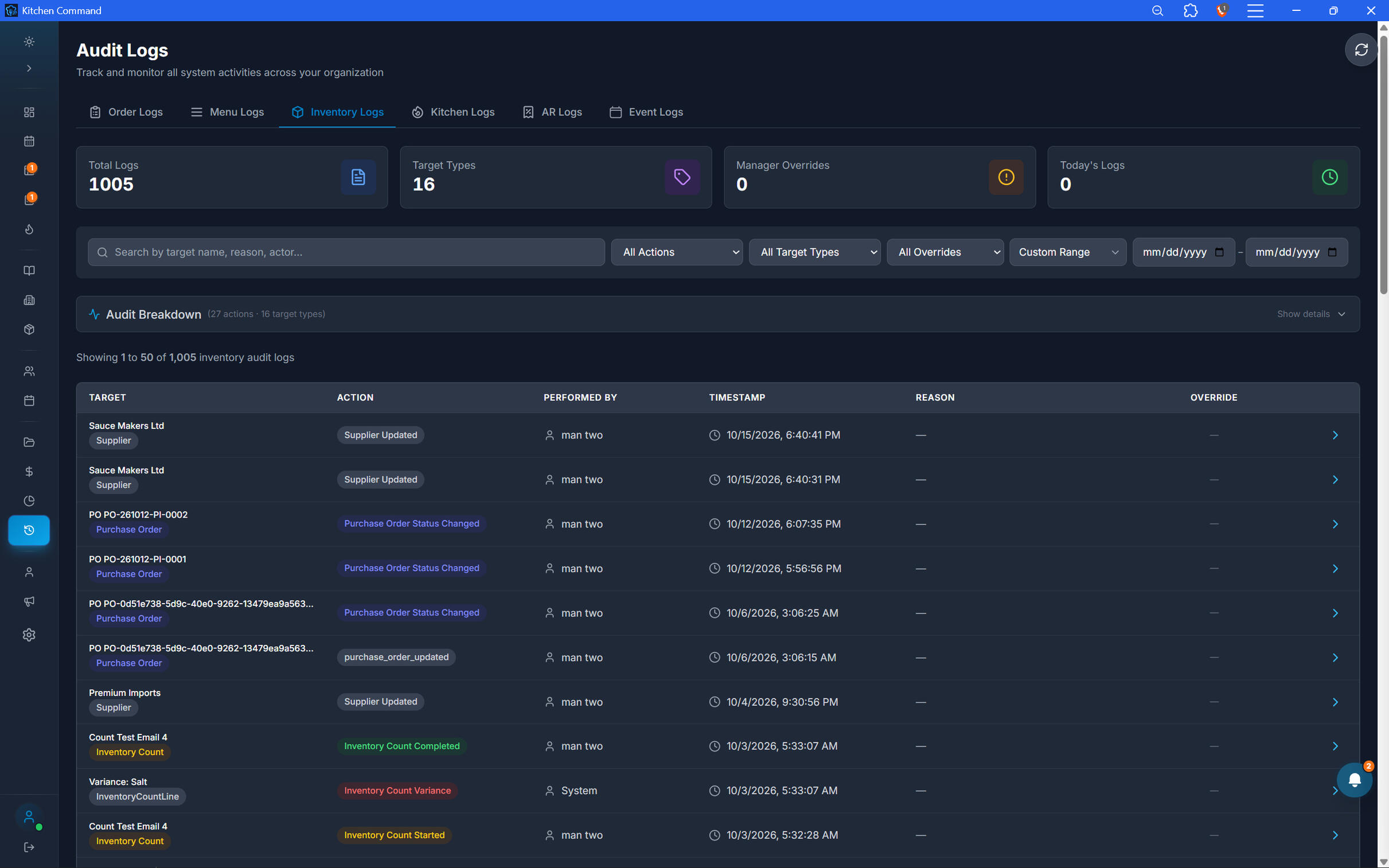
Track Every Stock Movement.
Keep a traceable record of inventory activity, including stock movements and adjustments. Understand how stock changes across your restaurant, investigate variances, and strengthen control over your ingredients and supplies.
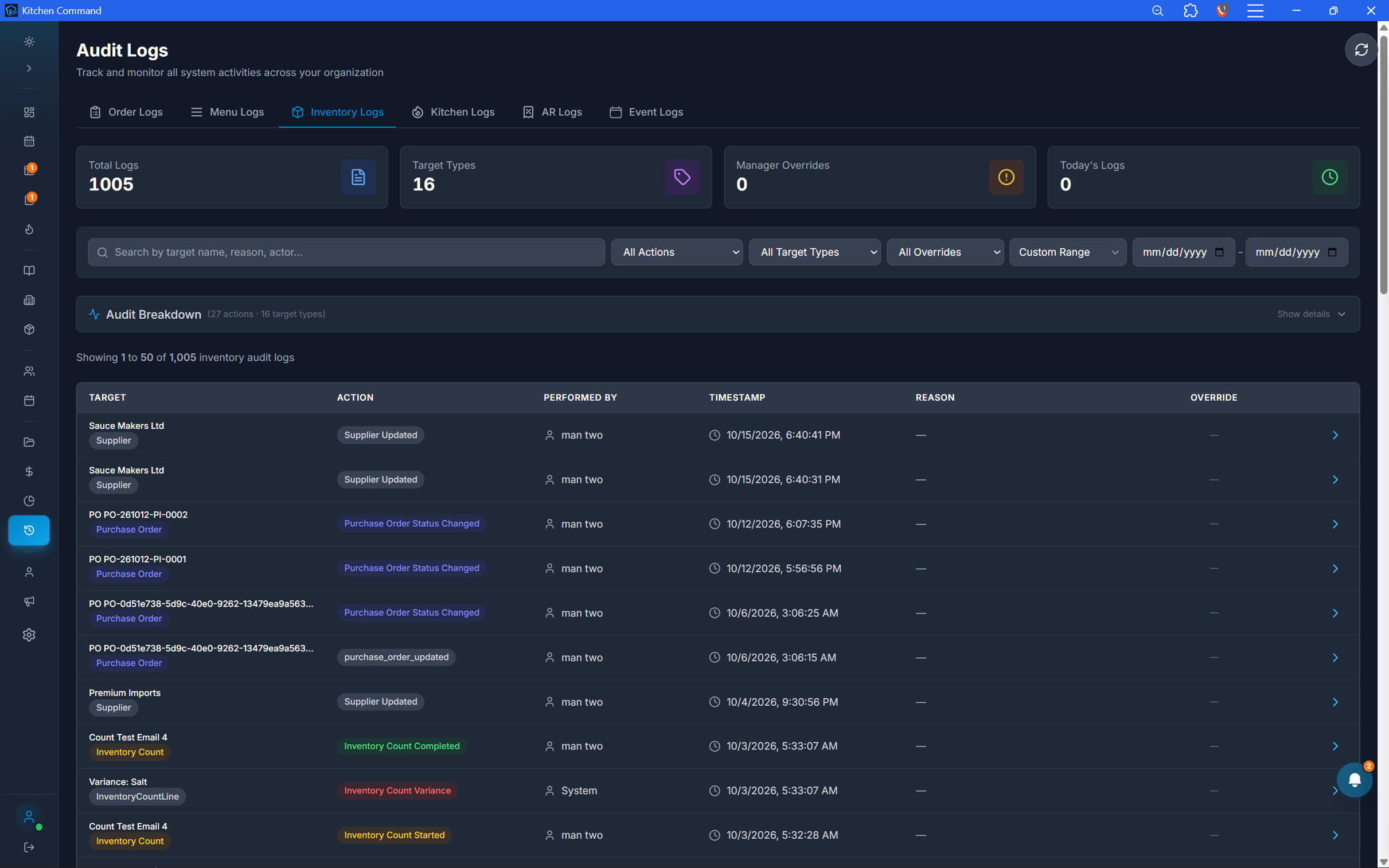
Track Every Stock Movement.
Keep a traceable record of inventory activity, including stock movements and adjustments. Understand how stock changes across your restaurant, investigate variances, and strengthen control over your ingredients and supplies.
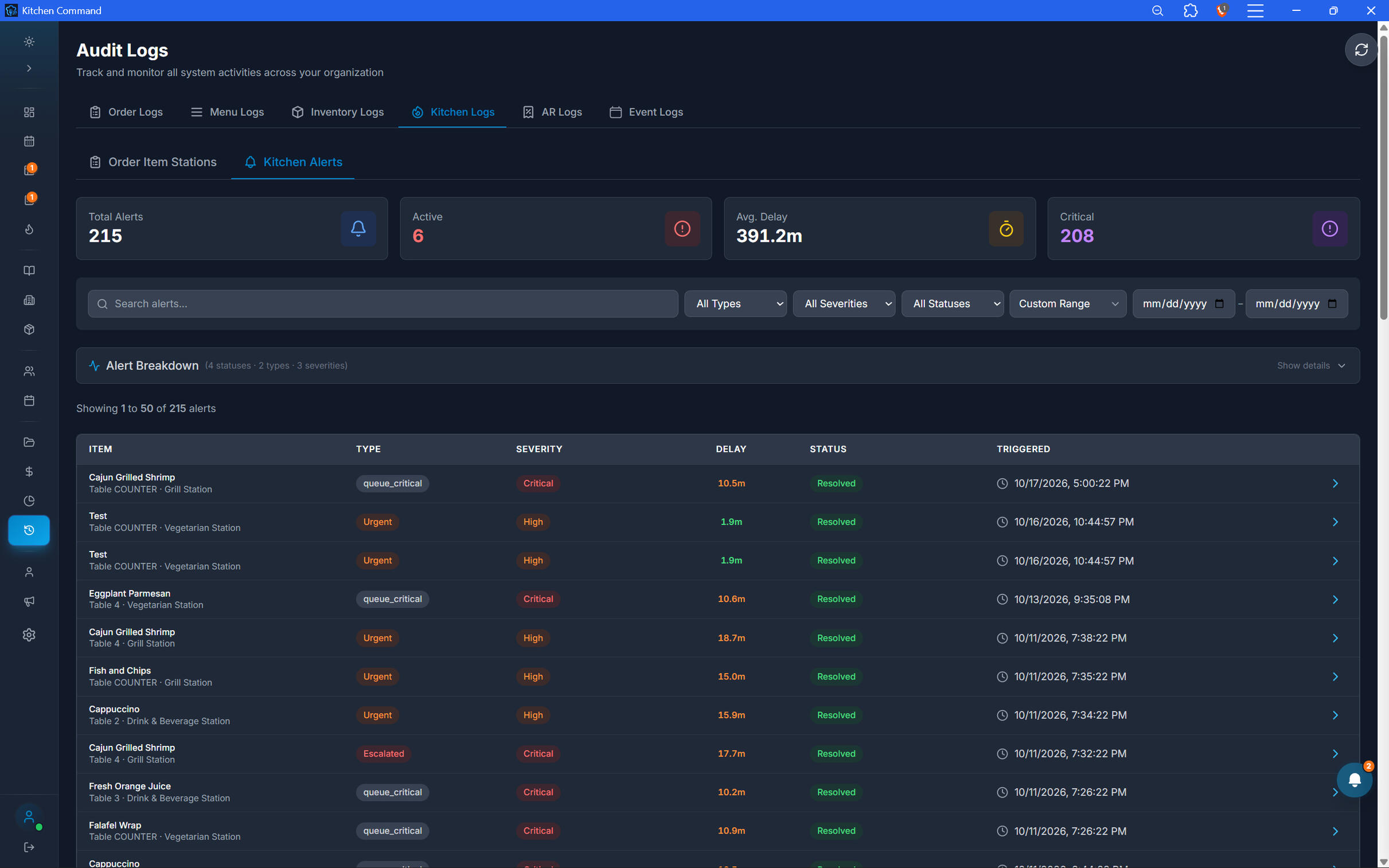
Bring Visibility to Kitchen Operations.
Maintain accountability across kitchen activity. Review recorded actions and operational changes to better understand what happened during service and support consistent kitchen procedures.
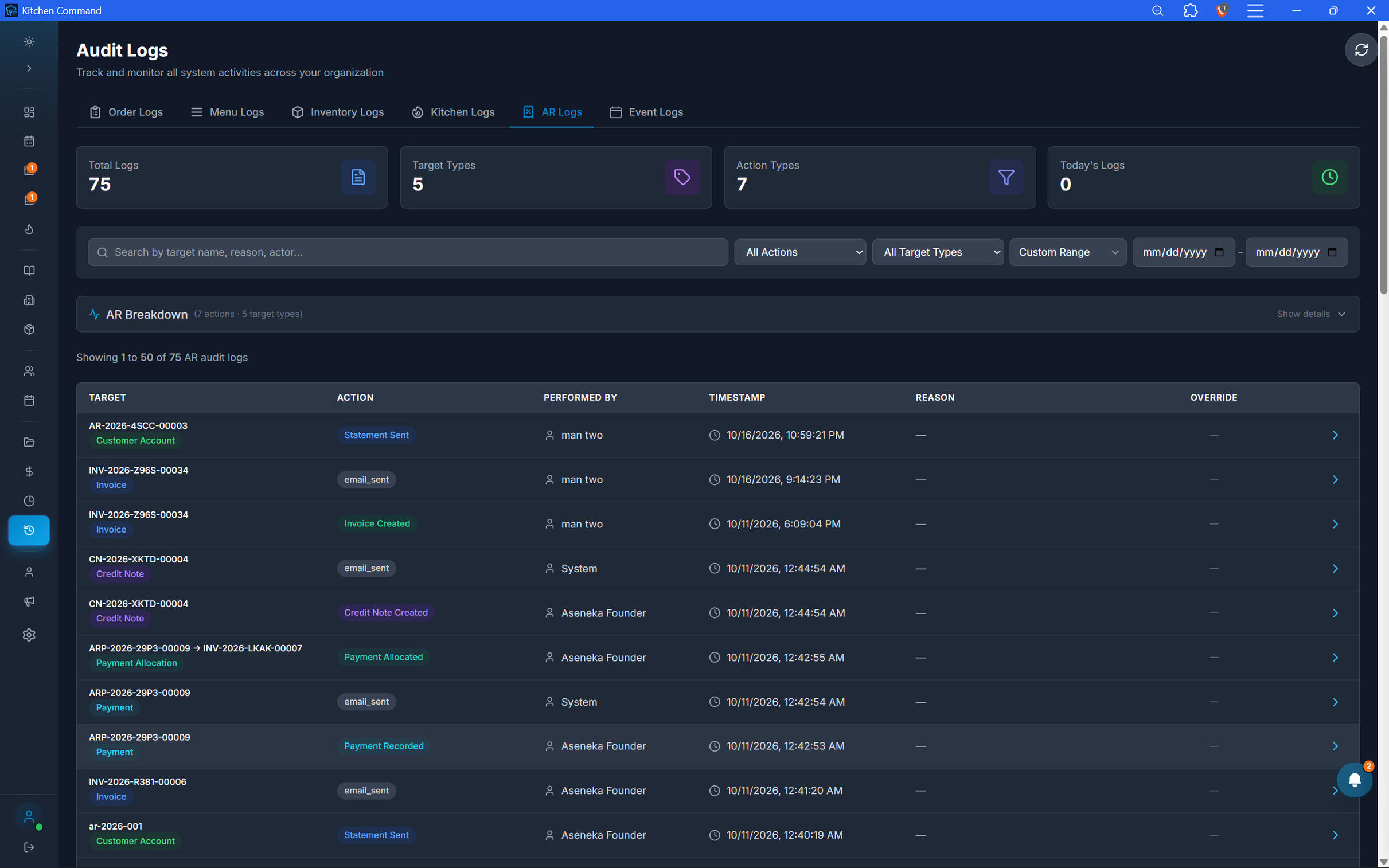
Keep Every Accountable Shilling in View.
Track activity associated with house accounts and outstanding receivables. Maintain visibility into account changes and transactions to help investigate discrepancies and manage customer credit with greater confidence.
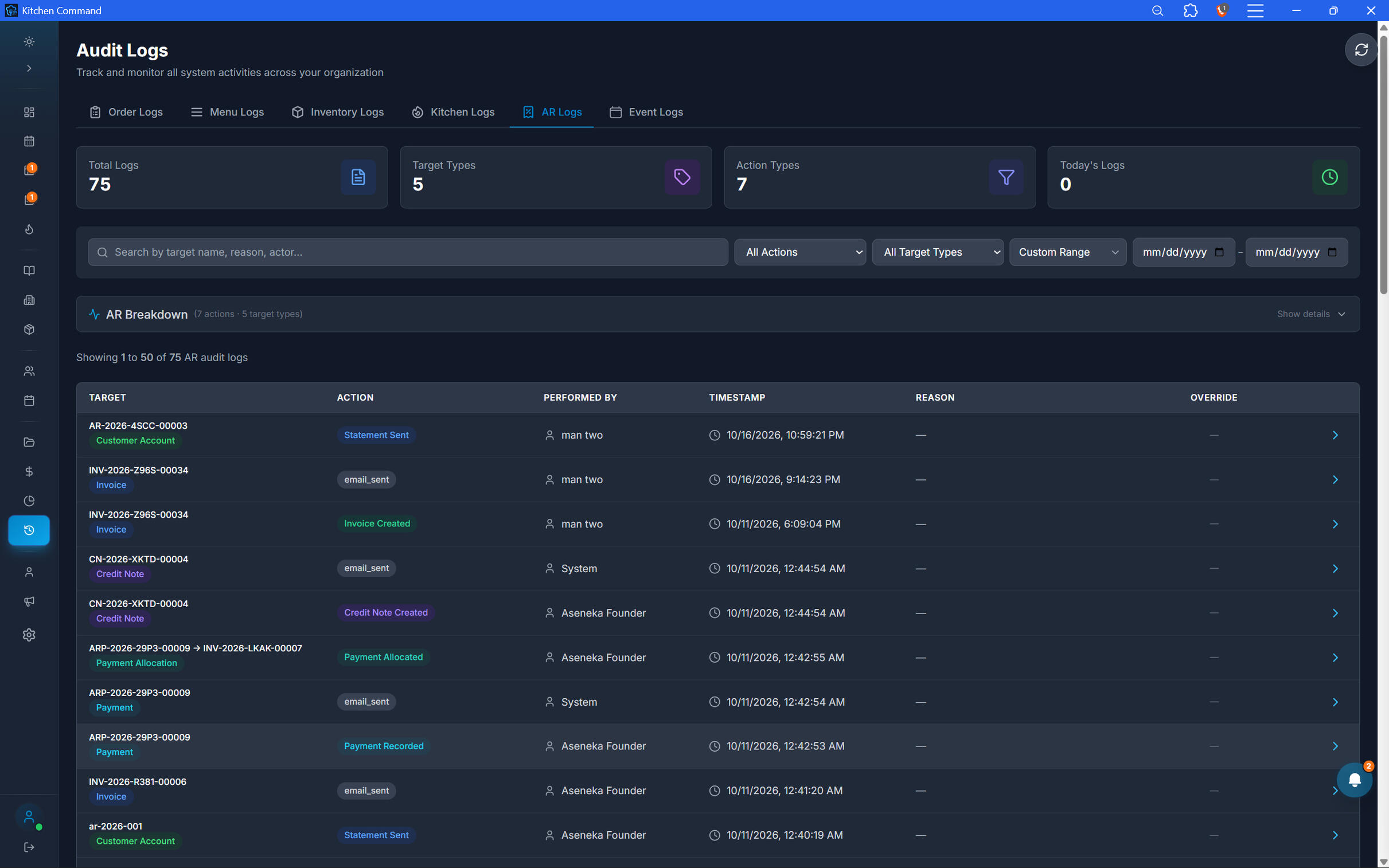
Keep Every Accountable Shilling in View.
Track activity associated with house accounts and outstanding receivables. Maintain visibility into account changes and transactions to help investigate discrepancies and manage customer credit with greater confidence.
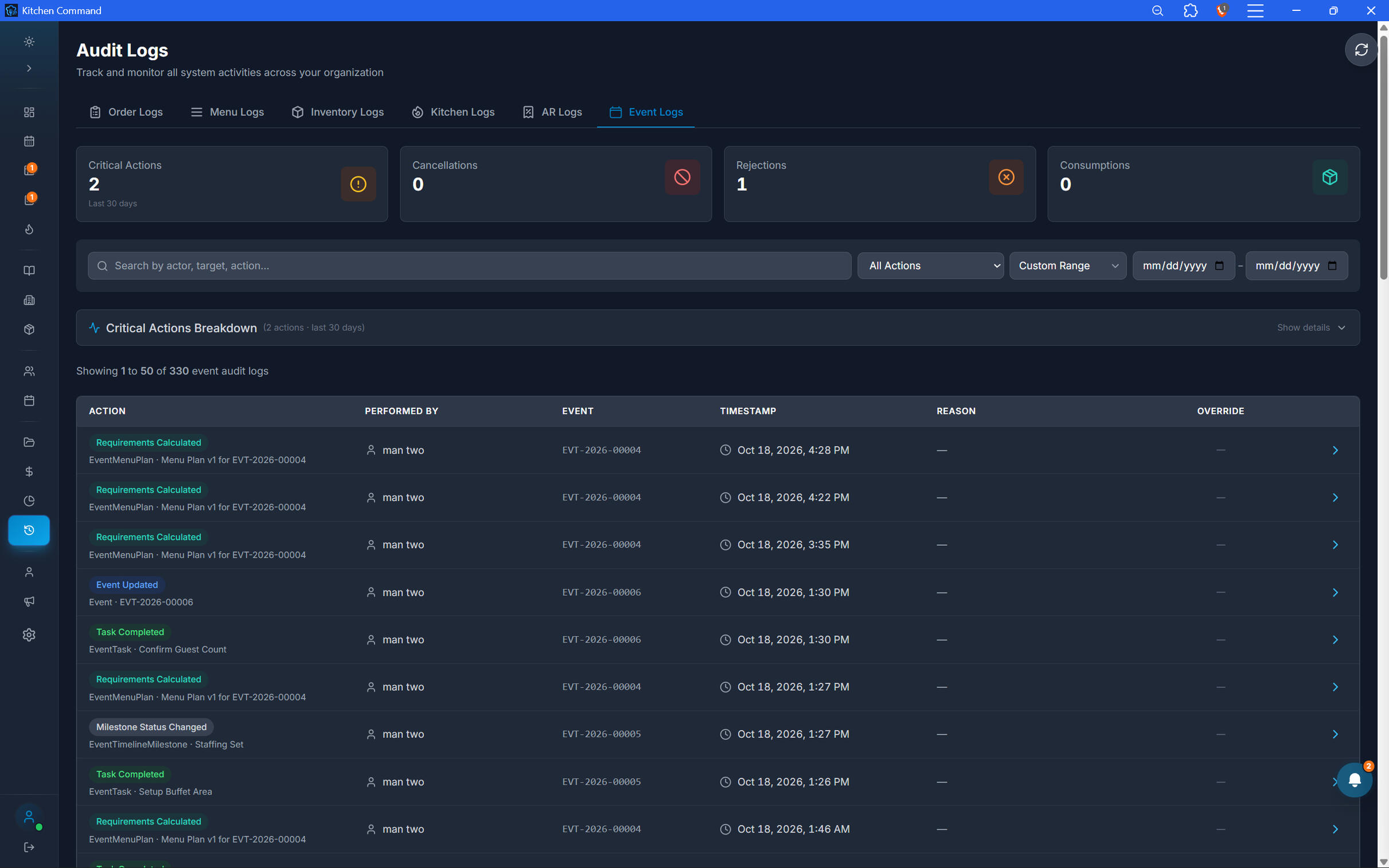
Every Event. A Clearer Record.
Maintain visibility into changes and activity associated with restaurant events. Keep a clearer record of event operations to support coordination, accountability, and follow-up.
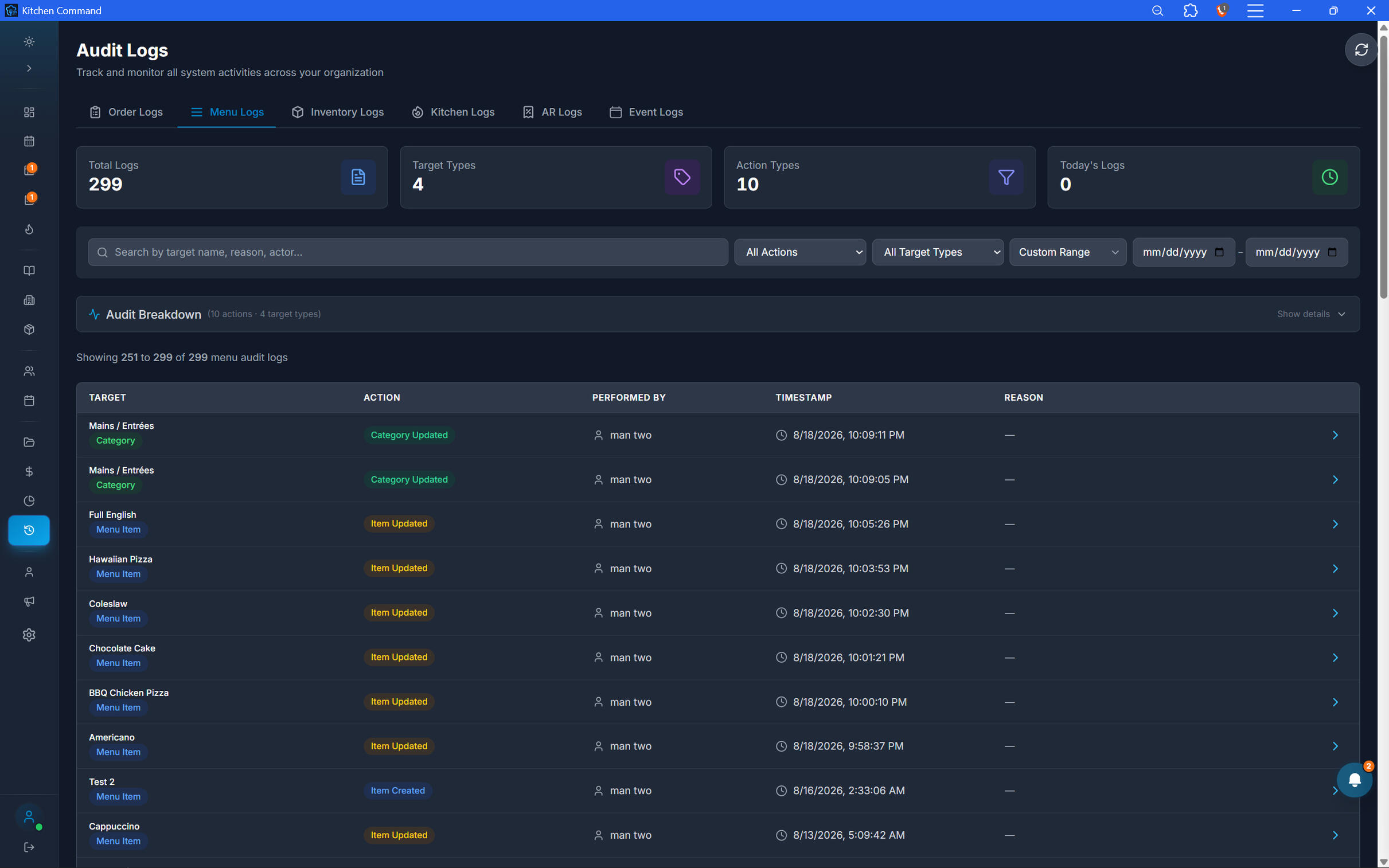
Know What Changed on Your Menu.
Maintain a record of menu-related activity so you can review changes and understand how your menu configuration evolves over time. Support better control over the items your restaurant offers.
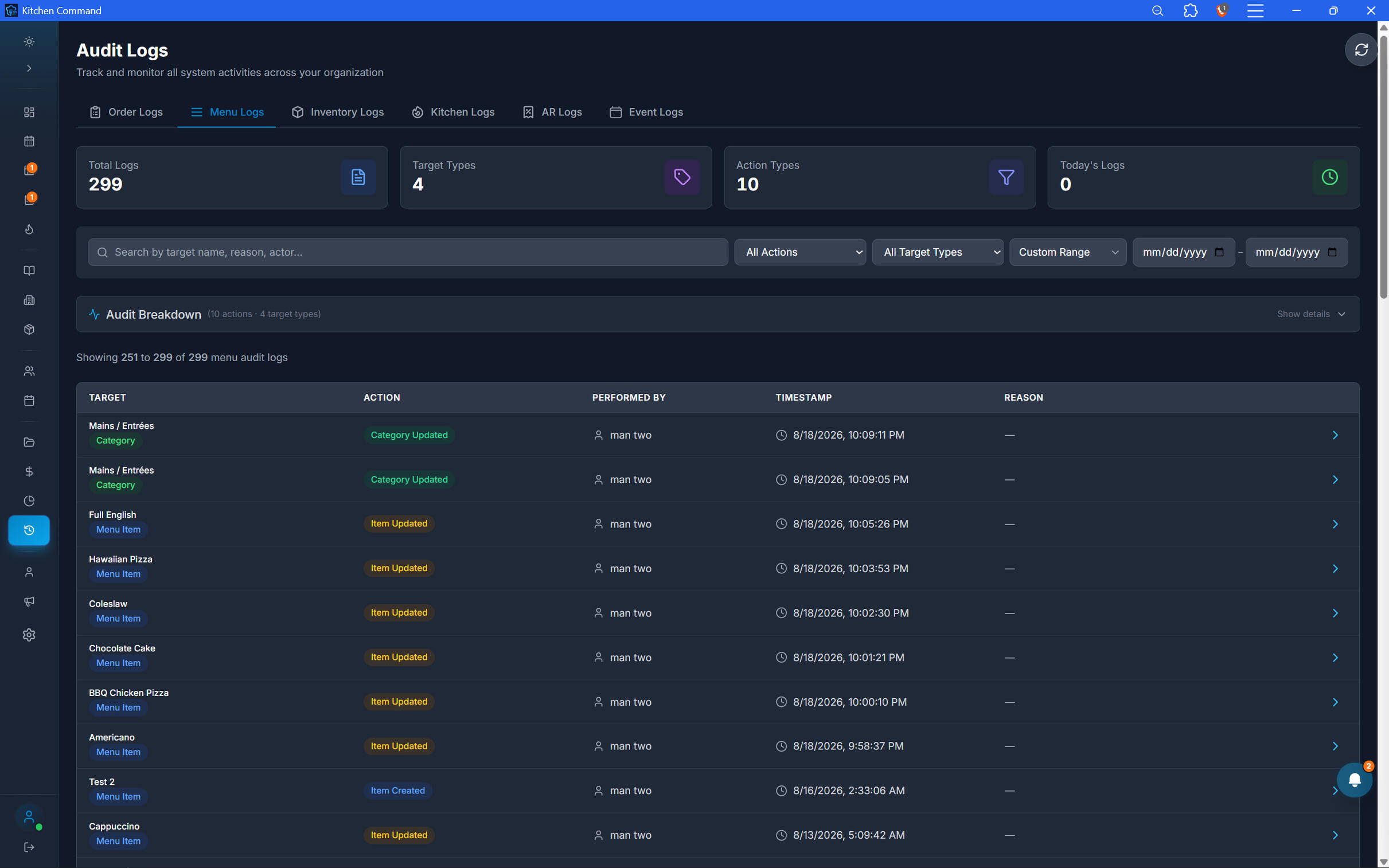
Know What Changed on Your Menu.
Maintain a record of menu-related activity so you can review changes and understand how your menu configuration evolves over time. Support better control over the items your restaurant offers.
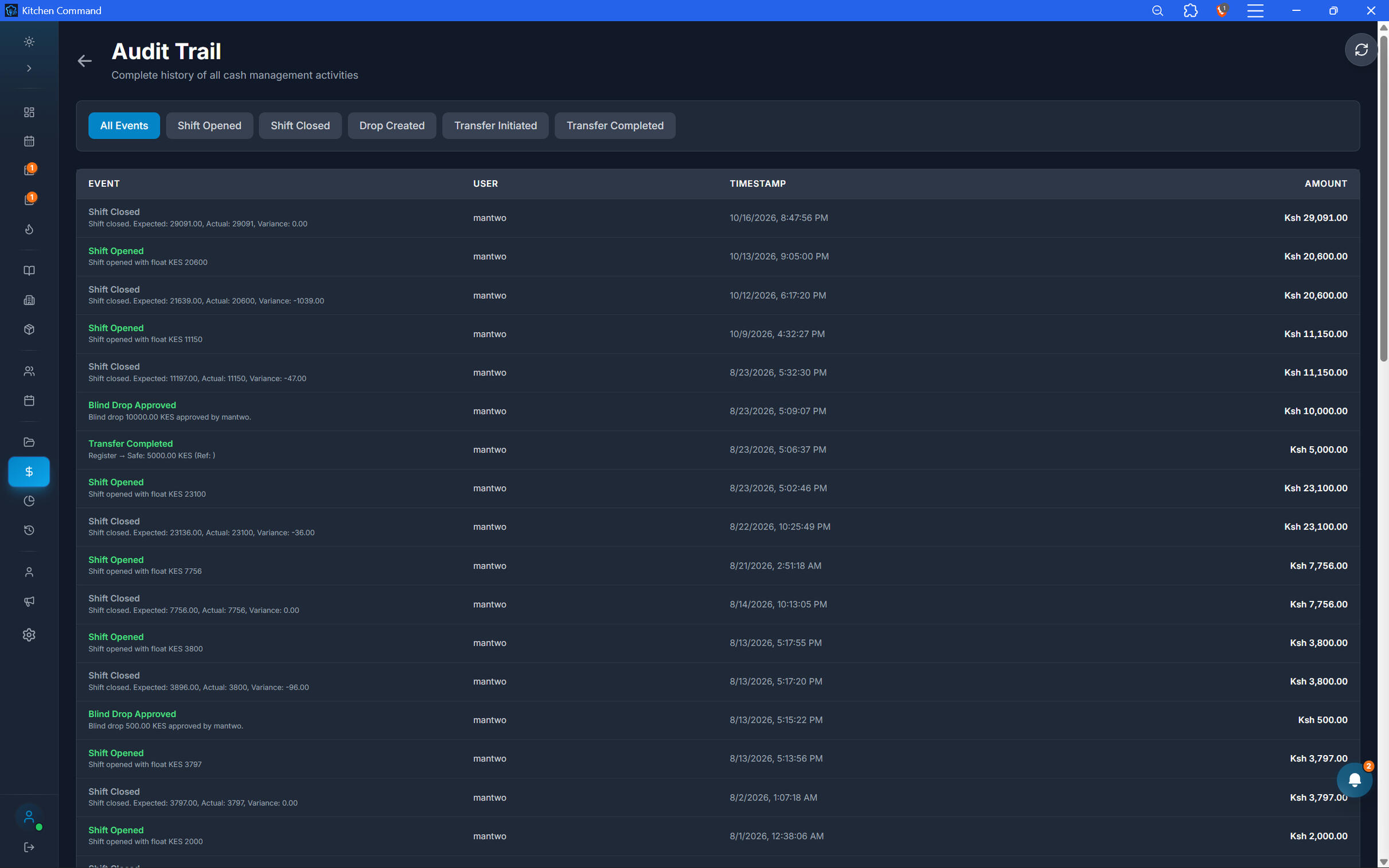
Follow the Money. Strengthen Accountability.
Maintain traceability across cash-management activities, including cash drops, safe transfers, shift changes, and recorded variances. Give your business a clearer record of cash movements and the information needed to investigate discrepancies.
Run Your Restaurant with Greater Confidence.
Build stronger accountability across every part of your operation with audit trails that help you understand activity, investigate discrepancies, and maintain better control.
Document management
Your Restaurant's Documents. One Organized Place.
Keep important restaurant documents organized and easy to find. Kitchen Command lets you store documents by category, helping you keep business information structured and reduce the hassle of searching through scattered files.
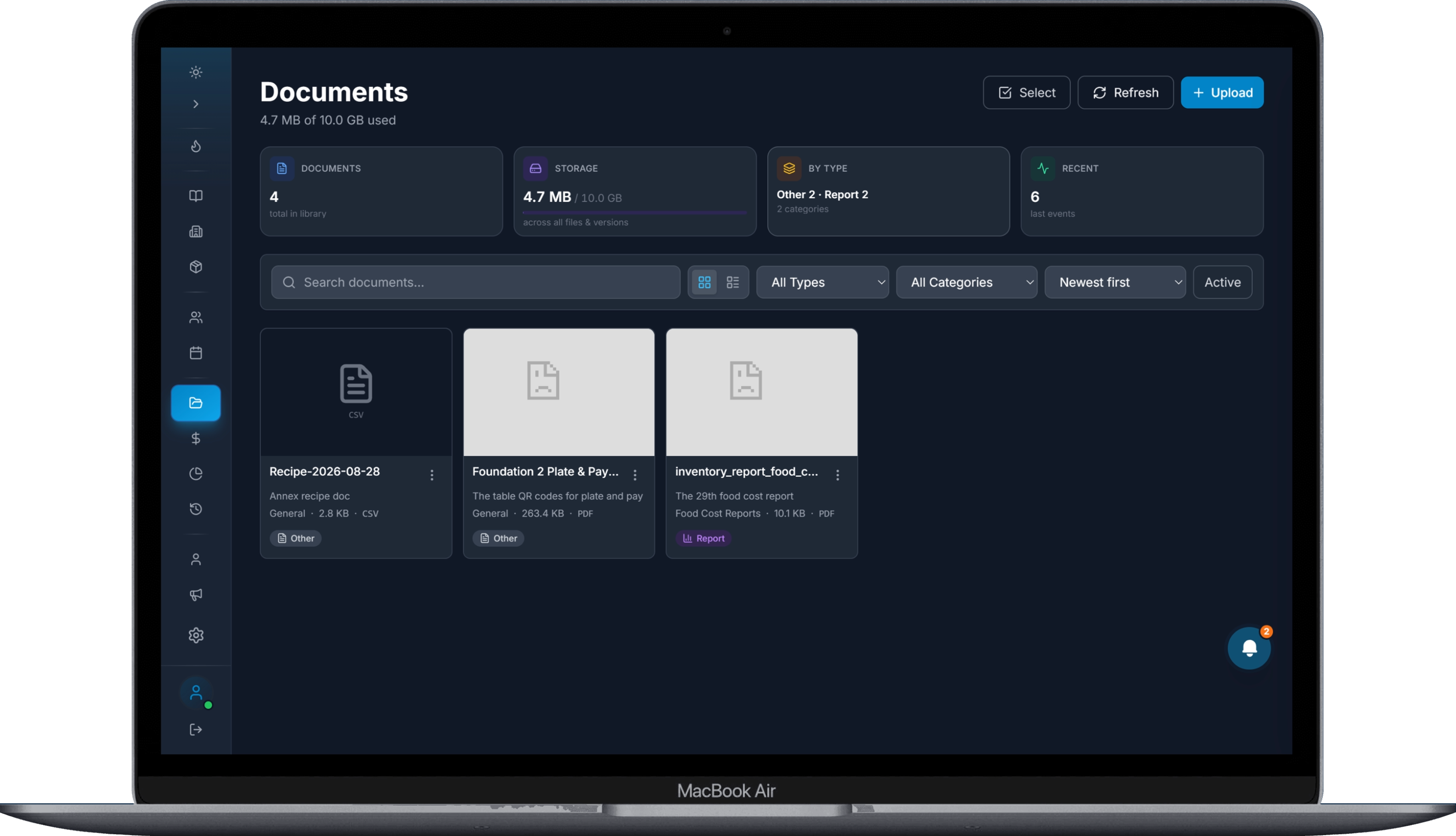
Organize Documents Your Way.
Keep your restaurant's documents organized by category in one central location. From business records to operational documents, create a more structured way to store the information your team needs.
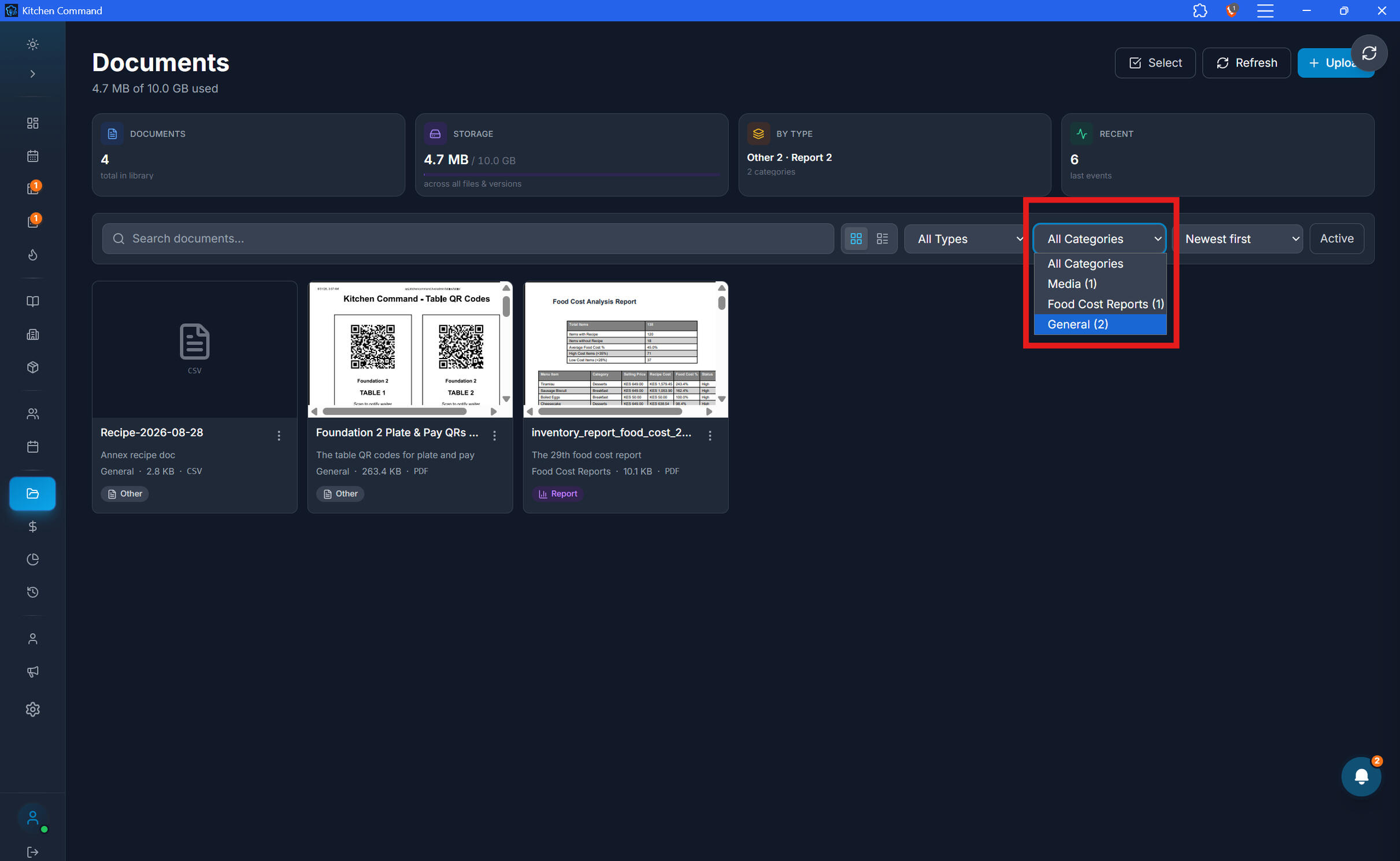
Find the Documents That Matter.
Spend less time dealing with scattered files and more time running your restaurant. Categorized document storage helps you keep related records together and makes your document library easier to navigate.
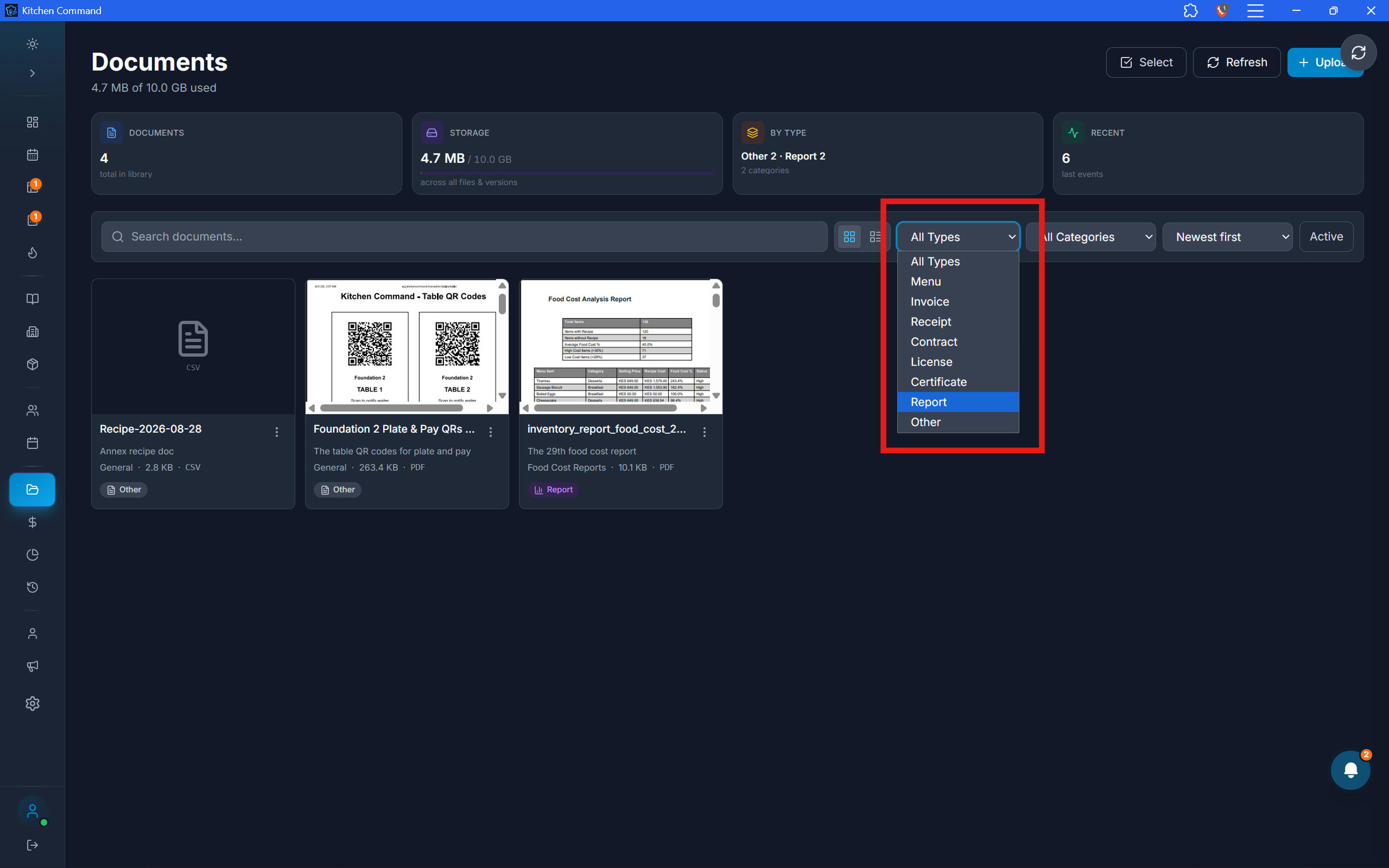
Find the Documents That Matter.
Spend less time dealing with scattered files and more time running your restaurant. Categorized document storage helps you keep related records together and makes your document library easier to navigate.
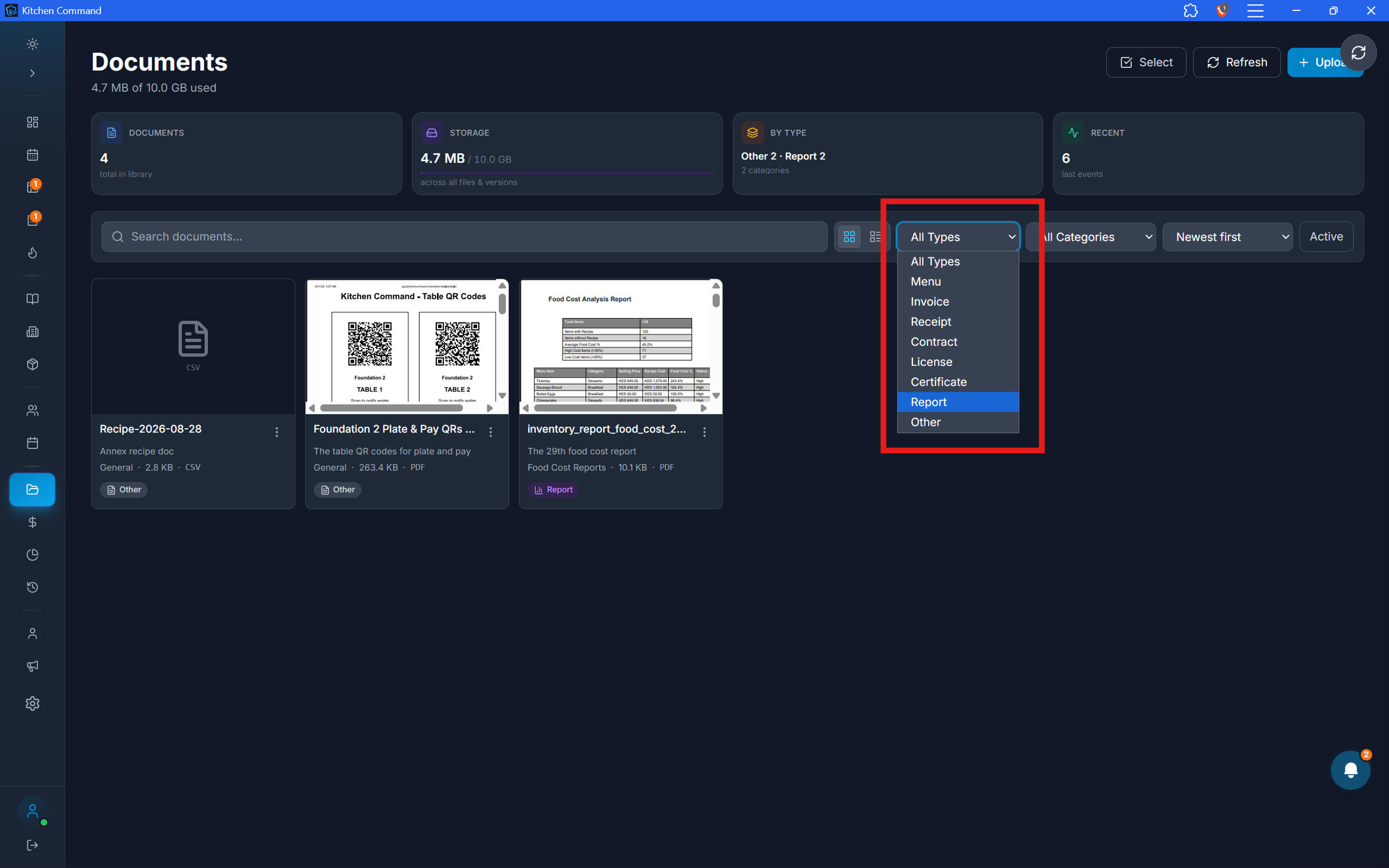
Bring Order to Your Restaurant's Documents.
Keep important business documents organized and accessible through Kitchen Command.